
Use this buyer’s checklist when you compare wedding CRMs from any company. It lists what to look for and how to test it, not what one product does; for a tour of Wedza CRM’s own screens, see Wedza CRM features, screen by screen. Every point is something a wedding business in India uses in a normal week: an enquiry on Instagram, a quote on WhatsApp, an advance by UPI, a balance before the event and a date that must never be sold twice. Print it, open each CRM's free trial or demo, and tick what it really does, not what its website says.
What should you look for in a wedding CRM?
A wedding CRM should take an enquiry all the way to the last payment: leads, quotes with GST, orders with an advance and instalments, a calendar that stops double bookings, and logins for your team. Anything less and you are back to the diary and the Excel sheet. The lists below break that into points you can check one by one.
Which lead features does a wedding CRM need?
It needs to catch every enquiry with its date and source, and remind you to follow up. Check for:
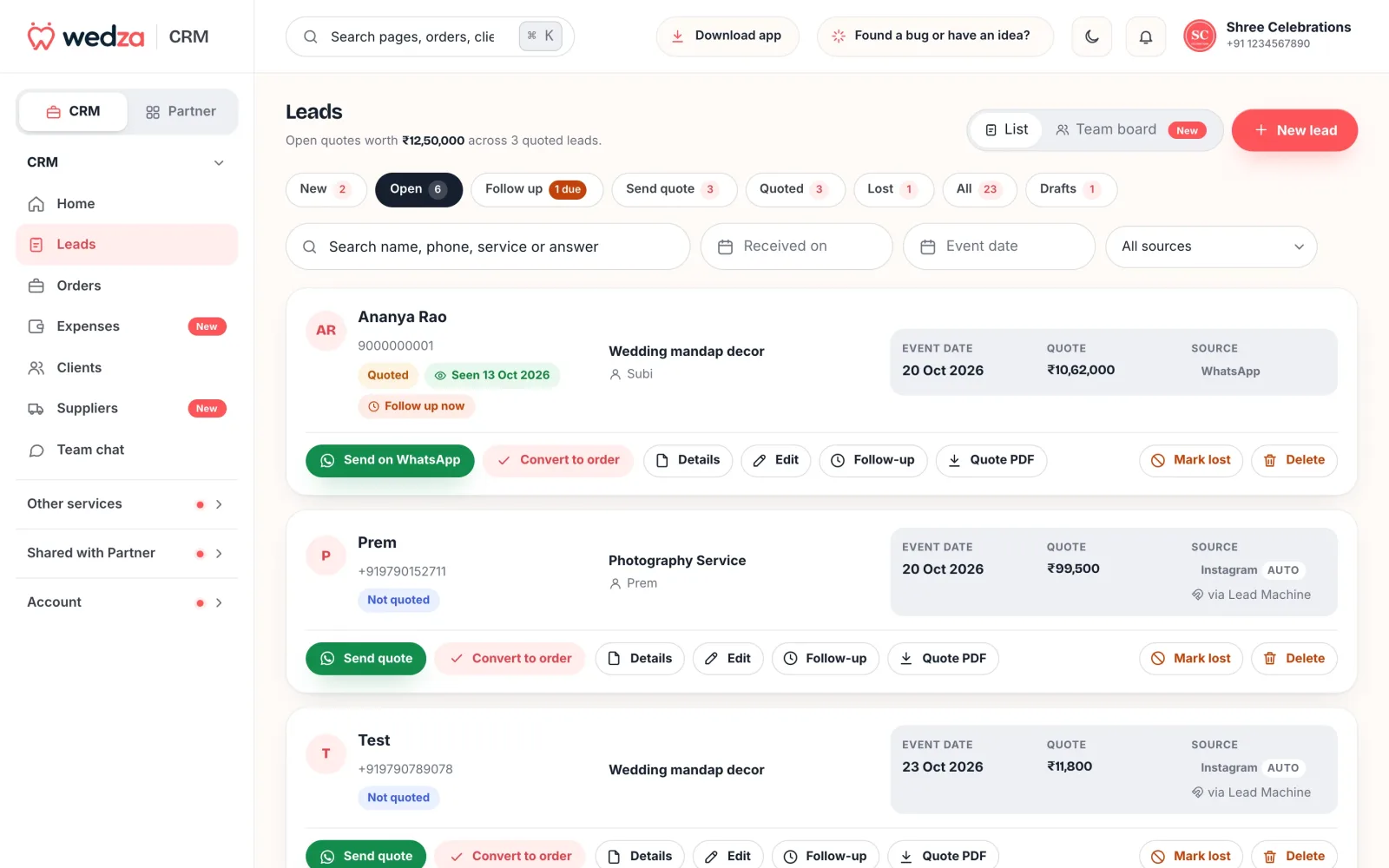
- Add a lead with client, event date and occasion
- Record the source (Instagram, WhatsApp, Google, Justdial, website, walk-in)
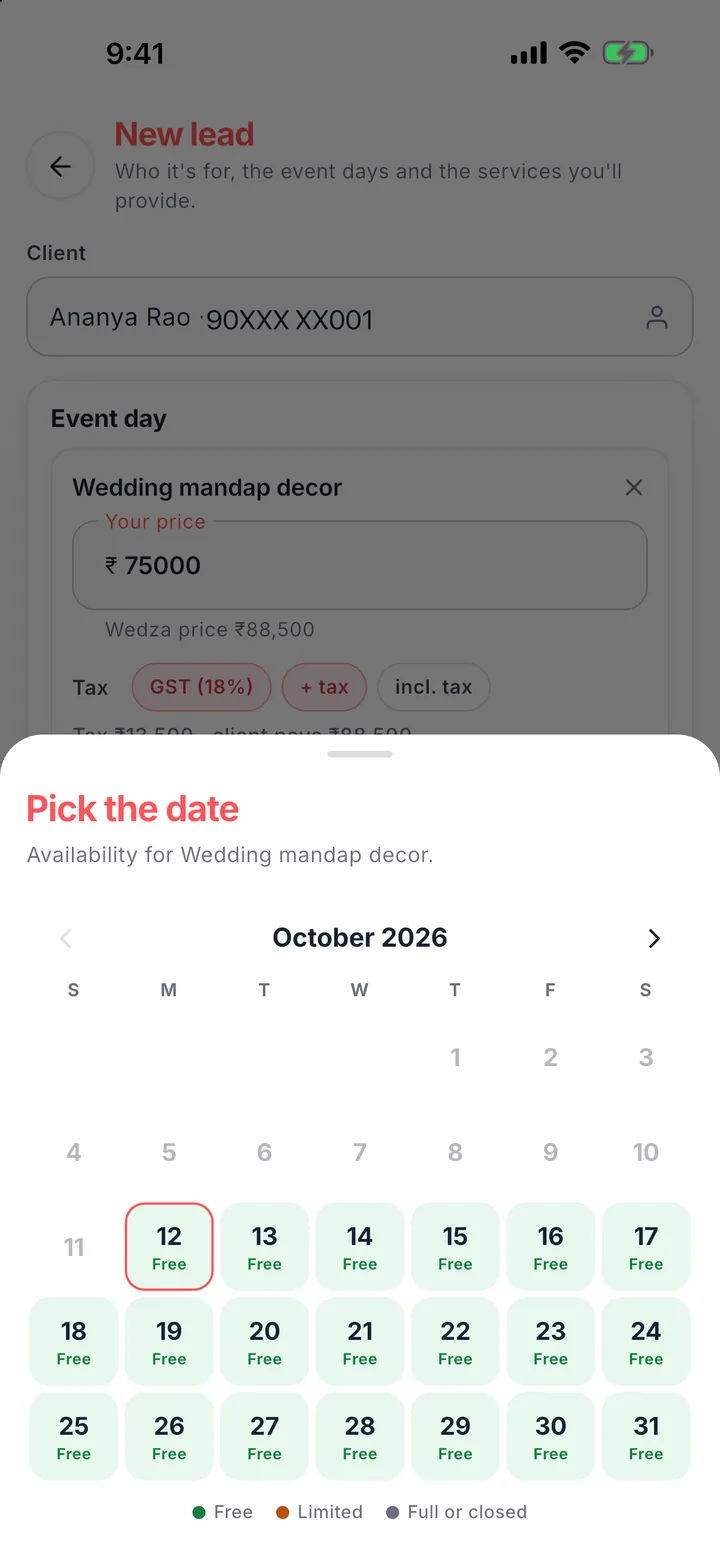
- Multi-day events in one lead: haldi, mehendi, wedding and reception
- Assign a lead to a team member
- See new, follow-up, quoted and lost leads
- Follow-up reminders
- Your own enquiry link that shows customers only the dates you are free
The last point matters more than it looks. A CRM that only organises the leads you already have does nothing for next month. Read more in wedding lead management.
What should a wedding CRM do for quotes and invoices?
It should build a quote from your own price list, add GST the right way and send it on WhatsApp in a minute. Check for:
- Price from your own service list
- GST on top or included, per service
- A normal invoice without GST if your business is not registered
- Logo, PAN/GST, bank and UPI on every document
- Share a quote link and PDF on WhatsApp
- See when the client opened the quote
- Let the client accept the quote online
- A monthly GST report for your auditor
How should a wedding CRM track advance and balance payments?
Every order should carry its own payment plan, with each instalment's amount and due date, so the balance is never a guess. Check for:
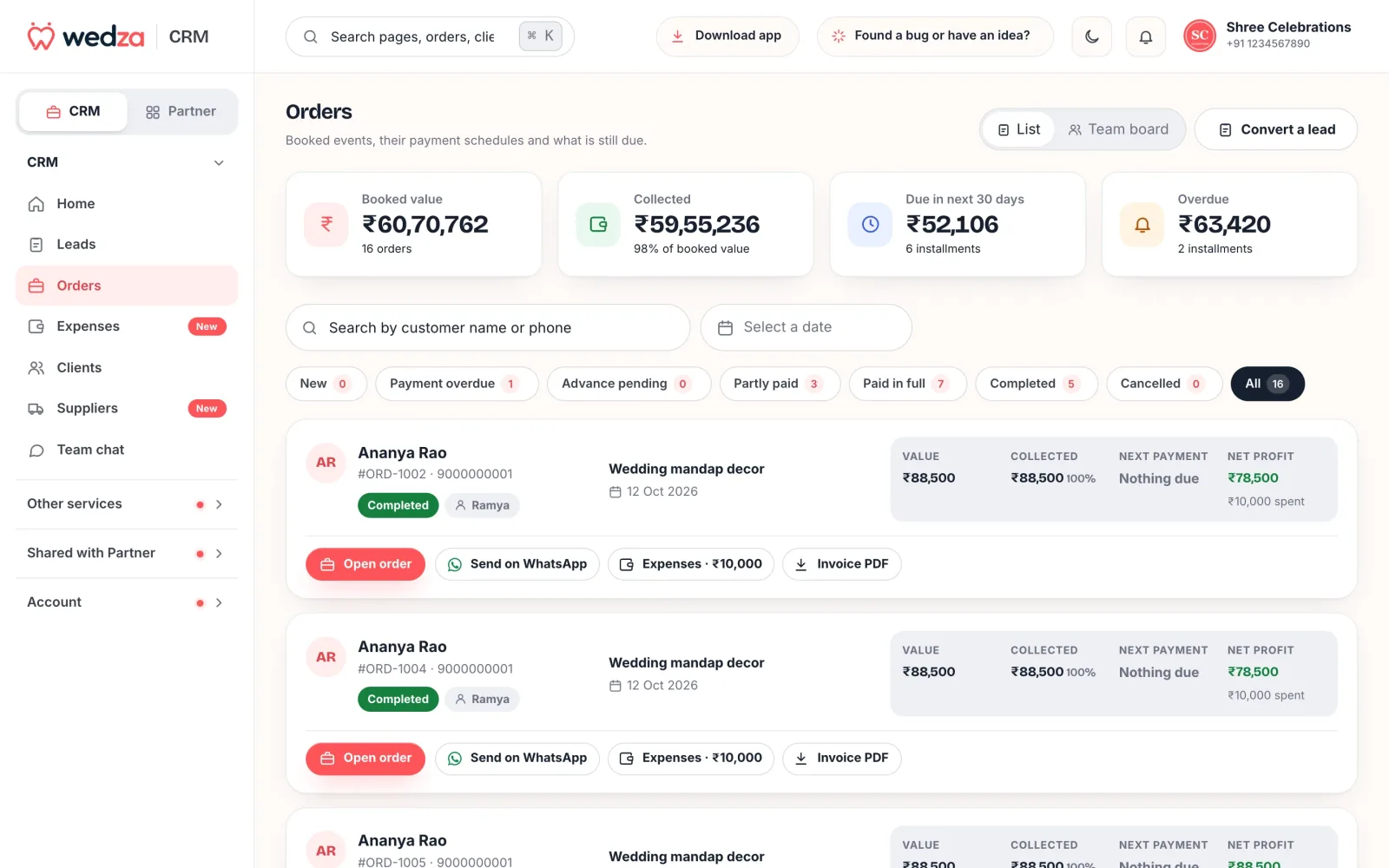
- Convert a lead to an order in one tap
- Payment plans: Full, 50/50, 30/40/30 or custom
- Record UPI, bank, cash, card and cheque
- See paid, balance, due and overdue
- Payment reminders on WhatsApp
- A page where your client sees the order and pays you by UPI or bank
For a plan that suits your service, see our guide on advance and balance plans.
What calendar and team features matter?
The calendar should warn you before you say yes to a date you cannot take, and each person on your team should log in as themselves. Check for:
- Free, limited and full dates while quoting
- One calendar for every booking
- A double-booking check on every event day, not just the opening day
- Block days off, or take fewer bookings on a busy day
- Crew on each event day, with a warning when someone is busy elsewhere
- Team members with roles and their own login
- Works on Android, iPhone and the web, with the same data
More on this in how to avoid double booking wedding dates.
What else should you check before you pay for a wedding CRM?
Check the money side and whether your data stays yours. These points rarely show on a feature page:
- Expenses per order, so you see each event's profit and margin
- Suppliers, and what you pay each of them
- Export all your data to a file you can open in Excel
- Screens in your own language
- No commission on the bookings you bring in
- Brings new customers, not just organises old ones
How do you score a wedding CRM with this checklist?
Give each CRM one point for every box it ticks during the trial, and do it on your phone, because that is where most enquiries reach you. Then look at the boxes it missed. A CRM that misses multi-day events, GST or payment plans will push you back to Excel within a month, however many other boxes it ticks. Also read the price page closely: a low monthly price that leaves out payment plans or WhatsApp sending is not a low price.
How does Wedza CRM score on this checklist?
Wedza CRM ticks every box above, on the Wedza Partner app for Android and iPhone and in the web Partner Portal. Screens come in Tamil, Telugu, Hindi, Kannada or Malayalam, or in English letters. It is ₹199 for 30 days with every feature, new partners get a 3-day free trial, and Wedza never takes a commission on your bookings. See every screen in Wedza CRM features.
More about Wedza CRM: this guide covers one part. For everything Wedza CRM does, with real screens, prices and add-ons, see Wedza CRM features: everything it does.
Questions
Which feature matters most?
For most wedding businesses: a phone app with date availability and WhatsApp quotes. Those two decide whether you win the booking.
How do I test a wedding CRM before I pay?
Use its trial with one real enquiry: add the lead with every event day, send the quote on WhatsApp, convert it to an order with an advance and record a payment. If any step needs Excel or a separate app, the CRM fails the checklist. Wedza CRM gives new partners a 3-day free trial with every feature.
Does a wedding CRM need GST features if I am not registered?
You still need a clean invoice. Wedza CRM makes GST invoices with your GSTIN, and a normal invoice without GST for businesses that are not registered.
Can I take my data out if I change CRM?
In Wedza CRM, yes. Export CRM data puts your clients, leads, orders, payments, expenses, suppliers and team in one CSV that opens in Excel and Google Sheets.