
For wedding photographers
The wedding photography CRM with AI included.
Between shoots, just type. Ask Wedza AI adds your enquiries, packages, functions and payments for you, and keeps your studio’s week in one answer.
How it works
Type it. Check it. Done.
Four steps, all on one screen, with the work you were doing still beside you.
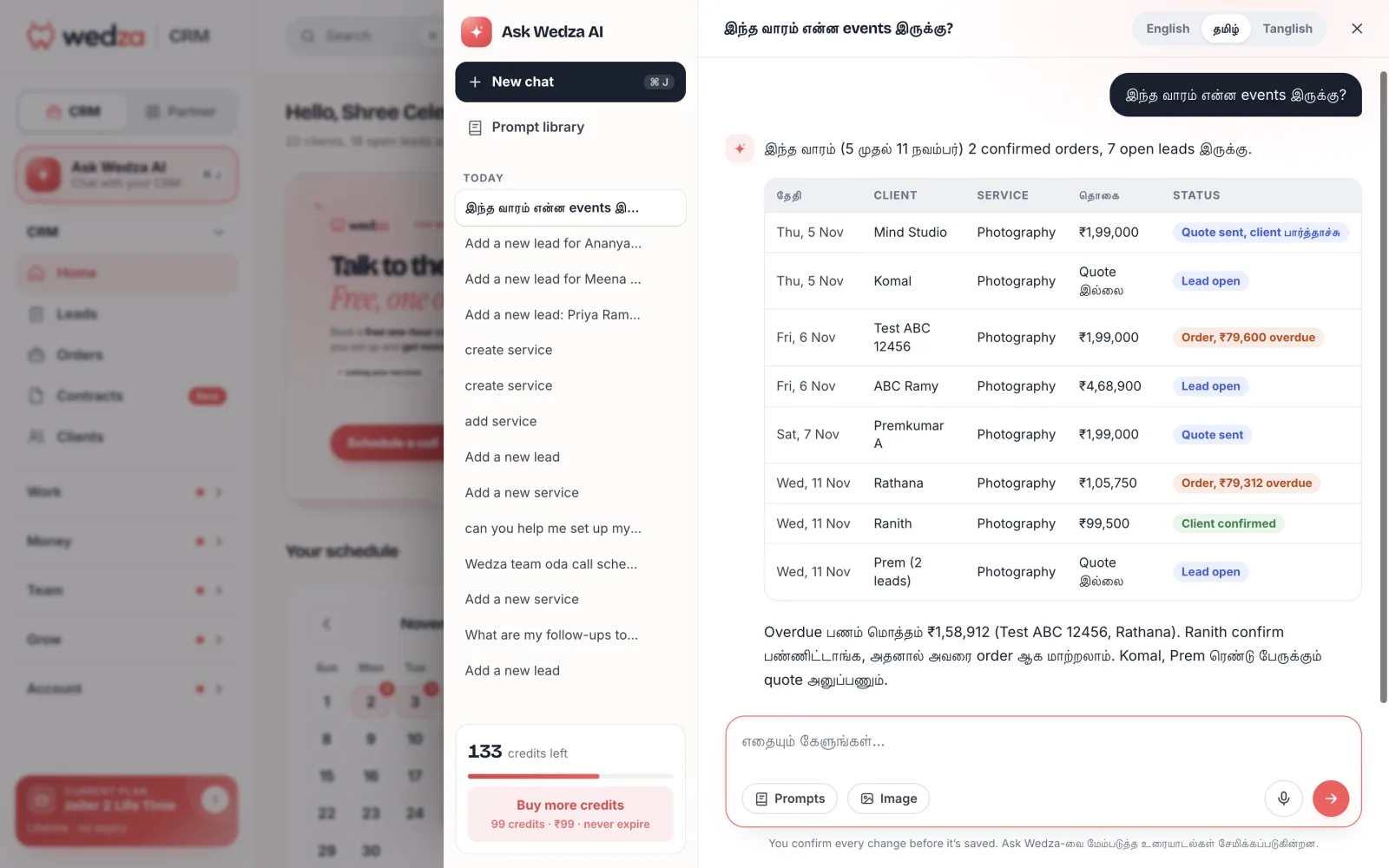
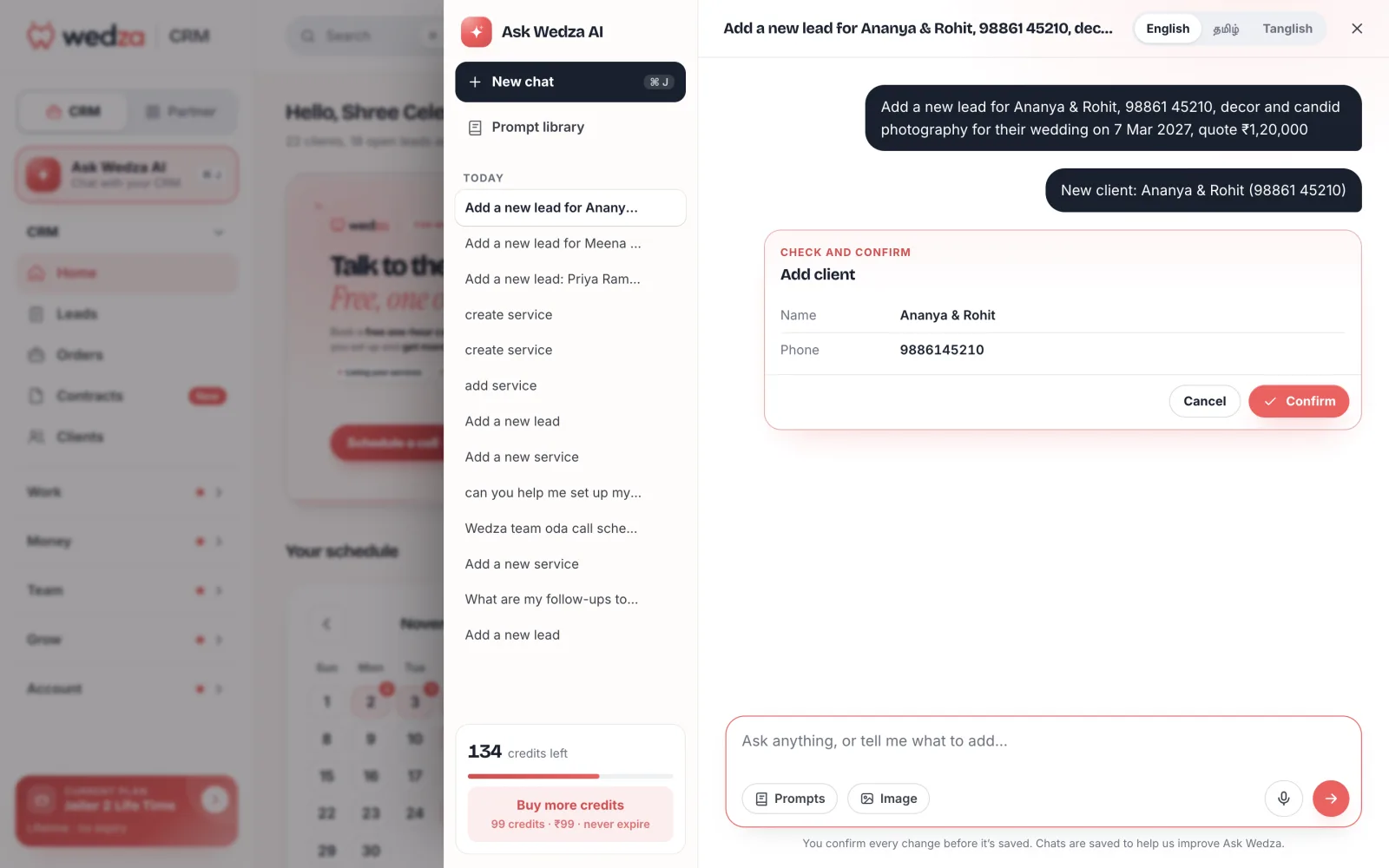
Add a wedding in one line
“Add a new lead for Ananya & Rohit, candid photography, 7 Mar, ₹1,20,000.” It checks your clients first and asks before it adds anyone new.
Set up your packages by chat
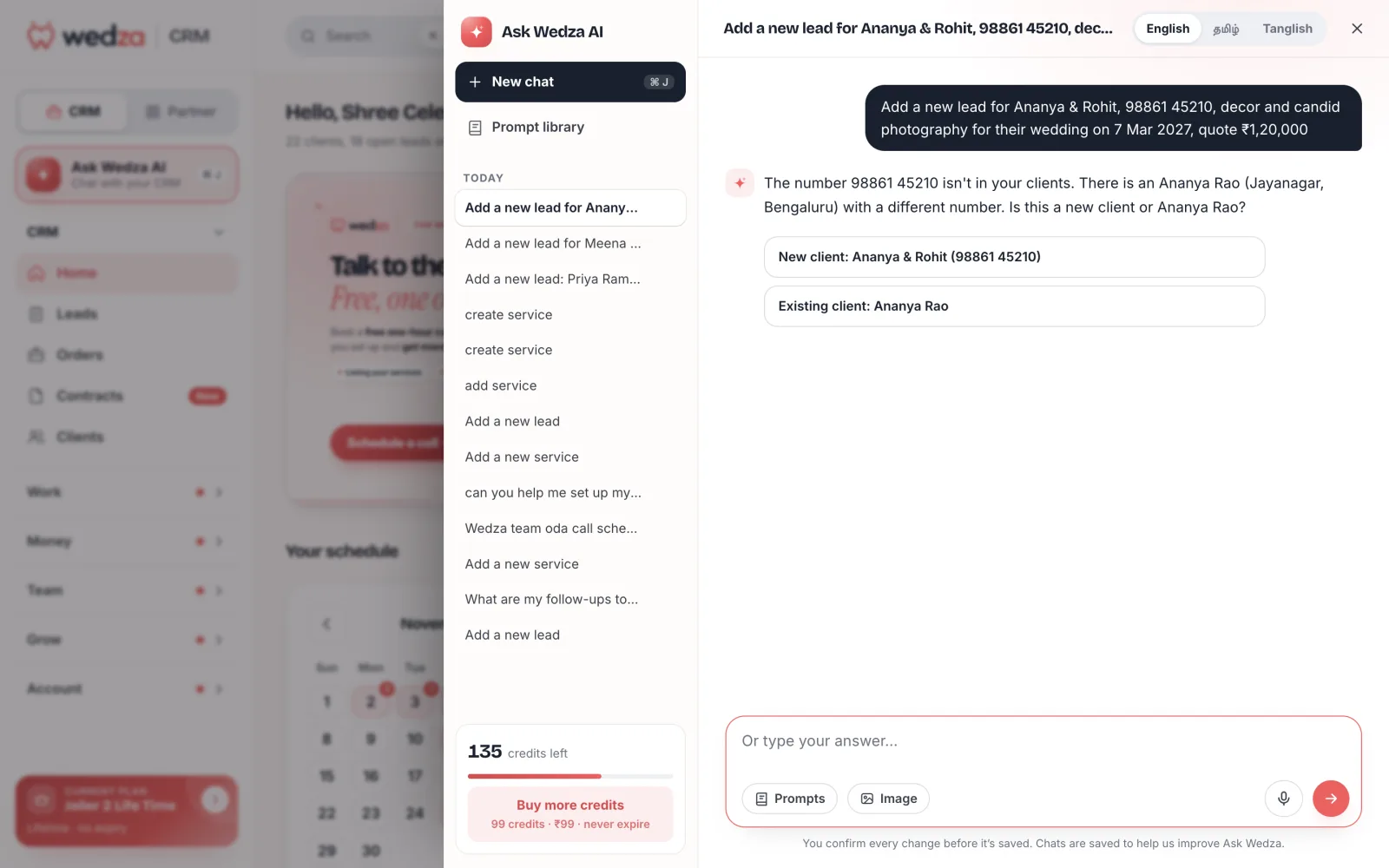
Create candid, traditional, film or drone services one question at a time: category, how it is priced, packages and days.
See your week’s shoots
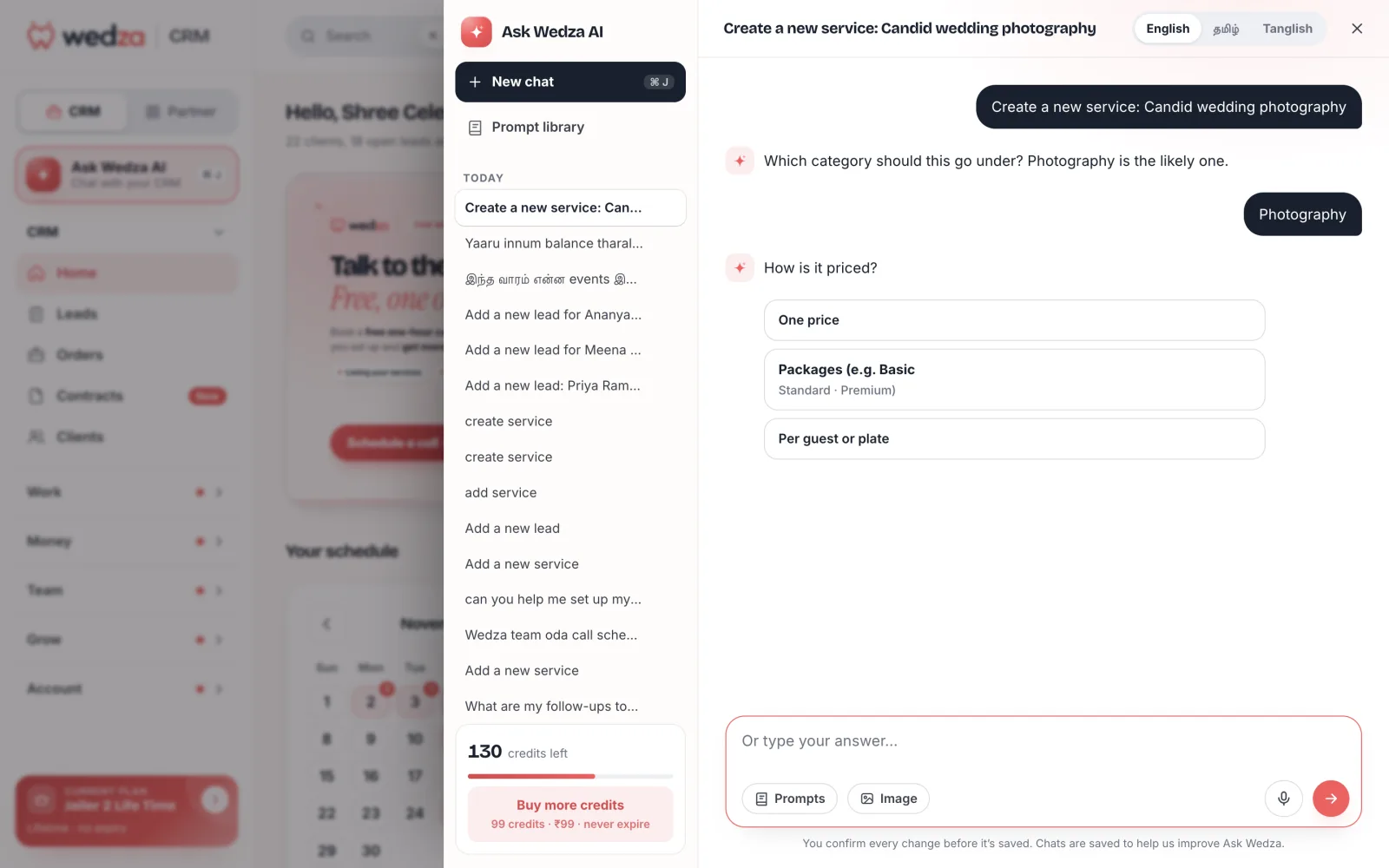
“இந்த வாரம் என்ன events இருக்கு?” Every shoot, client, amount and status in one table, in Tamil, English, Tanglish or any of the other languages.
Collect every balance
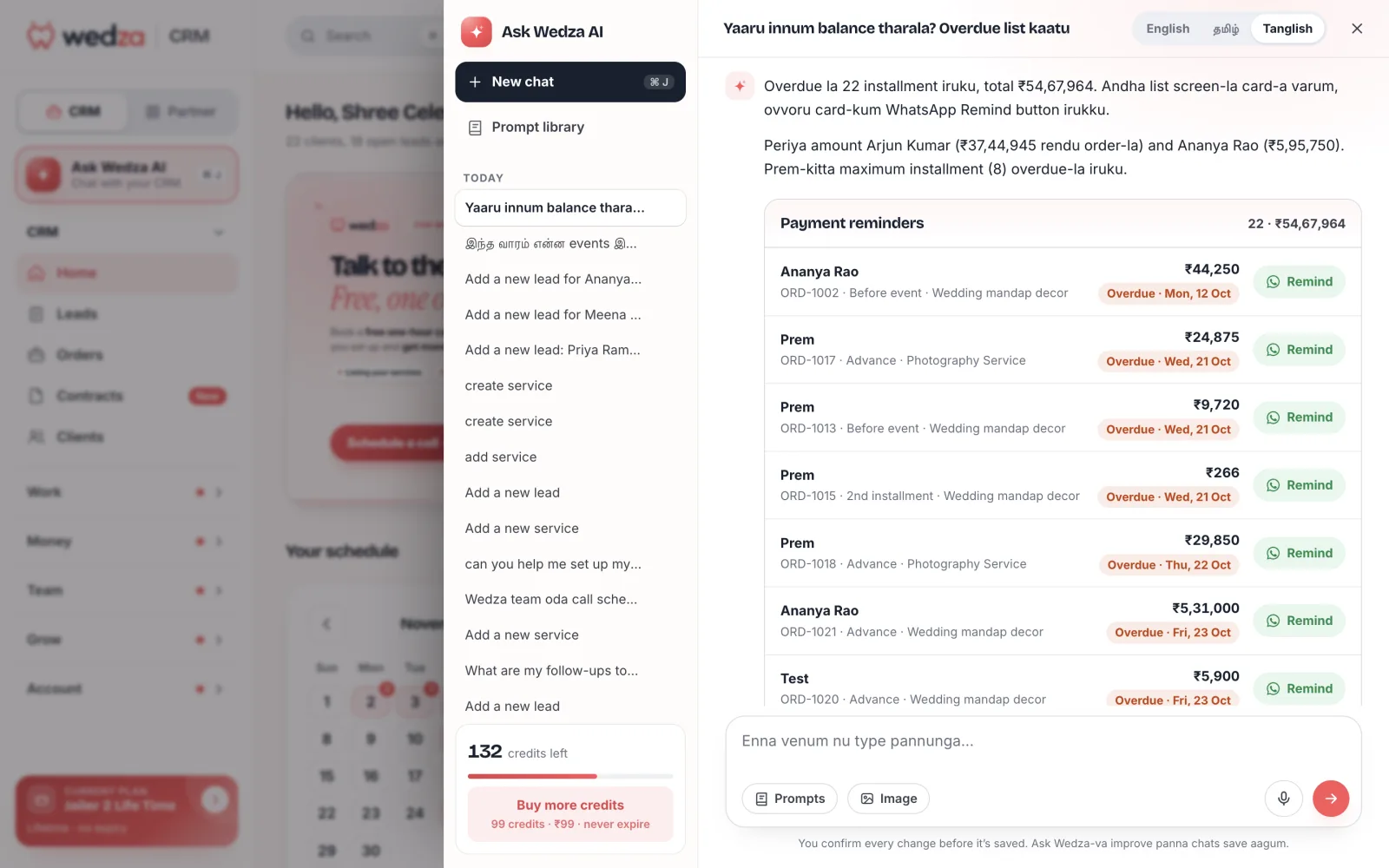
Ask who has not paid the advance or the album balance, and send a WhatsApp reminder from the list.
Your language
Talk to your CRM the way you talk to your team.
English, தமிழ், हिन्दी, ಕನ್ನಡ, മലയാളം and తెలుగు, each also in English letters (Tanglish, Hinglish, Kanglish, Manglish, Tenglish): switch at the top of the chat and type the way you speak. Ask Wedza AI answers in the language you pick.
What you can ask
Ask anything about your business.
Leads, orders, payments, services, dates and your team: most of what you do on the screens, done by chat.
- “Add Priya’s wedding: haldi 14 Feb, wedding 15 Feb, candid + traditional, ₹1,20,000”
- “What shoots do I have this week?”
- “Is 21 Feb free for a reception?”
- “Create a new service: candid wedding photography”
- “Add a package: Gold, 2 days, candid + film, ₹1,50,000”
- “Show my packages”
- “Record ₹50,000 advance from Ananya by UPI”
- “Who has not paid the album balance?”
- “Add ₹8,000 drone rental to Ranith’s order”
- “Send Meena’s quote on WhatsApp”
- “Convert Ranith’s lead to an order”
- “Update Komal’s phone number”
- “Block 2 Mar for a pre-wedding shoot”
- “Unblock 9 Mar”
- “Which dates are blocked this month?”
- “Add Karthik to my team as Crew”
- “Assign the 11 Nov wedding to Karthik”
- “Who is on my team?”
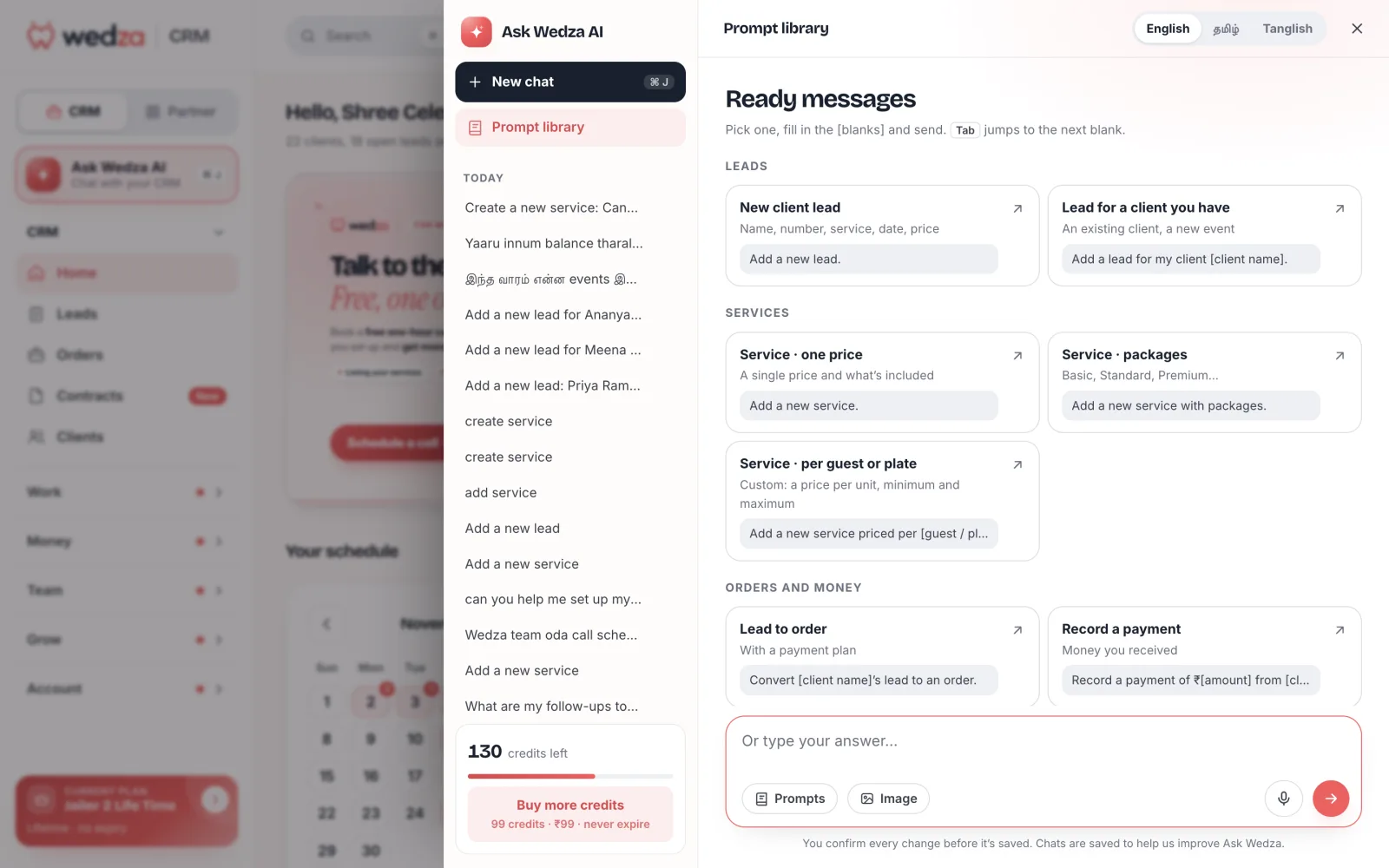
Prompt library
Not sure what to type? Pick one.
Ready messages for leads, services, orders and money. Pick one, fill in the blanks and send. You can also attach a photo: a rate card becomes a service, a bill becomes an expense.
Safe by design
AI does the typing. You stay in charge.
- You confirm every changeAdding, changing or deleting anything shows a card first. Nothing is saved until you press Confirm.
- Roles still applyA team member can only do in the chat what their role allows on the screens.
- Secrets stay off the chatPINs are typed on the card, never into the conversation.
- Your plan stays yours to buyWedza plans and payments to Wedza are never made from the chat.
50 credits to start with any paid plan, then 1,000 credits for ₹99 that never expire. Each task uses credits for the work it takes: a quick question is about 1 credit, while reading a photo or adding a full service uses a few more. Credits in the chat shows what every task used.
Questions
What is Ask Wedza AI?
Ask Wedza AI is the chat assistant inside Wedza CRM. You type what you want and it adds leads, clients, orders and services, sends quotes on WhatsApp, records payments and reminders, blocks dates and more. You confirm every change on a card before it is saved.
Which languages does it speak?
English, Tamil, Hindi, Kannada, Malayalam and Telugu, each in its own script or in English letters (Tanglish, Hinglish, Kanglish, Manglish, Tenglish). Switch at the top of the chat.
How much does it cost?
Ask Wedza AI comes with a paid Wedza CRM plan and 50 credits to start. On the free trial or another plan, the owner can buy credits to use it. After that the owner can buy 1,000 credits for ₹99, and they never expire. Each task uses credits for the work it takes: a quick question is about 1 credit, while reading a photo or adding a full service uses a few more. Credits in the chat shows what every task used. Wedza CRM is ₹199 for 30 days.
Can it change my data without asking?
No. Every add, change or delete shows a card, and nothing is saved until you press Confirm.
Can I send it a photo?
Yes. Attach a rate card, a package poster, a client’s message or a bill, and Ask Wedza AI turns it into a service, a lead or an expense for you to confirm.
Where do I find it?
In the Wedza Partner Portal on the web: press Ask Wedza AI at the top of the menu, or ⌘J.