
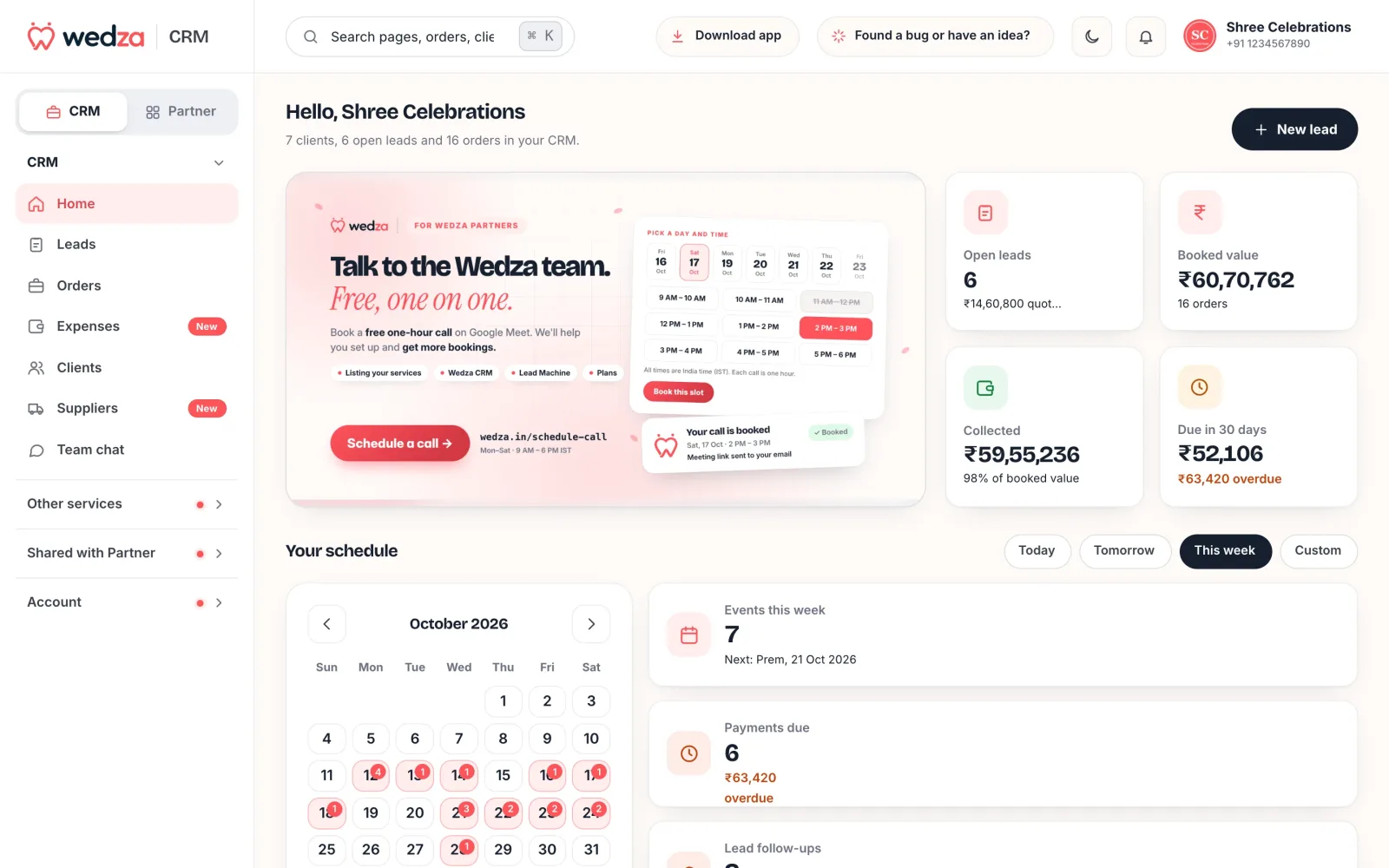
Wedza CRM runs a wedding or event business from the first enquiry to the last payment: leads, quotes on WhatsApp, orders and payment plans, the calendar, crew, expenses and profit, your team and your clients. It works in the Wedza Partner app on Android and iPhone and in any browser at wedza.in/partner-portal. One plan, ₹199 for 30 days, includes every CRM feature, and Wedza takes no commission on your bookings.
The screens below are from our demo business, Shree Celebrations.
On your phone and your laptop, and easy to use
- One account, every screen: the Wedza Partner app on Android, iPhone and iPad, and the Partner Portal in any browser at wedza.in/partner-portal. The same leads, orders, calendar and team on both.
- Your team too: members log in on the app or the web with their employee number and MPIN.
- Nothing to set up: it already knows WhatsApp, GST, UPI, advances and event dates, so there are no fields or pipelines to build.
- Start in minutes: a quick business setup (name, address, logo, PAN or GST, bank and UPI) and you can send your first quote. No KYC is needed for the CRM.
- One screen for today: Home shows what needs you, so you don’t hunt through menus.
- Forms that don’t lose your place: every form opens in a side panel over the page, long ones go step by step, and a half-filled lead is kept as a draft.
- Plain words, rupees with Indian grouping (₹9,100) and dates like “Sat, 3 Oct”.
- Help in your language: video guides in English, Hindi, Kannada, Tamil, Telugu and Malayalam, and support chat inside the app.
- Light and dark mode, and search that does everything: ⌘K (Ctrl+K) finds leads, orders, contracts, services, clients, crew, expenses and suppliers, and starts a new one of any of them.
Home: what needs you today
Open the CRM and see open leads and how much you have quoted, booked value, money collected, what is due in the next 30 days and what is overdue. Below that: your schedule by day, events this week, payments due, deliverables due, confirmed quotes ready to convert, payments your clients say they have made, lead follow-ups, and how each of your services is selling.
Leads and enquiries
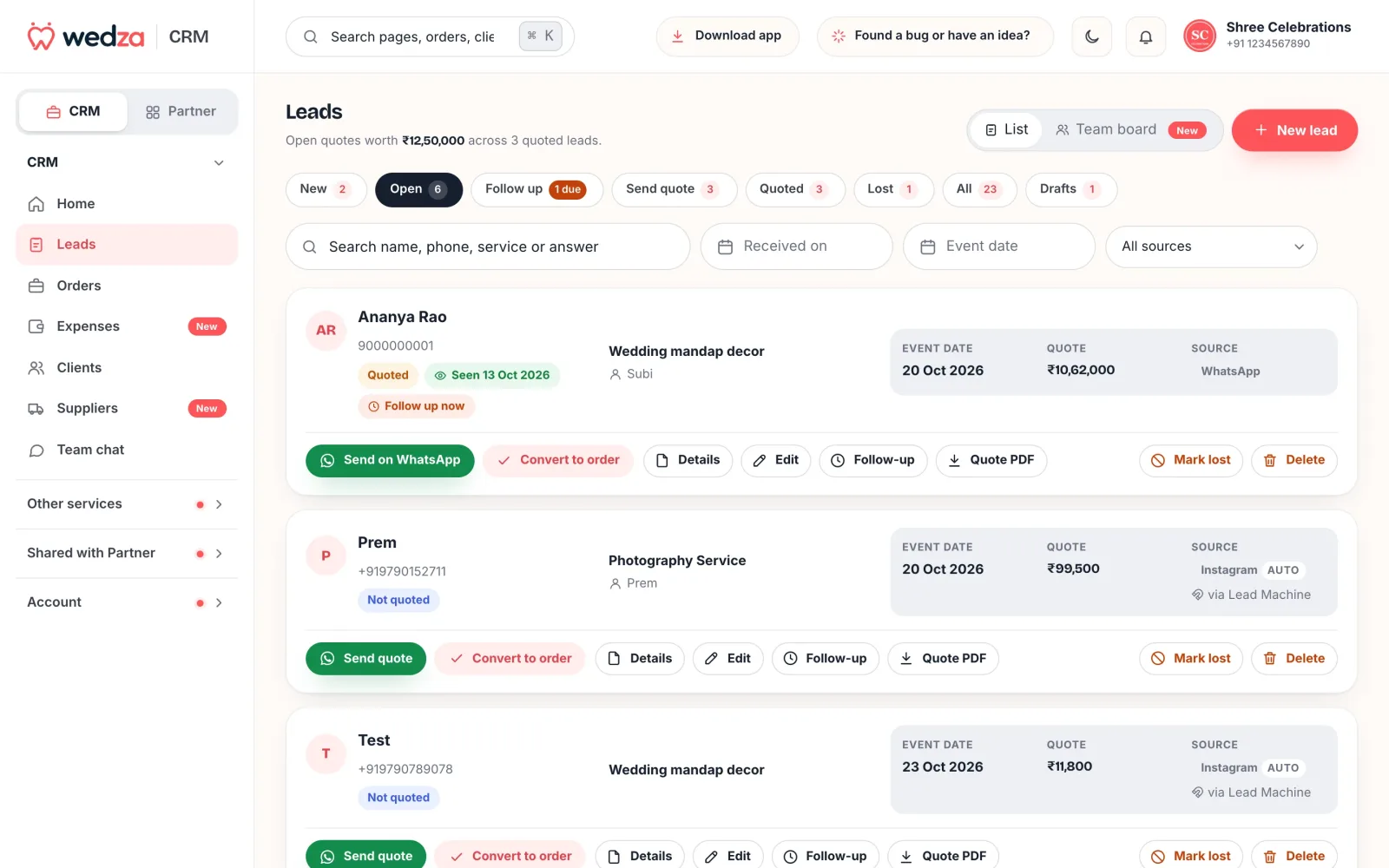
- Every enquiry in one list, with its source (WhatsApp, Instagram, Facebook, your website, your Lead Machine link, a walk-in or a referral) and the team member who owns it.
- Several event days in one lead, like haldi, mehendi, wedding and reception, each with its own date and the services, quantities and prices for that day. Add extra charges and a discount.
- Tabs that tell you what to do: New, Follow up, Quoted, Ready to convert and Lost, plus a Team board grouped by who owns each lead.
- Drafts: close a half-filled lead and keep it; it is there on the app and the web.
Quotes on WhatsApp
Turn a lead into a quote with your services, quantities and prices, and send it on WhatsApp as a link and a PDF. Your client opens it on their phone without installing anything and can confirm it there; the lead moves to Ready to convert. When it becomes an order, the same details become the invoice, with the payment schedule and what is paid and due.
GST and normal invoices for wedding businesses
Create both GST invoices and normal invoices with Wedza CRM. Include your business details, customer information, services, quantities, pricing and payment details in your documents.
- Create GST invoices for applicable taxable transactions.
- Create normal invoices for transactions that do not require a GST invoice.
- Include your GST number, bank details and UPI ID where applicable.
- Share invoices as PDFs and keep payment tracking connected to the relevant order.
- Use the optional Invoice Builder to customise your invoice design, fonts, colours and layout.
- Already have an invoice design? Upload it and the Wedza team makes it your own template (₹99 once, ready within 3 working days).
On a GST invoice, set GST on each service either on top of the price or included in it; each line shows its breakup (₹85,000 + GST ₹15,300 = ₹1,00,300) and the invoice shows the total tax. A normal invoice carries no tax, with your PAN or without, and GST and non-GST services can sit in the same quote.
All core CRM features are available for ₹199 per 30 days, with no booking commission. Advanced invoice designs are available through the optional Invoice Builder plan.
Monthly GST report for your auditor
At the end of the month, your GST is ready to file. Open Money › GST report, pick the month and send it to your auditor from the dashboard.
- Every invoice of the month: taxable sales and output GST split into CGST, SGST and IGST by the client’s state, B2B (clients with a GSTIN) and B2C, rate by rate, with Wedza app bookings included.
- Input tax credit: the GST on your expense bills, from suppliers with a GSTIN, and your net GST for the month.
- Download Excel or PDF: sales by invoice and rate, rate-wise totals, purchases with GST and payments received, laid out the way auditors file.
- Send to your auditor: add your auditor once, then email them both files from Wedza, or share on WhatsApp.
- A reminder on the 5th of every month: your last month’s GST report is ready to send.
Quote acceptance and your terms
- Clients accept online: on the quote link your client taps Confirm quote. Wedza records the date and time, tells you straight away, and the lead moves to Ready to convert.
- Your terms on every order: write your advance, cancellation and delivery terms on the order; your client sees them with the order and its payment schedule.
- Quote and invoice PDFs carry your business details, GST, bank account and UPI ID.
Contracts and e-signatures
Make a contract from any order in a minute, sign it, send it on WhatsApp, and your client signs it online. No printing, no scanning.
- Eight ready-made templates: event services, photography, decoration, catering, venue, makeup, music and pooja, written in plain, fair terms for India. Or save your own templates.
- Filled in from the order: client, event days, services, total and payment schedule go in by themselves. Read and change any word.
- You sign first: type your name and draw your signature, or save it and sign with one tap. Each team member has their own saved signature.
- Your client signs online: they open the WhatsApp link, then sign in the Wedza app or on wedza.in with their name, a drawn signature and “I agree”. You get a notification when they sign.
- A signed PDF with a signing record: both signatures, plus who signed, when, from which device and IP, and a fingerprint of the text, so nobody can change it later.
- Change it until it is signed: edit the contract while it waits; your client is told and always signs the latest version. Cancel it any time, even after signing, and it stays on record.
Automatic reminders
- For you, by push and email, every day: instalments overdue or due today, and your events today, tomorrow and a week from today. Team members get the events assigned to them on their phone.
- Lead follow-ups: set a follow-up date and time on a lead, and Wedza reminds you by push and email when it is due.
- For Wedza app customers: automatic reminders before their booking and when a payment is due or overdue, by push and email.
- For your CRM clients: one tap sends a payment reminder or the order details on WhatsApp, written for you.
- Cloud Gallery: you are warned 7 days and 1 day before a closed gallery's files are deleted, and clients are emailed before a kept gallery ends.
Lead Machine: your own enquiry link
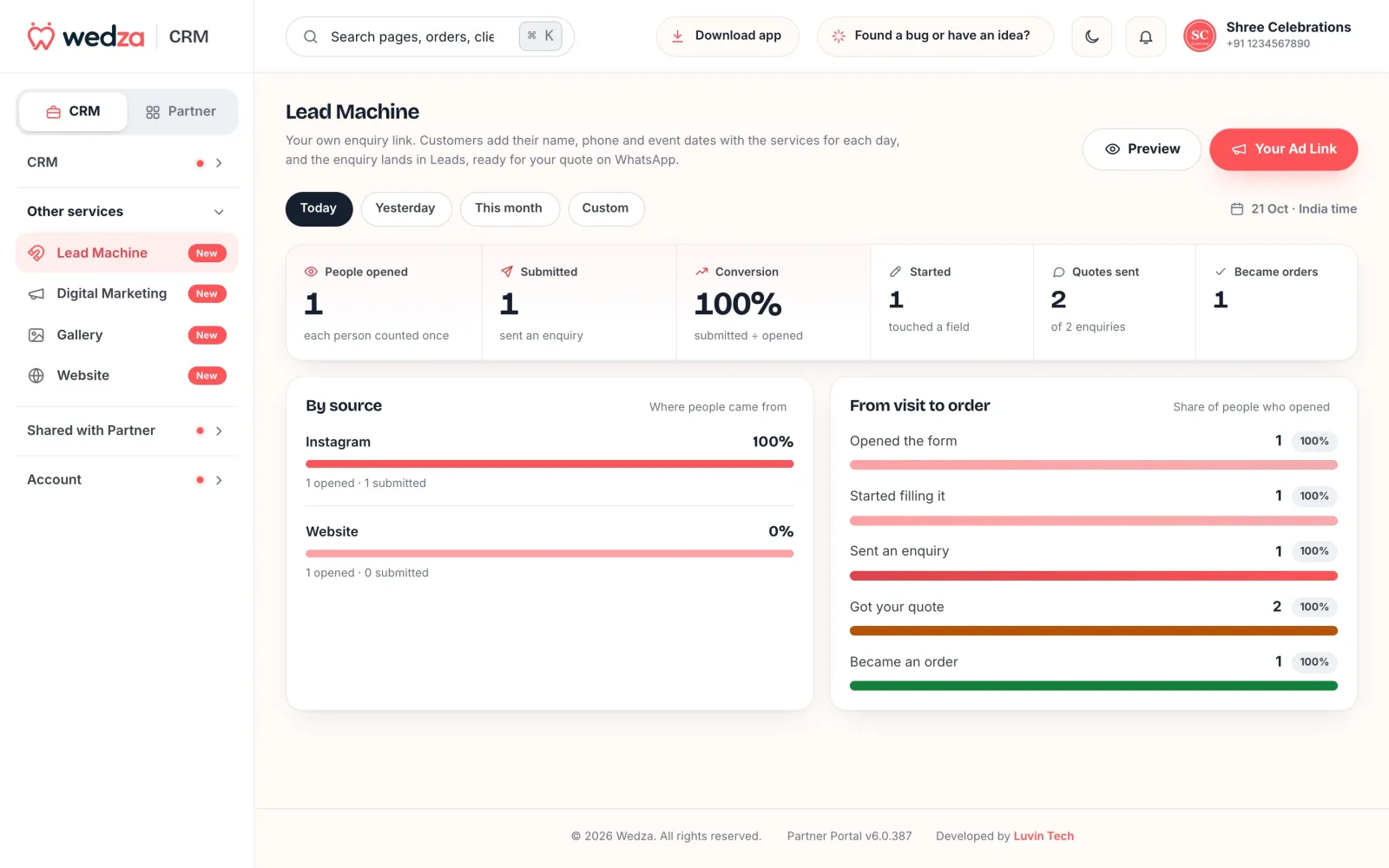
Lead Machine is an enquiry form at your own wedza.in link. Put it in your Instagram bio, WhatsApp status, ads, a shop QR code or your website. Customers pick their event days and the services for each, see only the dates you are free (booked days show as Taken) and leave their phone number. The enquiry lands in Leads with where it came from. Lead Machine shows the funnel from opened to started, submitted, quoted and became an order, by source.
Orders and payment plans
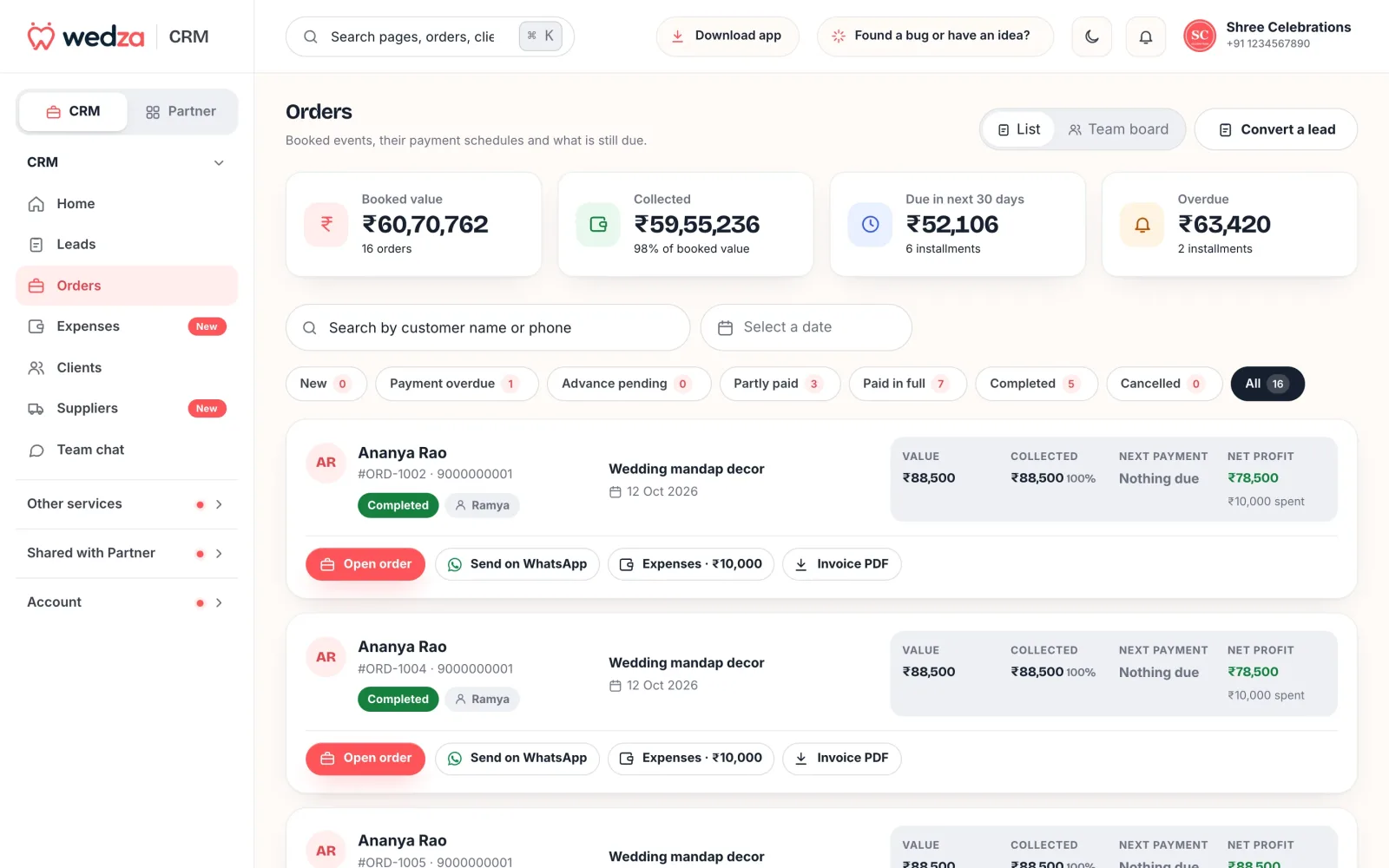
- Convert a quote to an order in one tap. Every event day is held on your calendar, and the order shows if another order is booked on the same day.
- A payment plan per order: advance and instalments with amounts, percentages and due dates. Filters show New, Payment overdue, Advance pending, Partly paid, Paid in full, Completed and Cancelled.
- Record payments by UPI, bank transfer, cash, card or cheque, and send reminders and order details on WhatsApp.
- “I’ve paid” from the client: your client can tell you they paid an instalment, with the mode and reference. You confirm it or decline it; only you mark it paid.
- Charges after booking: an extra hour, travel, more prints or another service, added to the same order.
- Your terms (advance, cancellation, delivery) on each order, and an invoice PDF.
Calendar and availability
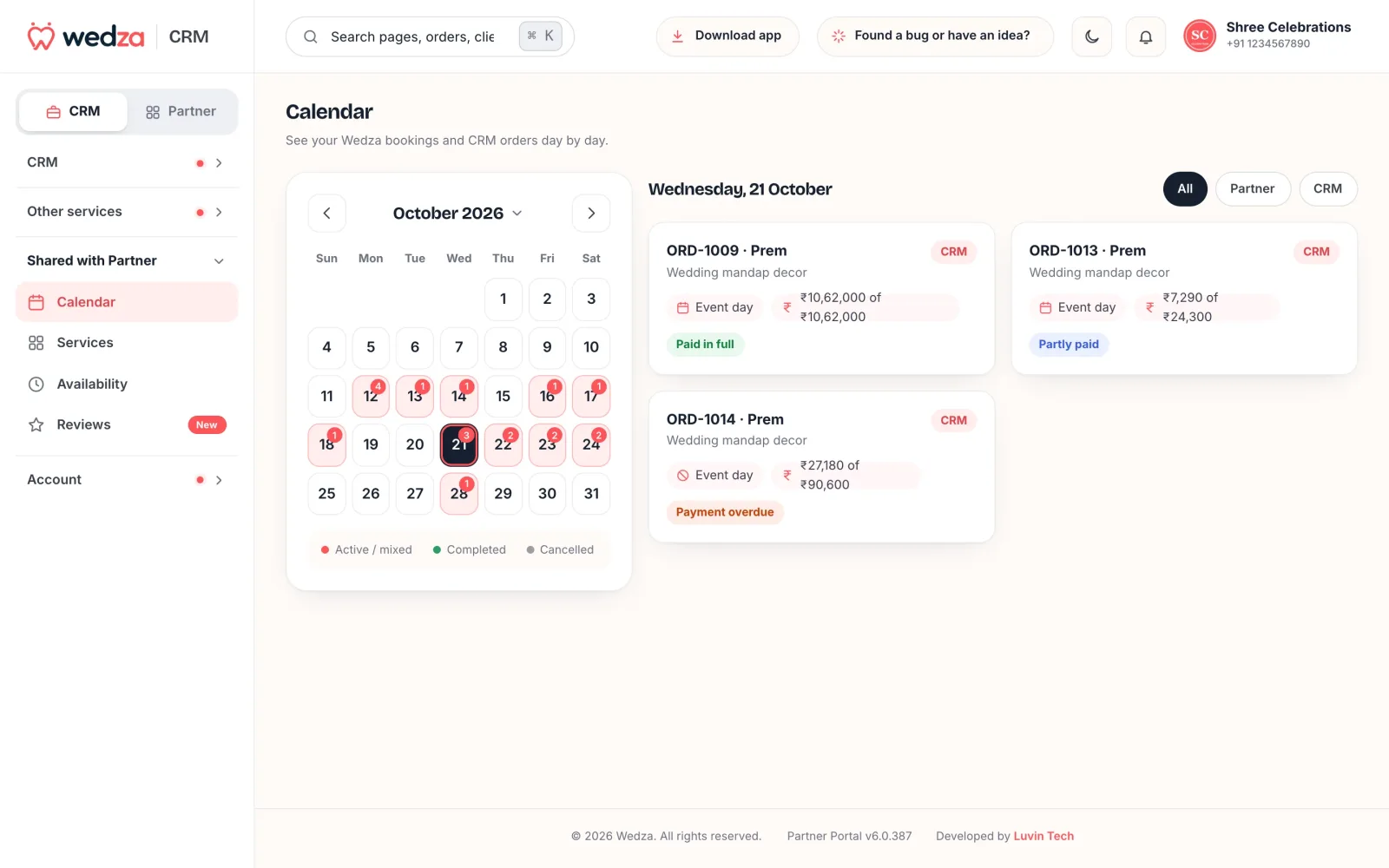
Every CRM order and every Wedza app booking on one calendar, by day. Close a date, or take fewer bookings on a day when you already have phone or walk-in bookings. Booking rules (minimum notice, how far ahead) apply to customers only; your own CRM orders can use any date.
Crew
- Crew board: who goes to each event day, with the place, the contacts on the day and the service. Import the orders you are planning and add crew to each day.
- Crew pay: set each crew member's pay per event; it fills in when you add their expense on an order. Record what you paid and download a payslip PDF; crew members see their pay and payslips when they log in.
Deliverable tracking
- Every deliverable on the order: edited photos, photo selection, the album, the film, the decor teardown, whatever you hand over after the event.
- Each with a due date, a status (Open, In progress, Completed) and an optional note, link and photo.
- Your client sees them as steps when they log in, so they stop asking “when will the album be ready?”.
- Nothing slips: Home shows how many deliverables are due and the next one, on Wedza app bookings and CRM orders alike.
Client galleries and album selection
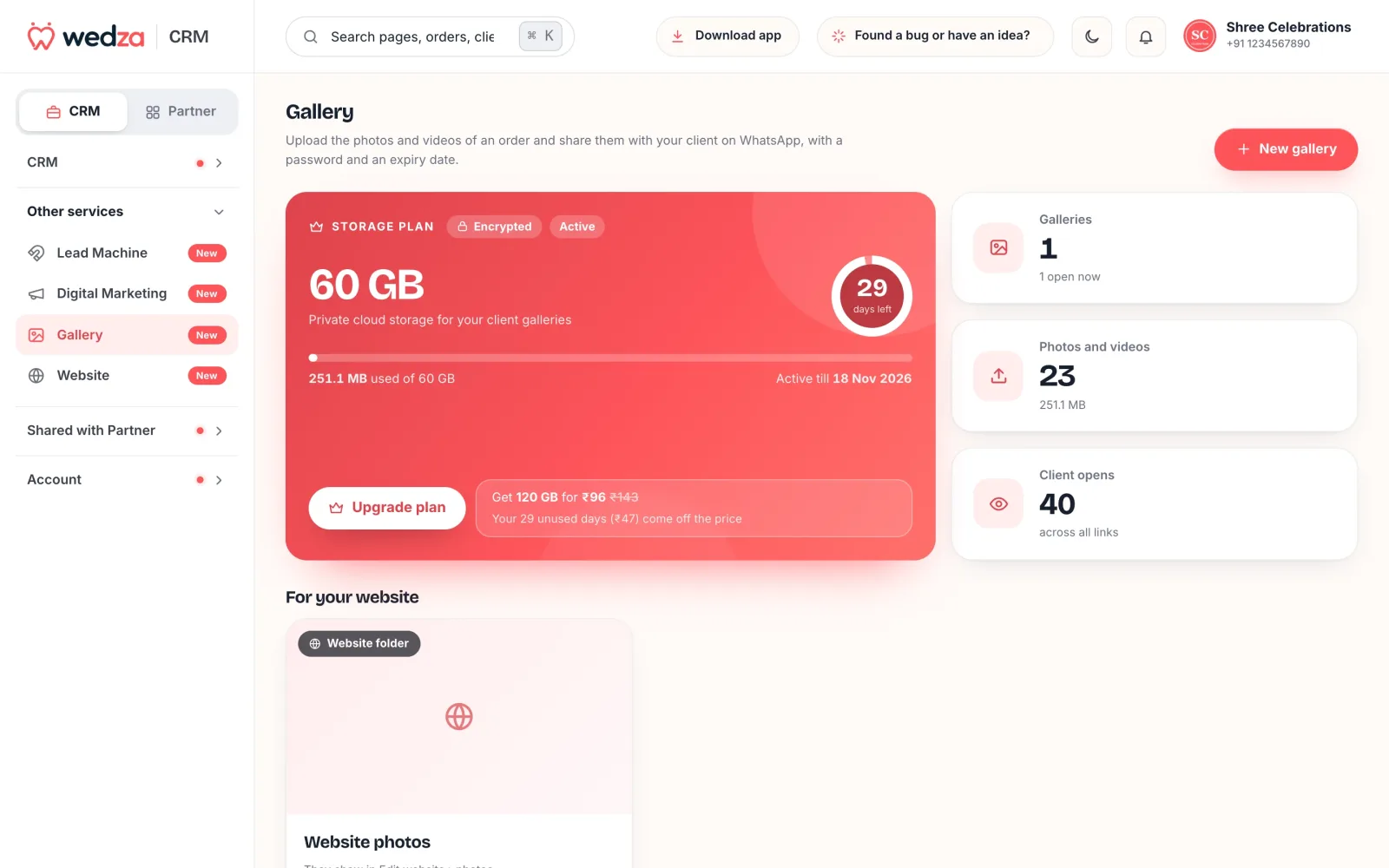
- A gallery for every order: upload the photos and videos and share them on WhatsApp with a password and an expiry date. See how many times your client opened it.
- Album selection: your client selects the photos for their album right in the gallery, in the order they want, with a note, and sends the album to you. Up to 10 albums per gallery, so the bride’s side and the groom’s side can each send their own.
- Copy file names of an album in one tap and use them in your album design software.
- Album lock: when you start designing, lock the album so the client can’t change their picks; unlock it if you agree to a change.
- Clients can keep it: when the link closes, your client can pay to keep the gallery for a year or a month, and buy more space; you don’t pay for kept galleries.
- Pay as you use, stored with Cloudflare R2: ₹399 for the first 30 days up to 40 GB, then ₹6 per GB for 30 days.
Expenses, suppliers and profit
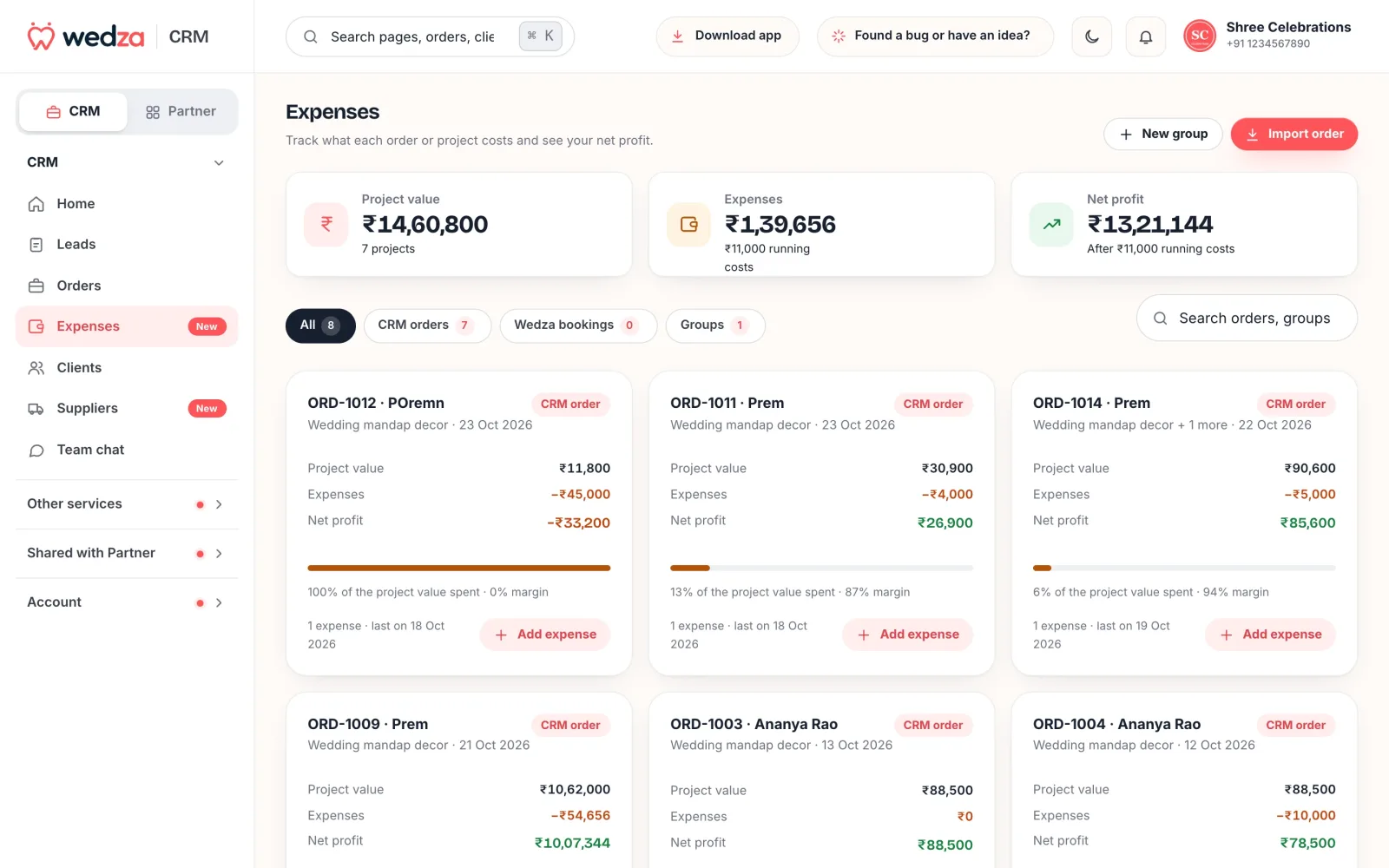
Add costs to each order, or to a group of orders for a bigger project: staff, material, rentals, travel. Wedza CRM shows the project value, the expenses, the net profit and the margin of every event, and of your business over any period.
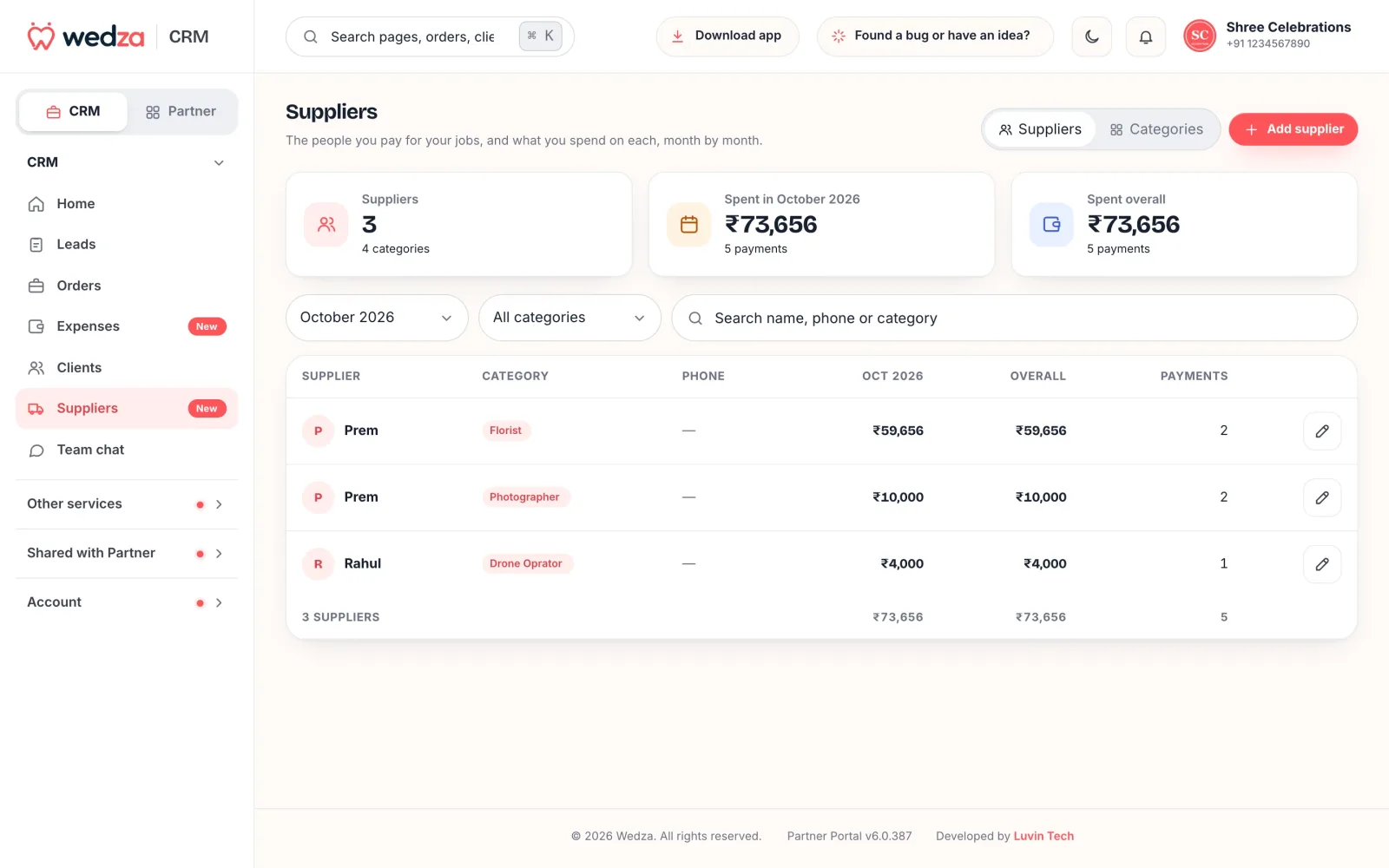
Suppliers lists the people you pay (florists, editors, drone operators, drivers) by category, with what you spent on each this month and overall.
Your team: roles and their own login
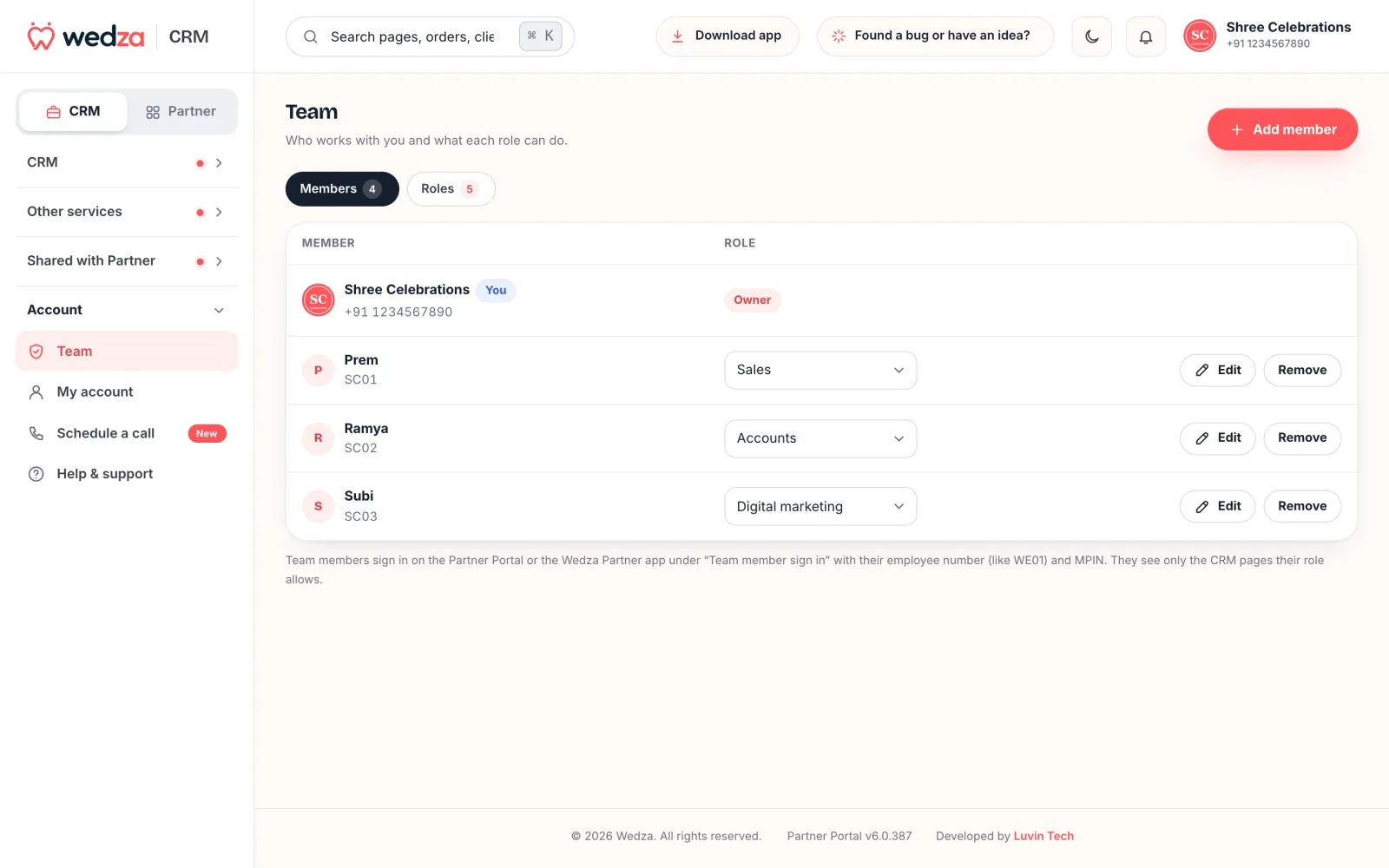
Add your staff, give each a role, and they log in to their own CRM on the Wedza Partner app or the Partner Portal. Each person sees only what their role allows.
- Their own login, app and web: each member gets an employee number made from your business name (like SC01) and their own 6-digit MPIN. They tap “Log in as a team member” in the Wedza Partner app or on wedza.in/partner-portal.
- Six ready-made roles: Owner (everything), Sales (clients and leads, convert to orders), Accounts (orders and recording payments), Viewer (look, don’t change), Digital marketing (Lead Machine only) and Crew.
- You decide what each role can do: a simple grid for Clients, Leads, Orders, Availability, Team and Lead Machine, with view, add, delete, convert, record payment, close dates and manage team.
- Crew see only their own events: the orders assigned to them, the days, place and notes, with no prices or payments; reminders for their events on their phone; and their own pay and payslips.
- Their own dashboard: each member opens the CRM to their own Home, Leads, Orders and calendar, as far as their role allows, plus Team chat.
- Safe by design: change a member’s MPIN or remove them, and every device they were logged in on is logged out at once.
- Team board for leads and orders, grouped by who owns them.
- Assign who manages each order, and each member gets reminders for their own events.
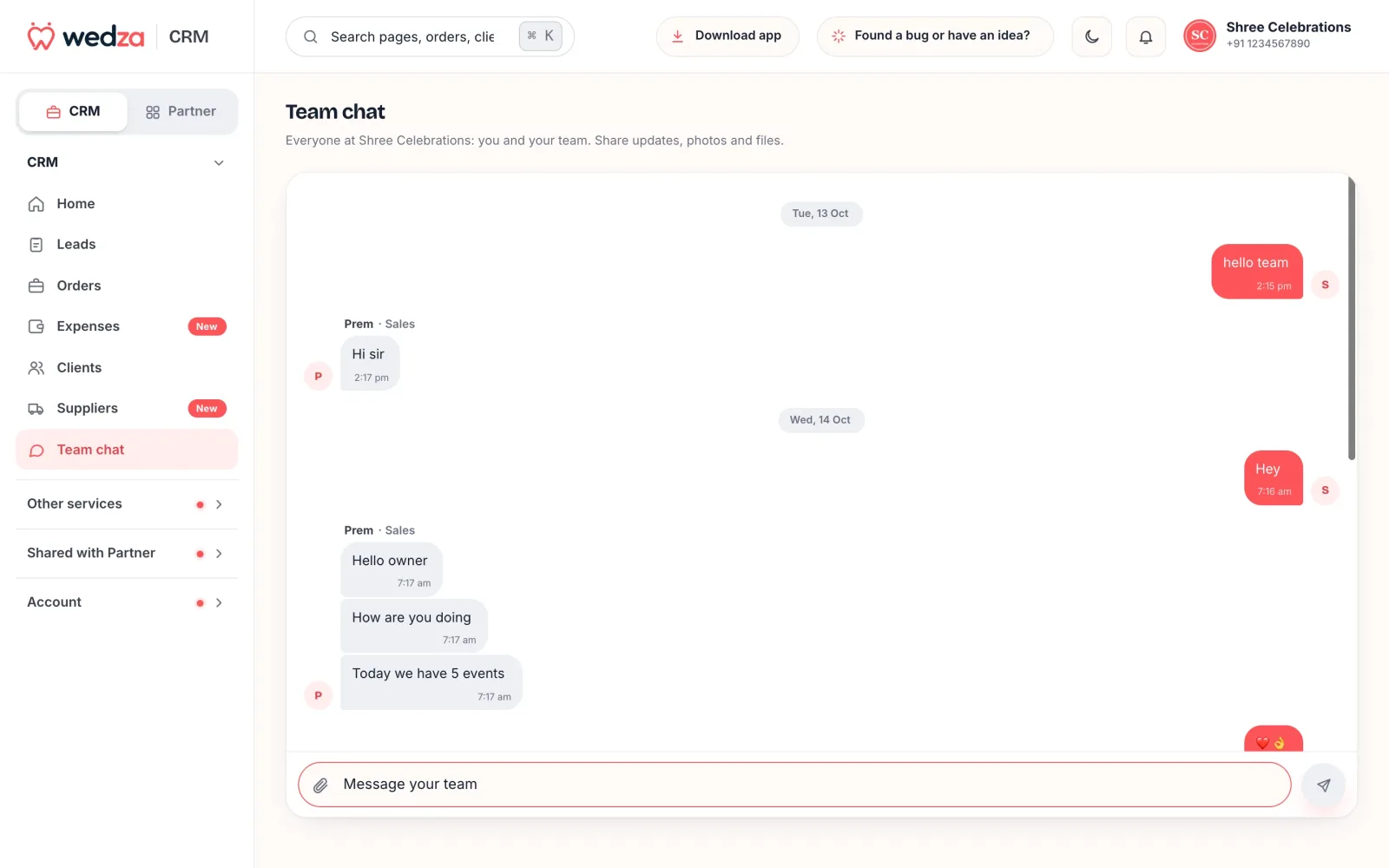
Team chat is one group chat for your business inside the CRM, with photos and PDFs, notifications and “Seen by”.
Your clients’ own dashboard: track and pay
Every client is in your Clients list with their leads, orders and what they still owe, with call and WhatsApp in one tap. And every client gets their own dashboard: they log in on wedza.in or in the Wedza app with their mobile number and an OTP, and see everything you have shared under that number.
- Track the event: their orders, event days and services, the quotes you sent, your terms, deliverables as steps, and their photo galleries and album picks.
- Track every payment: each instalment with its amount, due date and status (paid, due or overdue), and the balance left.
- Pay you directly: “How to pay” shows your UPI ID and bank details; on a phone, Pay by UPI opens their UPI app. The money goes straight to you, and Wedza takes no commission.
- Tell you they paid: they tap I’ve paid with the mode and reference. You get a notification and confirm or decline it; only you mark it paid.
- Wedza app bookings are paid online at checkout in the Wedza app.
Your own discovery marketplace
Wedza is a CRM and a marketplace with one login. The Wedza app is where people planning a wedding or event discover, compare and book event partners near them. Your own partner dashboard (the Partner side of the Partner Portal and the Wedza Partner app) is where you run that listing: services and prices, photos, free dates, booking requests, customer chat, reviews and analytics.
- Bookings from the Wedza app: your services are listed in the Wedza customer app, so people planning an event near you can find you, check your free dates and send a booking request. Accept it, chat with the customer and see it on the same calendar.
- Each service has three switches: shown in the Wedza app, on your enquiry form and on your website.
- Reviews from the Wedza app and your website in one place, with a review link you send on WhatsApp after the event.
- A free one-page website at wedza.in/site/your-business, made from your services, photos and reviews. Its enquiries land in your Leads.
- Analytics for your Wedza bookings: earnings by month, booking status, repeat customers, top services, busiest days and ratings.
Also included
- New booking alerts: a loud sound and a popup in the browser, and push notifications on your phone.
- A “Book us on Wedza” badge for your own website.
- KYC only for the marketplace: use the CRM with a quick business setup; documents are needed only to take bookings from the Wedza app.
Questions? Book a demo call
Any doubt, any time: once you are logged in to Wedza Partner (the app or the web), open Schedule a call and book a free one-hour call with the Wedza team, Monday to Saturday, 9 AM to 7 PM India time. We help you set up, list your services and get more bookings, and the meeting link comes to your email. You can also chat with Wedza support from the portal or the app.
The Wedza promise: your ideas, reviewed in 3 days
Wedza is built with the businesses that use it. Open Share feedback › Suggest an idea in the portal and tell us what would make Wedza better. The Wedza team reviews every idea within 3 working days, and you see its status right there: Accepted, Live or On hold, with a reply from the team. Report a bug from the same place.
Optional add-ons
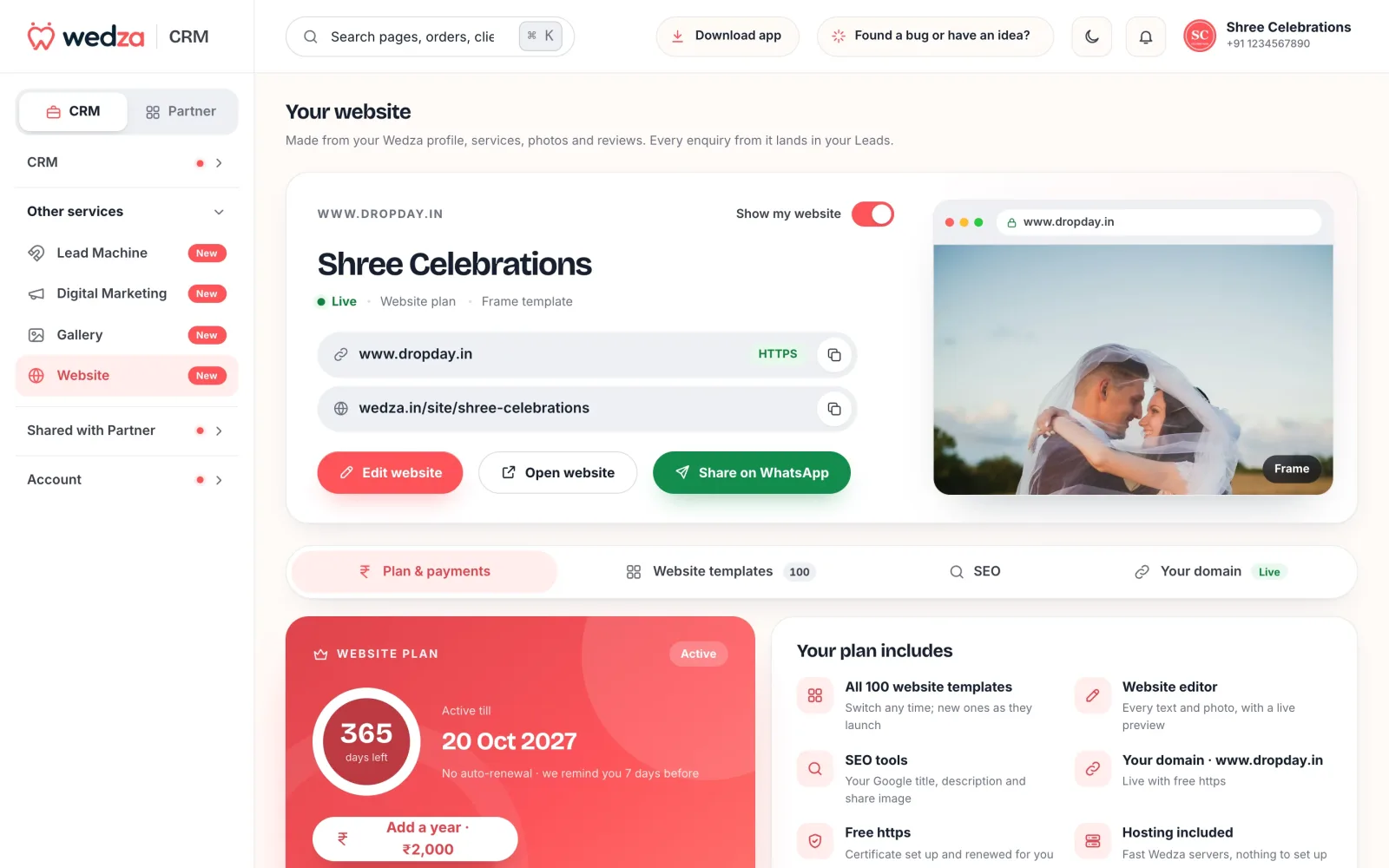
- Website plan, ₹2,500 a year: every website template (201 as of October 2026), an editor for every text and photo, SEO settings, your own domain with free https, hosting, and 1 GB for website photos.
- Cloud Gallery, pay as you use: ₹399 for the first 30 days up to 40 GB, then ₹6 per GB for 30 days. Order galleries with album selection and album lock (see above).
- Invoice builder, ₹19 for 30 days (All access): 25 premium quote and invoice templates, each with its own layout; build your own design (fonts, colours, layout, header, table, totals and section order); show or hide any field, rename any word, and no Wedza branding. The Classic design is free.
- Your own template, ₹99 once: upload the invoice and quote you use today (PDF, JPG or PNG). The Wedza team turns it into your own private template within 3 working days, and you use it with All access.
- Digital Marketing, ₹599 for 30 days (₹999 with unlimited posters): the Wedza team runs Facebook and Instagram ads for you. Every enquiry lands in your Leads, and you see what ran, what it spent and what it brought in. You pay Meta for the ads directly.
Why event businesses choose Wedza CRM
- One price for everything. ₹199 for 30 days with every CRM feature. Other India-first CRMs keep payment plans, GST invoices or WhatsApp sending for higher tiers (see nine wedding CRMs compared).
- Your own discovery marketplace. Customers find and book you in the Wedza app, and your Lead Machine link and free website feed the same Leads list. Most CRMs only organise the enquiries you already have.
- Built for every event business: venues, caterers, decorators, photographers, makeup artists, planners, pandits, melam and more, not one trade.
- App and web, easy to use: the Wedza Partner app on Android, iPhone and iPad and the Partner Portal in any browser on a laptop or tablet, with the same data, and nothing to set up.
- Contracts with e-signatures included: make one from an order with a ready-made template, both of you sign online, and you keep a signed PDF.
- Built for how India pays: WhatsApp quotes, GST and UPI on every document, advances and instalments, and multi-day weddings.
- Your clients get their own dashboard: quotes they confirm online, every payment and deliverable tracked, Pay by UPI straight to you, and “I’ve paid”.
- No commission. Wedza never takes a cut of your bookings.
- A team that listens: a free one-hour demo call whenever you need it, and every idea you send reviewed within 3 working days.
What it does not do
- There is no free plan: after the 3-day free trial for new partners, the CRM is a paid plan.
- No email marketing or bulk email campaigns: Wedza talks to clients on WhatsApp, with built-in reminders whose wording the Wedza team sets.
- The Lead Machine form shows your services and free dates, not your prices; you send the price as a quote.
- The Invoice builder designer works on a computer, not a phone.
Start with Wedza CRM, or see it for photographers, venues, caterers, decorators, planners and event companies.
Questions
What does Wedza CRM include for ₹199?
Everything in the CRM: leads and Lead Machine, quotes and invoices with GST, orders and payment plans, calendar and availability, crew, deliverables, expenses, suppliers and profit, clients, team logins with roles, Team chat, a free one-page website and bookings from the Wedza app. The plan is ₹199 for 30 days.
What costs extra?
Four optional add-ons: the Website plan (₹2,500 a year), Cloud Gallery storage (₹399 to start, then ₹6 per GB for 30 days), Invoice builder All access (₹19 for 30 days) and Digital Marketing (₹599, or ₹999 with unlimited posters, for 30 days; you pay Meta for the ads directly).
Does Wedza CRM have a free trial?
Yes. Every new partner gets a 3-day free trial with every CRM feature, from their first login. After that the plan is ₹199 for 30 days, and Wedza takes no commission on your bookings.
Can my clients sign contracts online?
Yes. Make a contract from an order with one of eight ready-made templates or your own, sign it, and send it on WhatsApp. Your client signs in the Wedza app or on wedza.in, and you both get a signed PDF with a signing record.
Can my team use it on their phones?
Yes. Each member logs in to the Wedza Partner app or the web Partner Portal with their own employee number and MPIN, and sees only what their role allows.
Can my clients see their payments and photos?
Yes. A client logs in with their mobile number and an OTP and sees their orders, payment schedule, deliverables, quotes and galleries, and can tell you they have paid an instalment.