
Wedza Studio
Design the wedding album in the same app.
Wedza Studio is the album design workspace inside Wedza Gallery, the desktop app for wedding photographers. Start from the event’s best photos, pick a template, let it lay out every spread, adjust anything, then export print-ready files or share the album as a link.
How it works
From the culled photos to a printed album.
The photos are already in Wedza Gallery after culling and editing, so the album starts where they are. Originals are never changed.
Pick a design
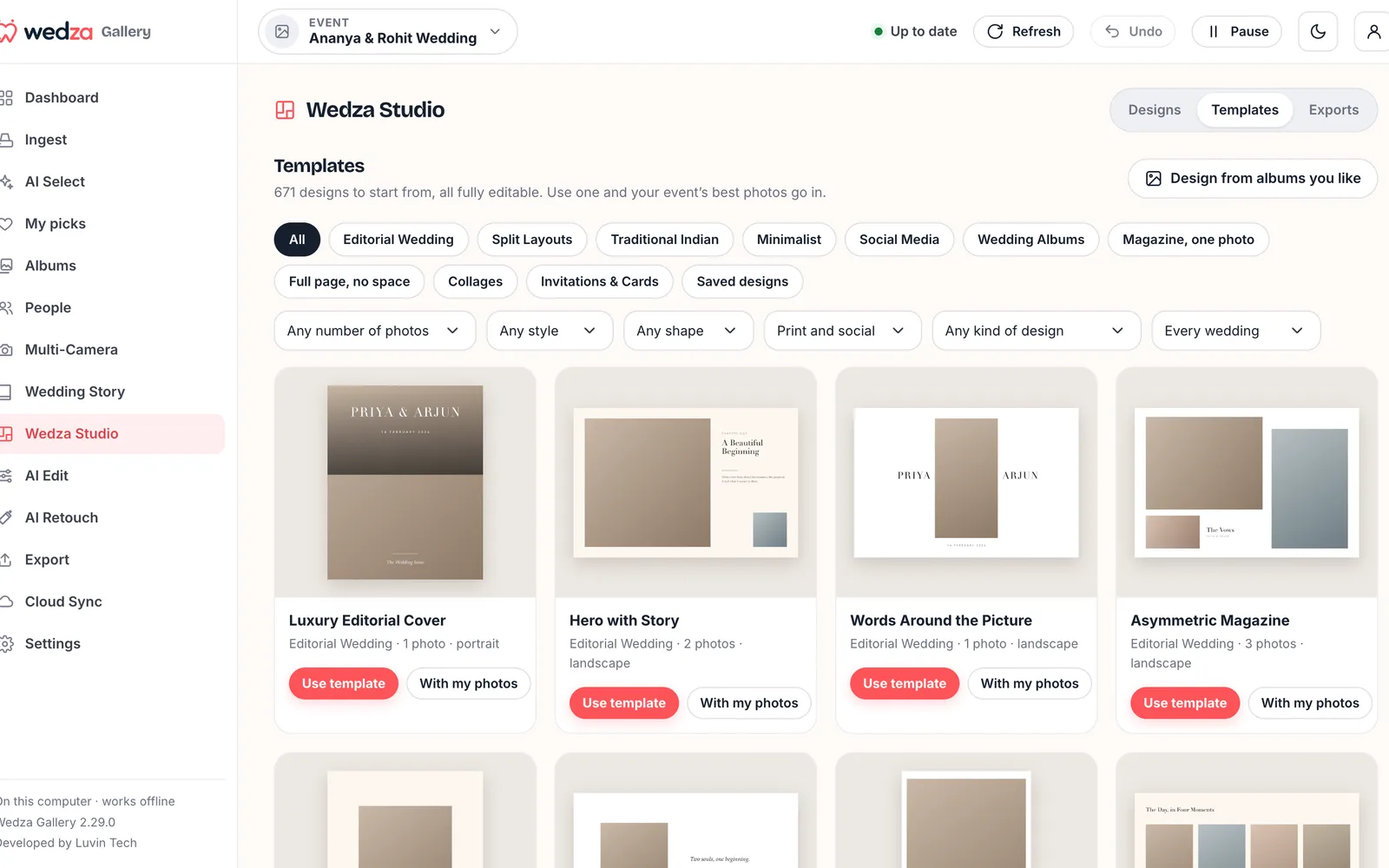
Templates for editorial weddings, traditional Indian weddings, magazine pages, full page with no space, split layouts, collages, invitations and social posts. Filter by number of photos, style and shape, or use your own saved designs.
Set up the album
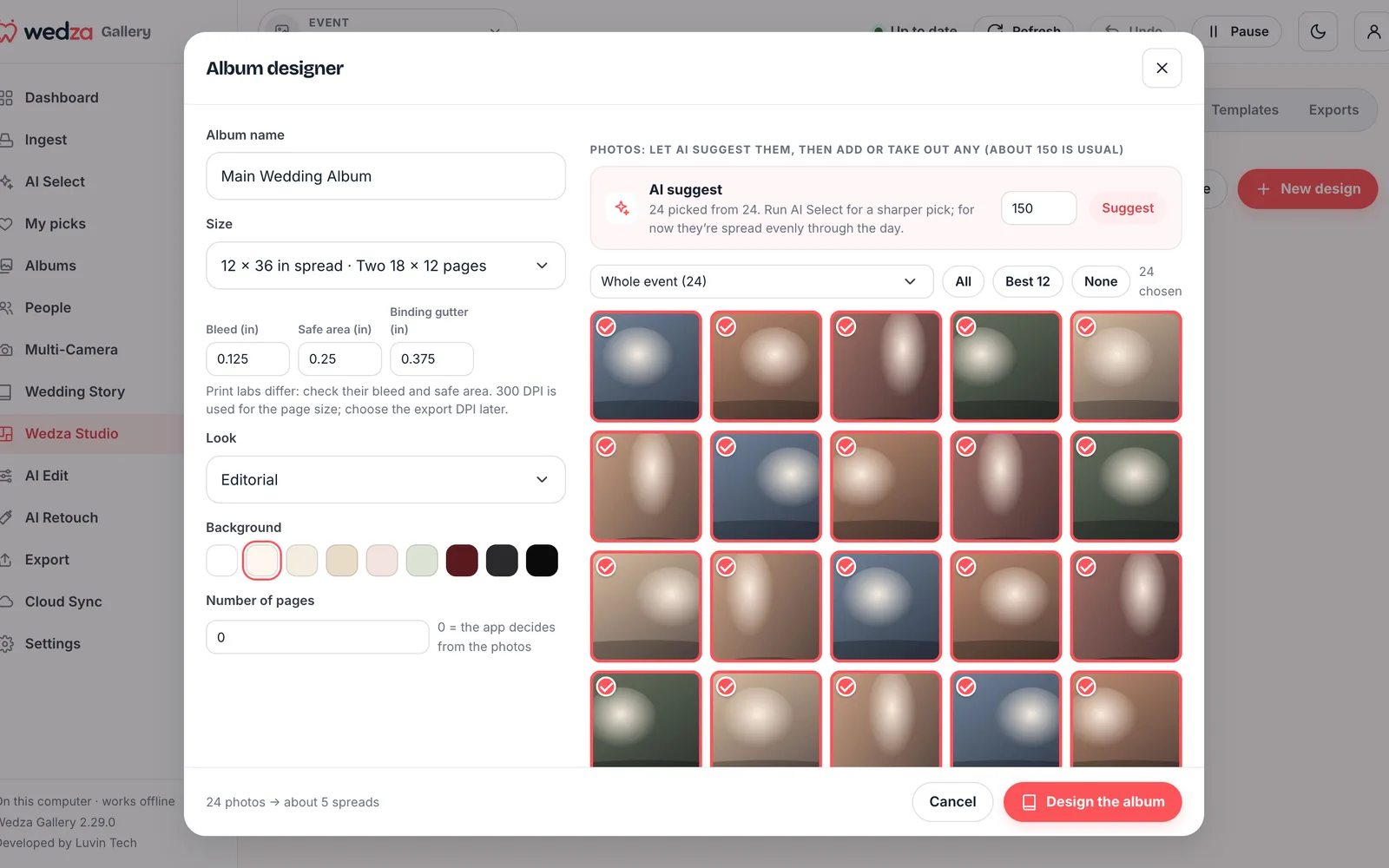
Album designer: pick the size (for example 12 x 36 in spread), bleed, safe area and binding gutter, a look and a background. AI suggest picks the photos from the event, or add and remove them yourself.
Lay out every spread
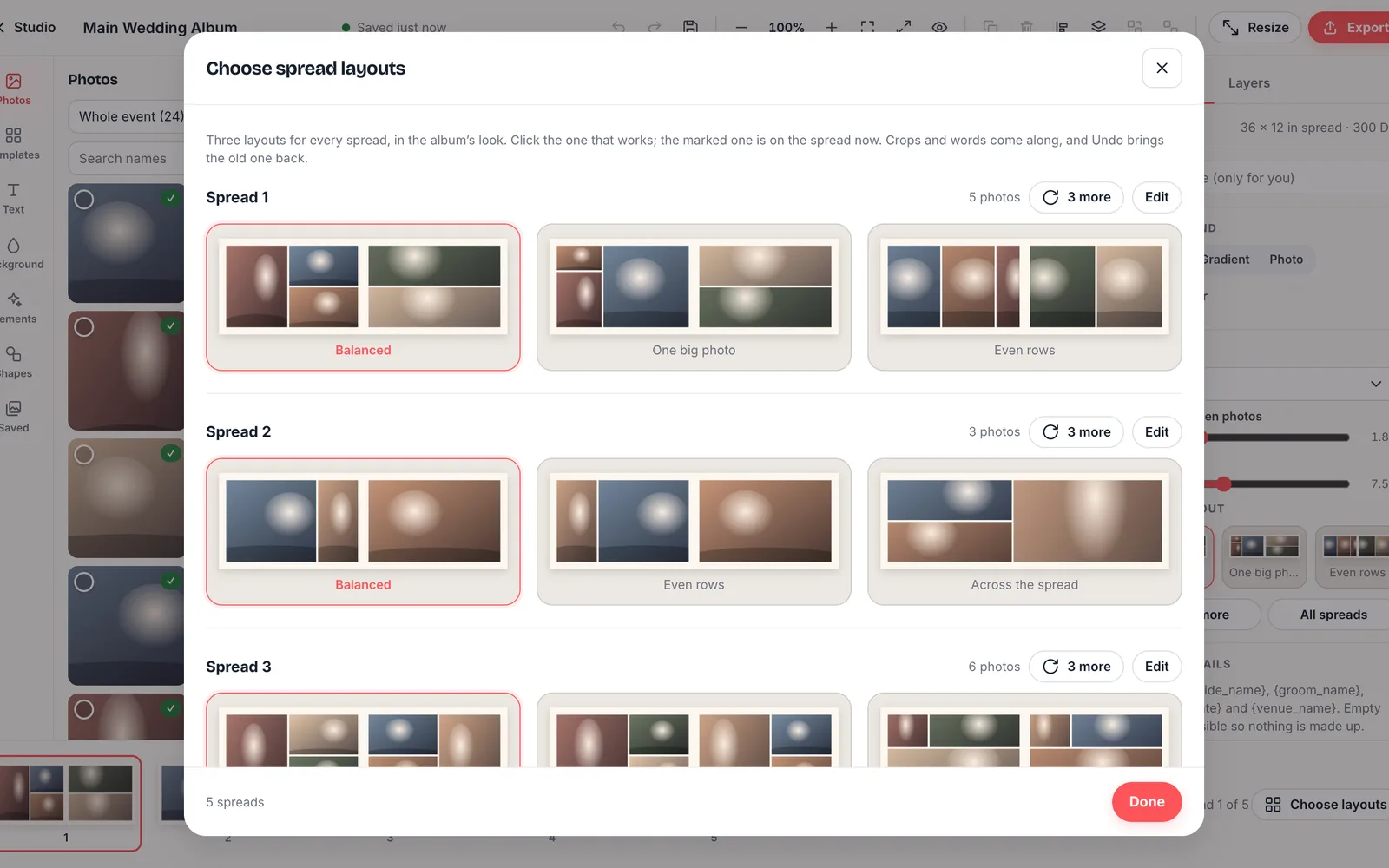
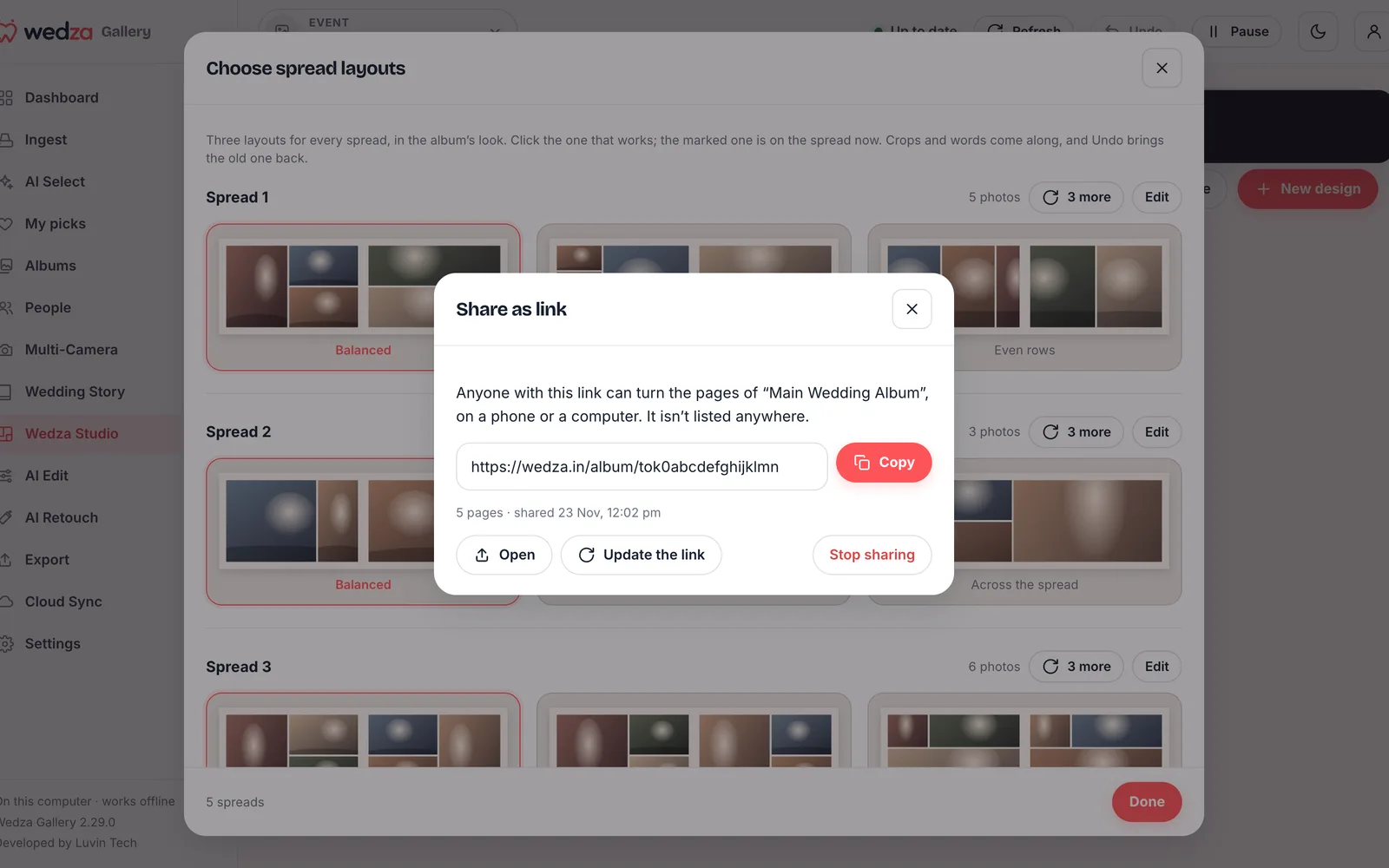
Wedza Studio lays out the whole album and gives three layouts for every spread. Click the one that works; crops and words come along, and Undo brings the old one back.
Add the words
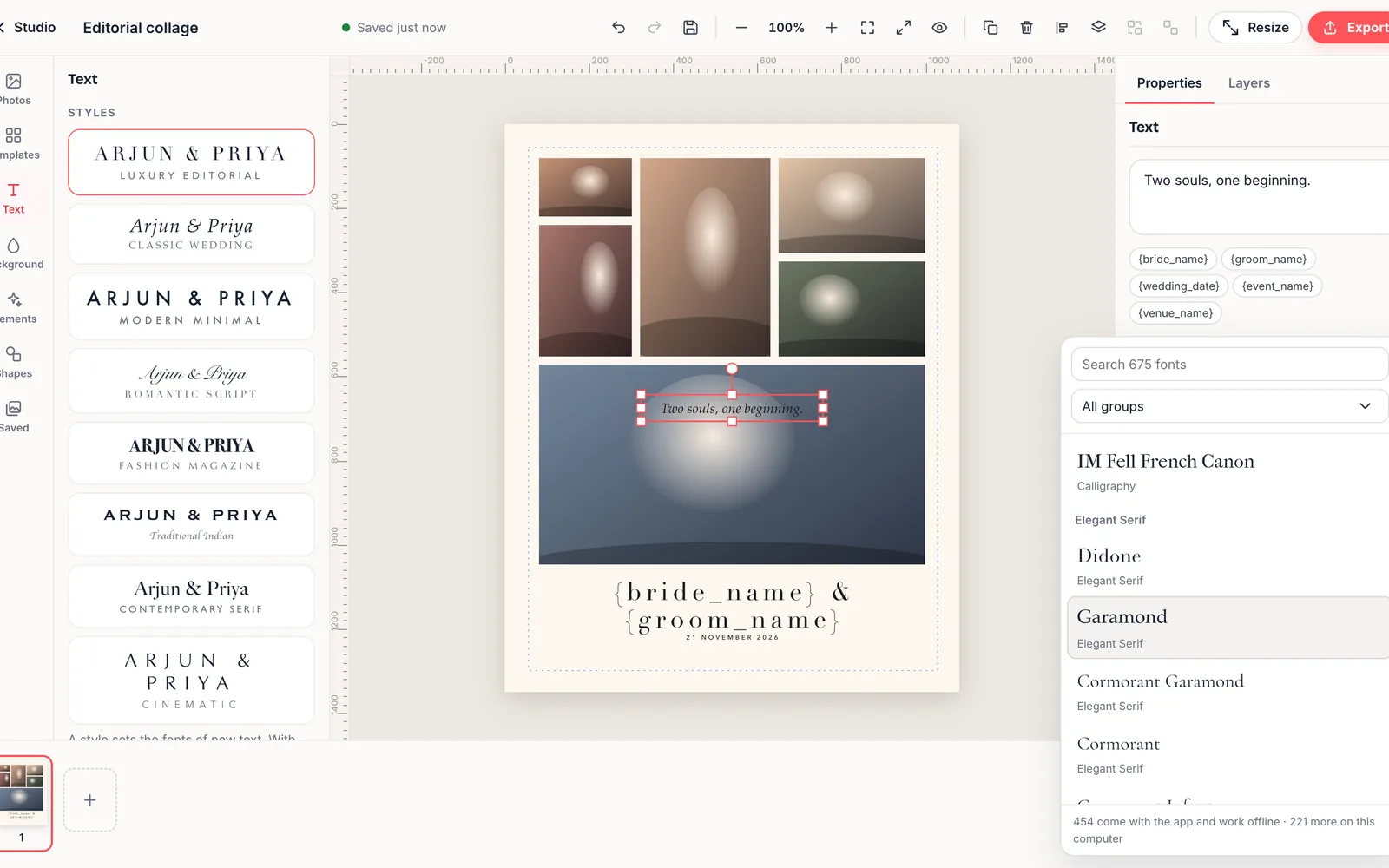
Text styles for names and titles, with the couple’s names filled from the event. Search the font library that comes with the app, or use the fonts on your computer.
Export for the lab
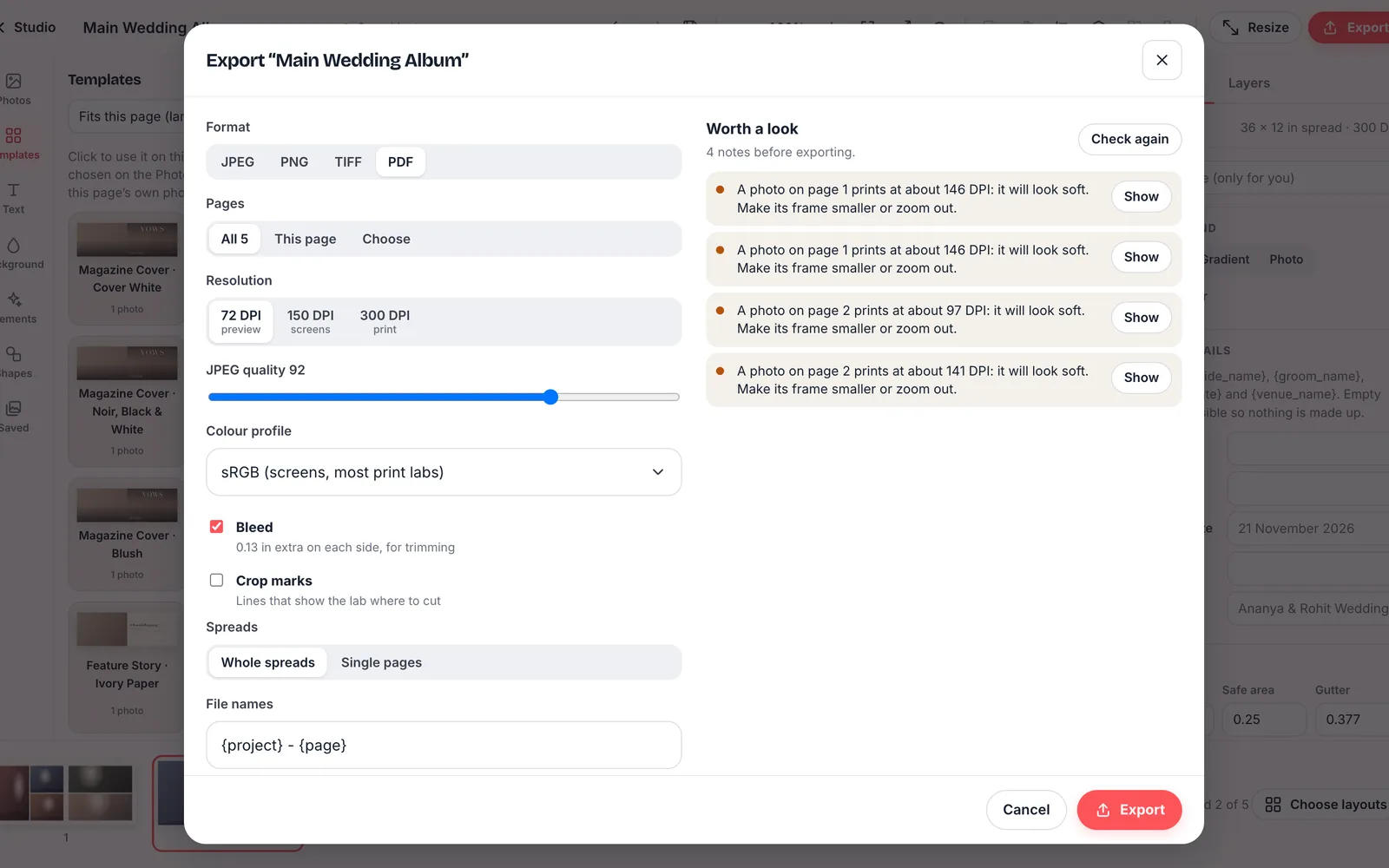
JPEG, PNG, TIFF or PDF at 72, 150 or 300 DPI, with a colour profile, bleed and crop marks, whole spreads or single pages. A print check warns when a photo would look soft at its size.
Share it with the couple
Share as link turns the album into a page-by-page link on wedza.in. Update it after changes and the link stays the same; Stop sharing switches it off.
One app
Cull, edit, design and deliver without leaving Wedza Gallery.
Wedza Studio uses the same photos as AI Select, My picks, People, AI Edit and AI Retouch. Make an album or collage straight from My picks, or start from the event’s photos, the Wedza Culled folder, AI selected photos or files on your computer.
Everything a wedding album needs, built in.
Made for Indian weddings and the way studios print: big spreads, many functions, many photos.
- 671 designs to start from
- Editorial, Traditional Indian, Magazine, Full page
- Save your own designs
- Spreads with bleed, safe area and gutter
- AI suggest picks the photos
- Three layouts for every spread
- Crop, rotate, layers, guides and snapping
- Adjustments that never change the original
- Autosave, drafts and versions
- Text styles for names and titles
- Names filled from the event
- Searchable font library
- JPEG, PNG, TIFF, PDF
- 72, 150 or 300 DPI, colour profile
- Bleed, crop marks, batch and ZIP
- Page-by-page album link
- Same link after updates
- Collages and social posts too
Your photos stay yours
Designed on your computer, even offline.
- Originals never changeCrops, positions and adjustments are saved as numbers in the design; your photo files stay as they are.
- Works without internetWedza Studio runs inside Wedza Gallery on your Mac or Windows computer.
- Only shared pages go onlineNothing leaves your computer until you export, sync or press Share as link.
- Per businessStudio designs belong to your business; team members log in with their own employee number and MPIN.
The app costs nothing extra; it comes with Cloud Gallery in Wedza CRM: ₹199 to start, then ₹6 per GB for 30 days. Wedza CRM is ₹199 for 30 days.
Questions
Is there wedding album design software in Wedza?
Yes. Wedza Studio is the album design workspace inside Wedza Gallery for Mac and Windows: templates, an album designer with spreads, an editor, text and fonts, print export and Share as link.
How many album templates are there?
Wedza Studio has 671 designs to start from, including Editorial Wedding, Traditional Indian, Magazine with one photo, Full page with no space, split layouts, collages, invitations and social media, and you can save your own.
Can it make a print-ready album for my lab?
Yes. Export JPEG, PNG, TIFF or PDF at 72, 150 or 300 DPI with a colour profile, bleed and crop marks, as whole spreads or single pages. Check your lab’s bleed and safe area first and set them in the album designer.
Does it pick the photos for me?
AI suggest picks photos from the event for the album, and you add or take out any. You can also start from My picks, AI selected photos, the Wedza Culled folder or files on your computer.
Can my client see the album before printing?
Yes. Share as link makes a page-by-page album link on wedza.in that opens on a phone or computer. Update it after changes and the link stays the same.
Does it work offline?
Yes. Wedza Studio runs on your computer inside Wedza Gallery. Only Share as link and Cloud Sync need the internet.
What does it cost?
Wedza Studio comes with Wedza Gallery, which costs nothing extra with Cloud Gallery in Wedza CRM: ₹199 to start, then ₹6 per GB for 30 days. Wedza CRM is ₹199 for 30 days.