
For event businesses
How Wedza Partner works.
Sign up in a minute, explore the app, and complete your KYC whenever you’re ready. Then take bookings from the Wedza app and run your own clients in the built-in CRM. Every step, with real screenshots and video guides in six languages.
The journey
From sign-up to your first paid order.
Video guides
Watch it in your language.
The full walkthrough, narrated step by step. Pick a language to start.
Chapter 1
Sign up in a minute
All you need is your mobile number. No documents, no forms to print, no waiting to look around.
-
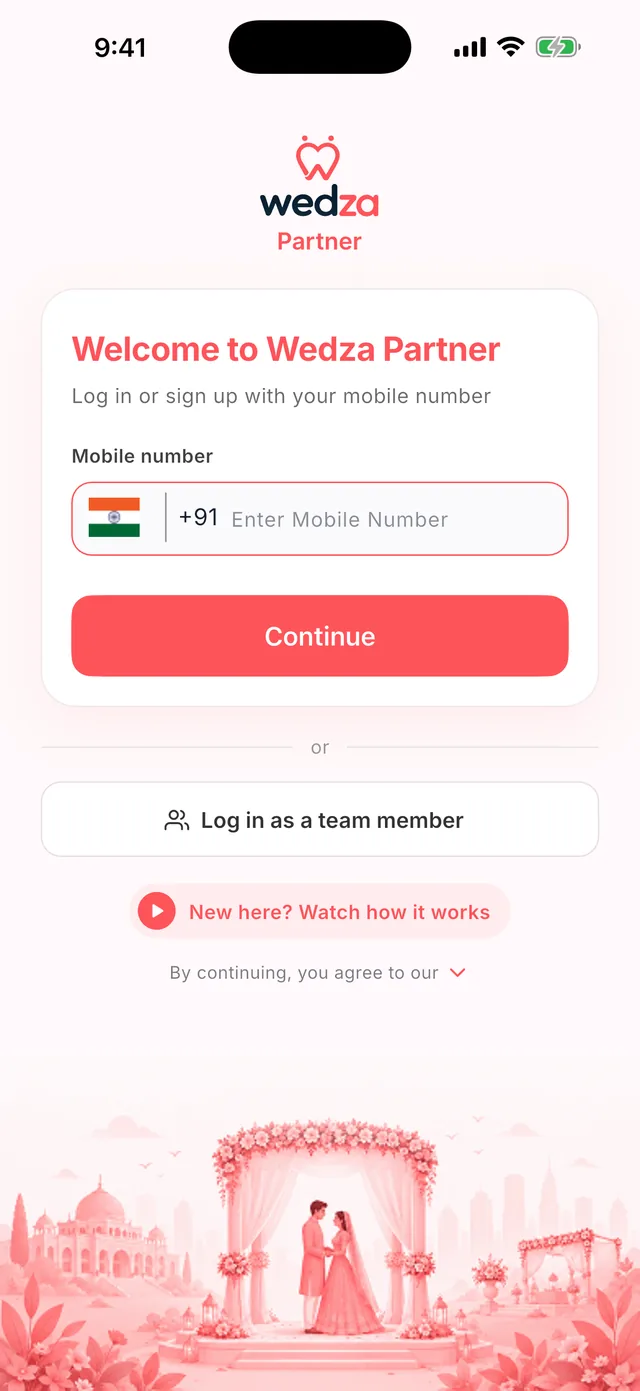
Open Wedza Partner
Download Wedza Partner free on Android or iPhone. Not sure where to start? Tap How to use Wedza Partner to watch this guide in your language.
-
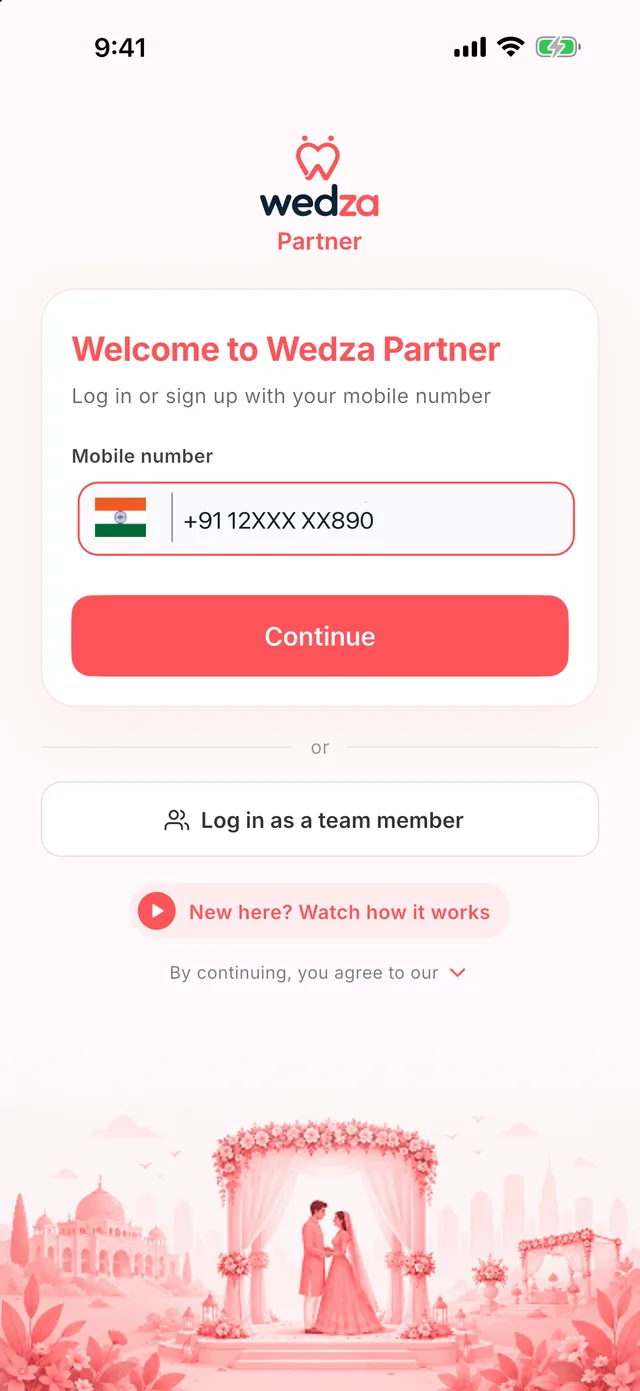
Enter your mobile number
Type your 10-digit number and tap Continue. The same number works for logging in on the app and on the web Partner Portal.
-
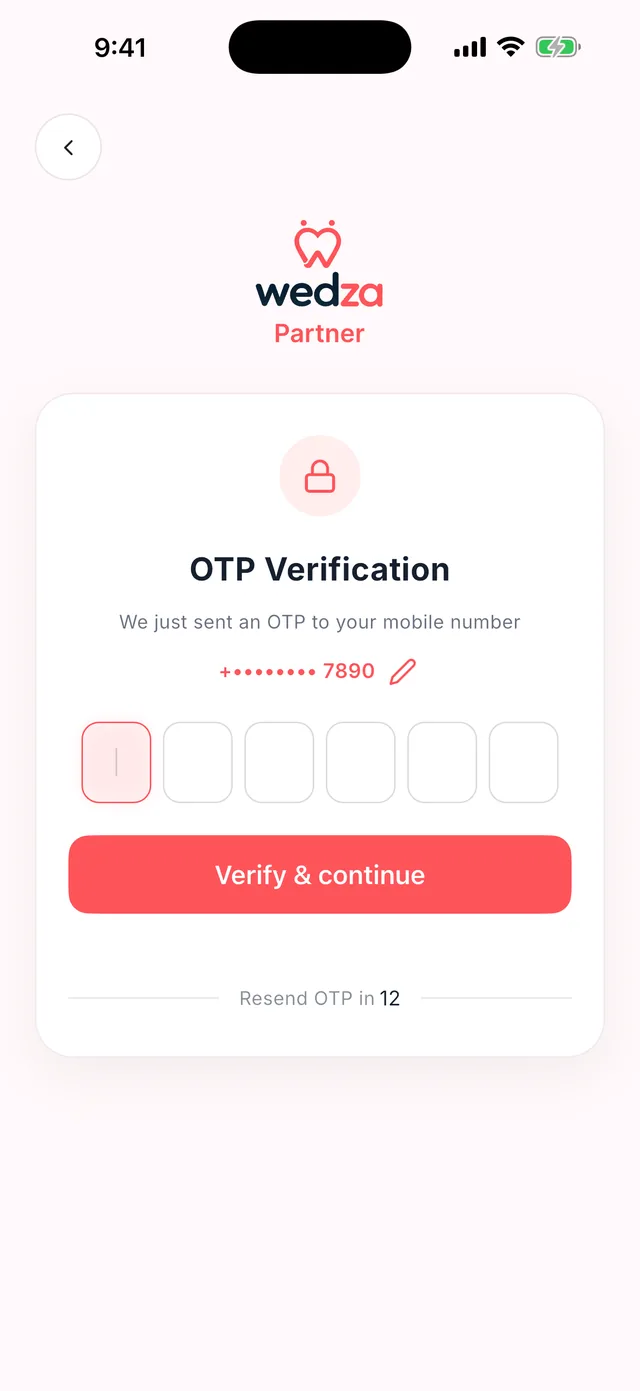
Verify with OTP
Enter the 6-digit code we send to your phone. New numbers go straight to creating your account.
-
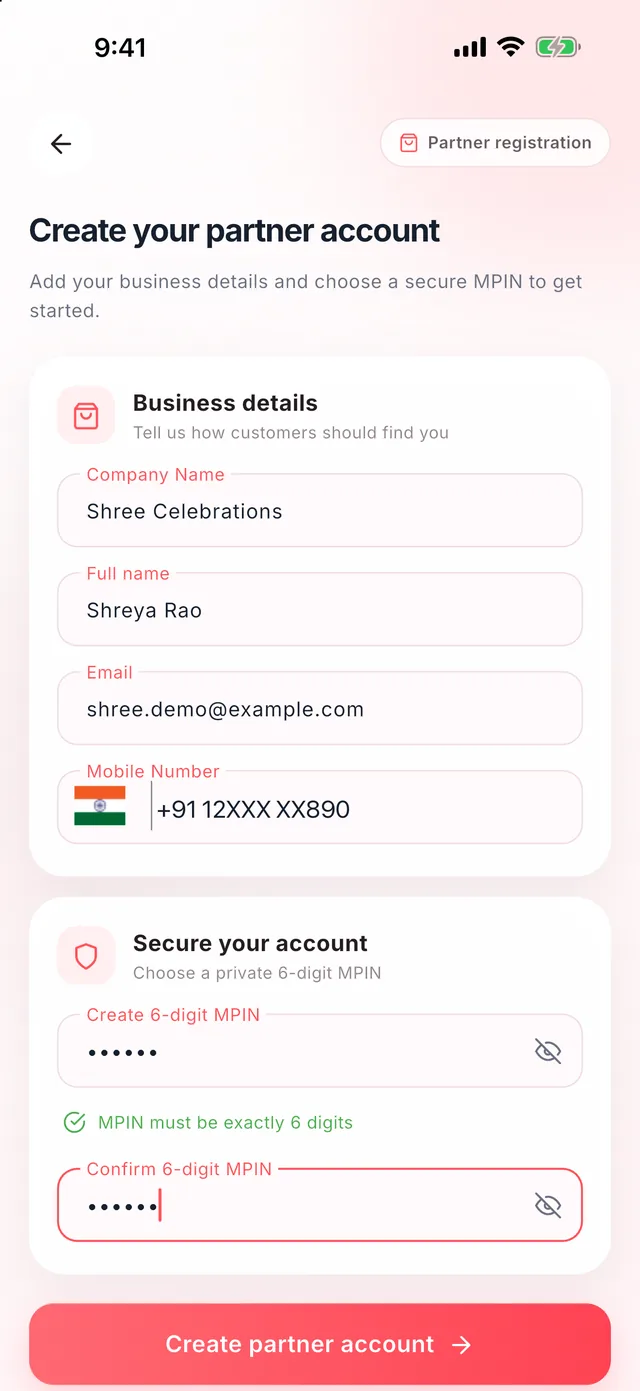
Create your account
Add your company name, your name and email, and choose a private 6-digit MPIN. Tap Create partner account and you are in.
Chapter 2
Explore, then complete KYC
You land on your dashboard right away. Look around, try the CRM, and complete your KYC whenever you are ready: today or next week.
-
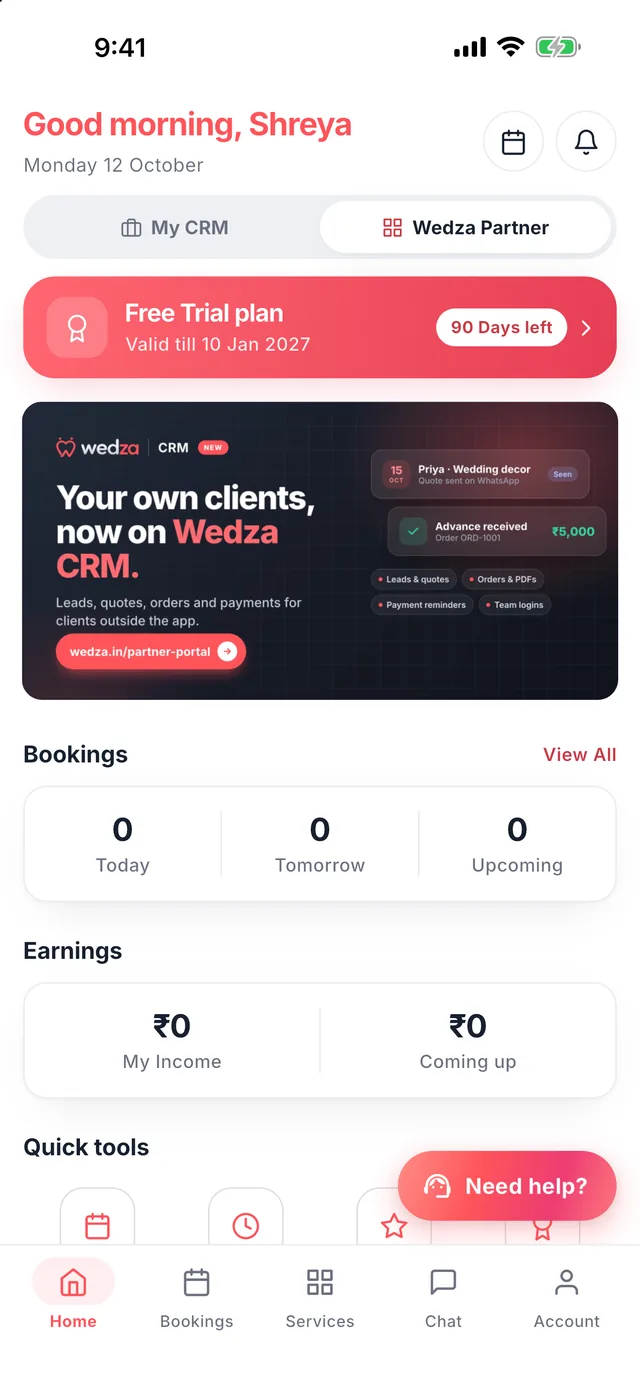
Your dashboard, from day one
Switch between My CRM for your own clients and Wedza Partner for bookings from the Wedza app. Everything is open to explore before KYC.
-
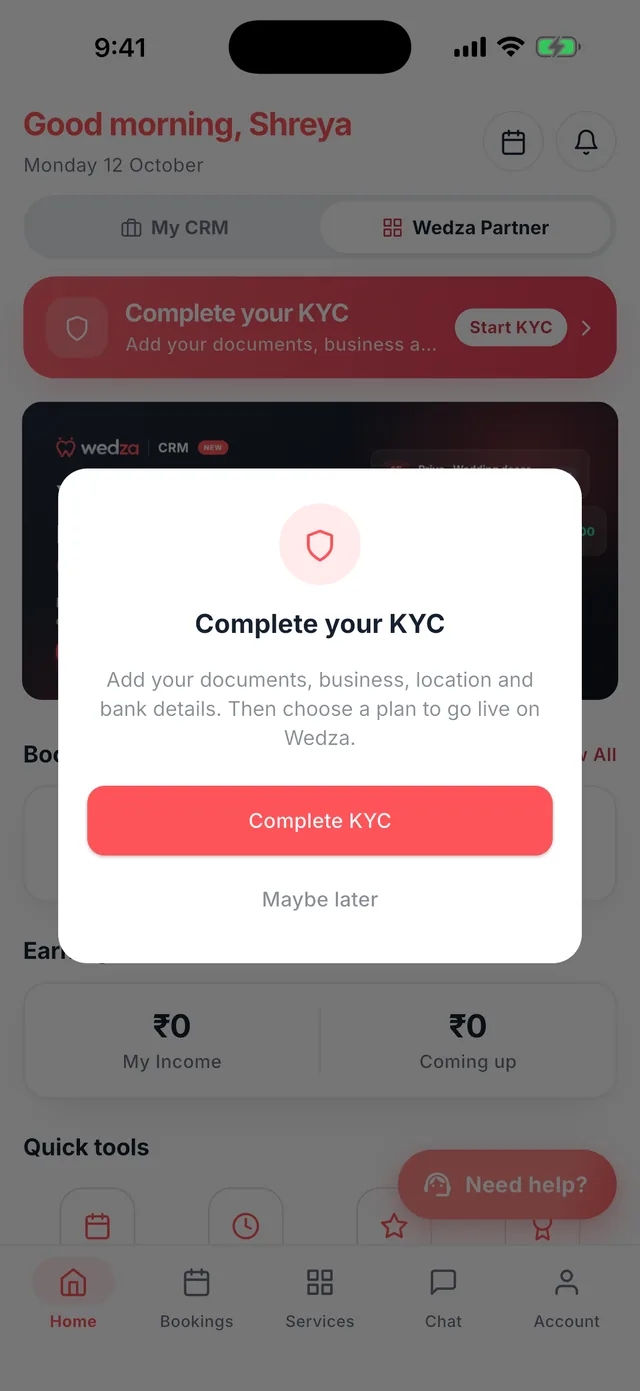
Complete KYC at any stage
When you want customers to find you on Wedza, tap Complete KYC. Tap Maybe later to keep exploring; the reminder waits on your home screen.
-
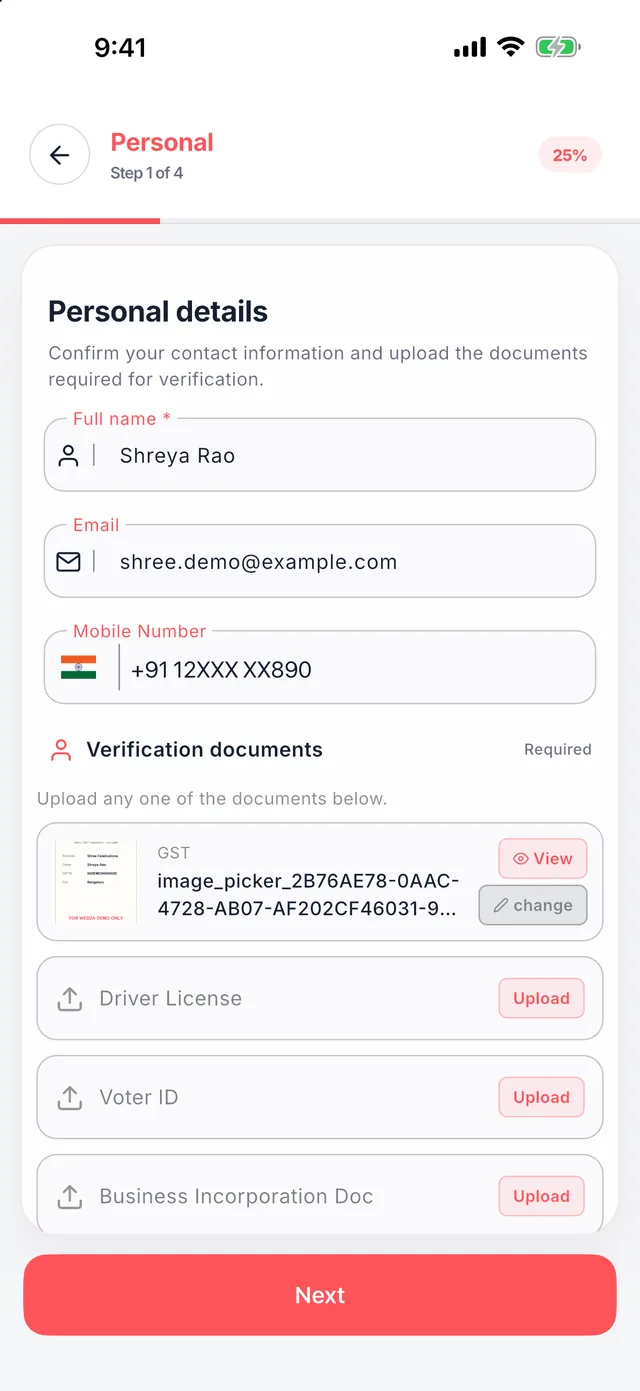
Step 1: your details
Check your name, email and number, then upload any one document: GST, driving licence, voter ID or business incorporation document.
-
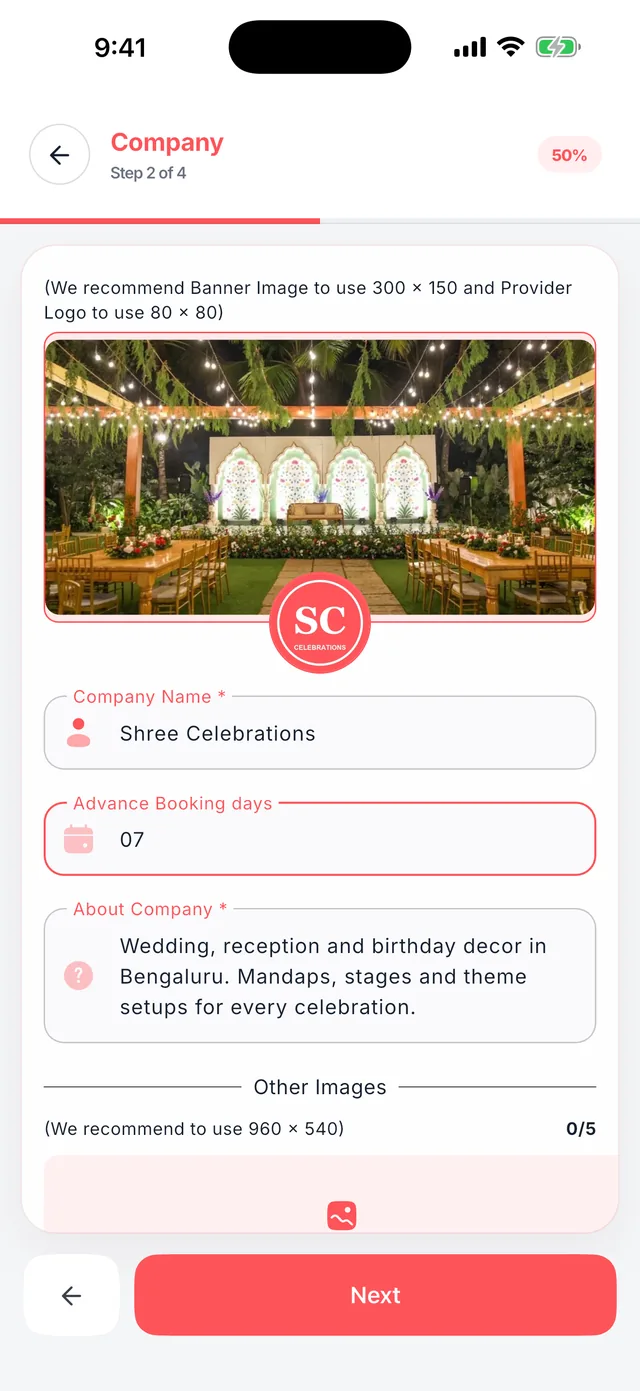
Step 2: your company
Add a banner and your logo, write a line about your business, and set how many days ahead customers must book. This is what customers see first.
-
Step 3: business info
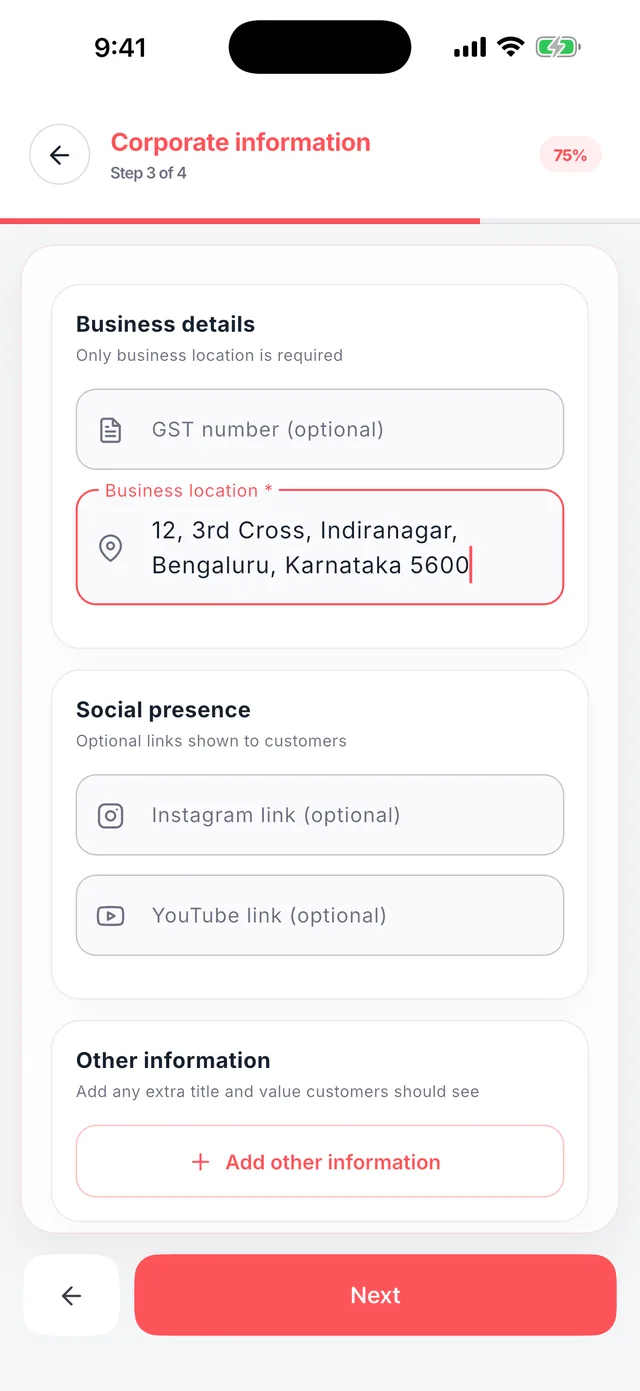
Add your business address. GST number, Instagram and YouTube links are optional, but they help customers trust you.
-
Step 4: pin your location
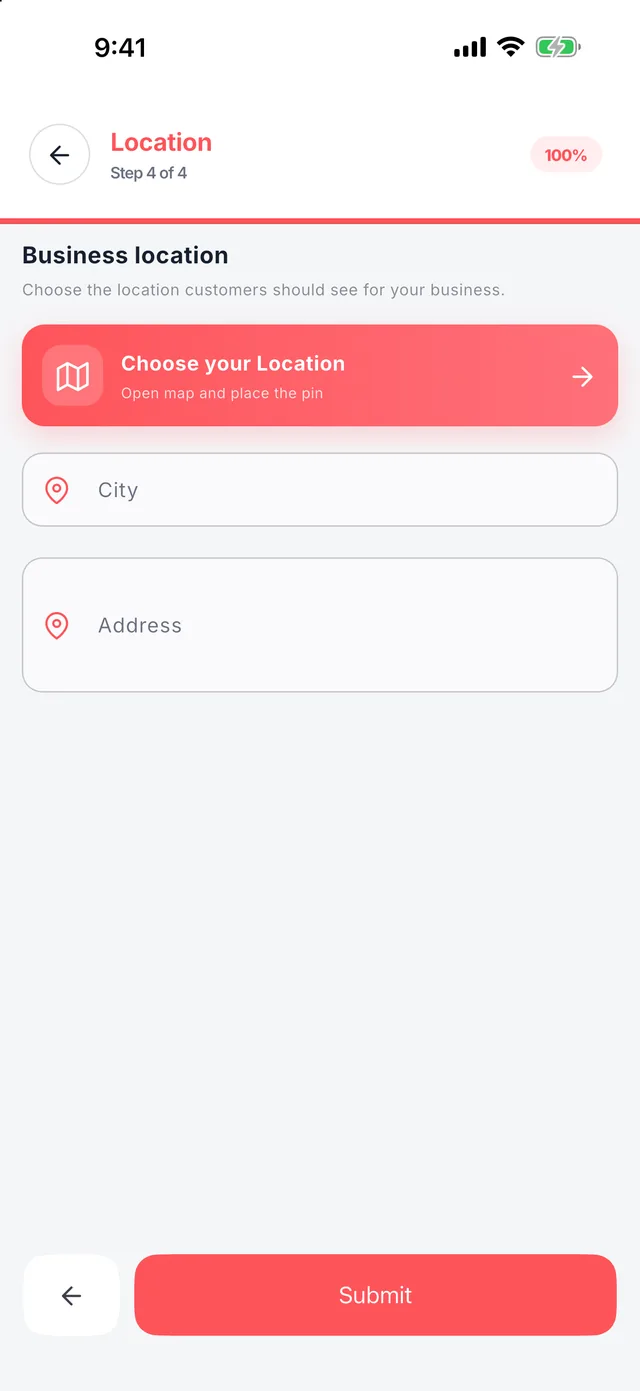
Tap Choose your Location and place the pin on the map. Your city and address fill in on their own, so nearby customers can find you.
Chapter 3
Go live on Wedza
Pick a plan and your profile goes live for customers in the Wedza app. Your first 90 days are free and Wedza takes 0% commission.
-
Choose your plan
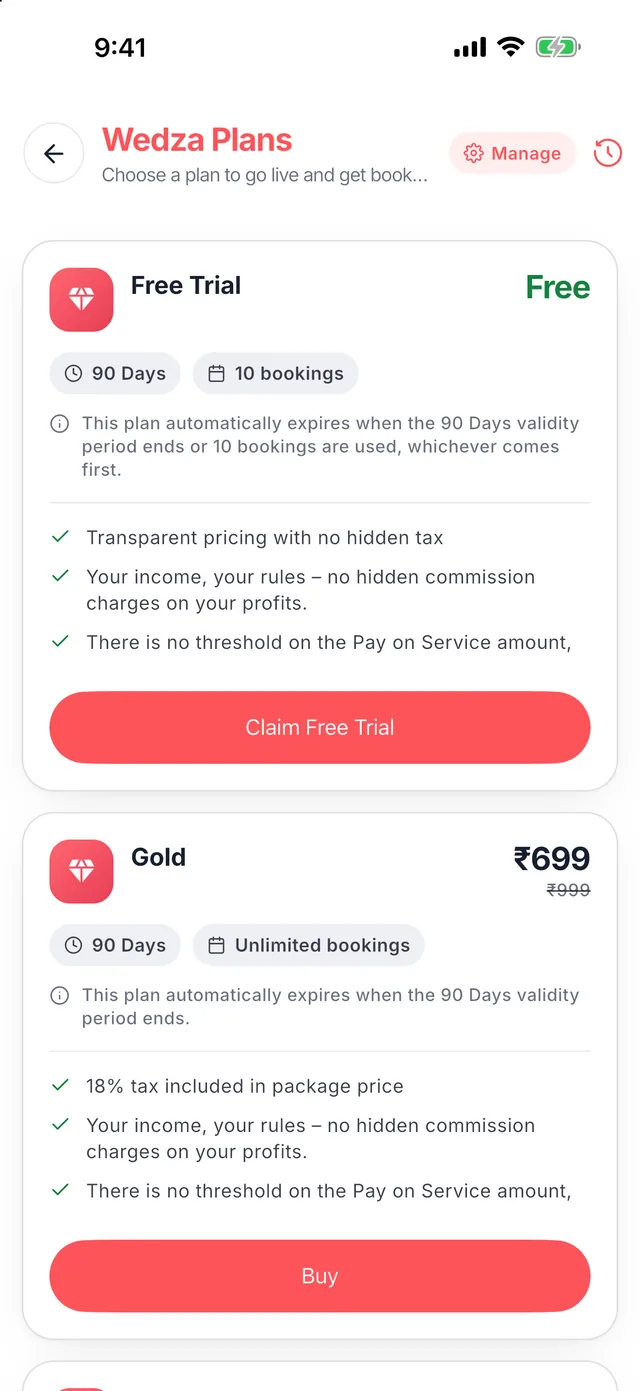
Tap See plans on your home screen. Start with the Free Trial: 90 days, no payment, no commission on your bookings.
-
You are live
Your home screen shows your plan and days left, today’s and upcoming bookings, and your earnings. New booking requests appear here to accept in one tap.
Chapter 4
Add your services
List what you offer with photos, prices and GST. Use the same services in your CRM quotes, so pricing stays in one place.
-
Name and category
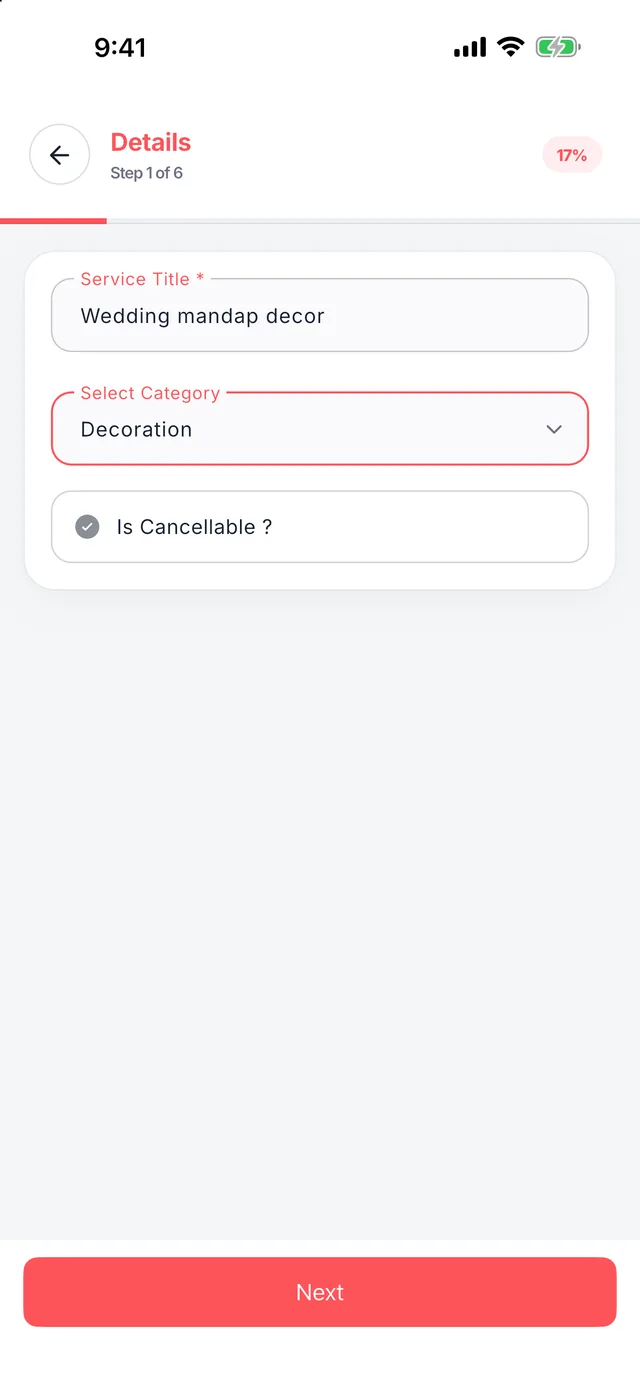
Tap Add New Service, give it a clear title and pick a category: Venue, Catering, Decoration, Photography, Makeup, Mehendi, Music & DJ, Pandit, Melam, Return Gift or Invitation.
-
Add photos
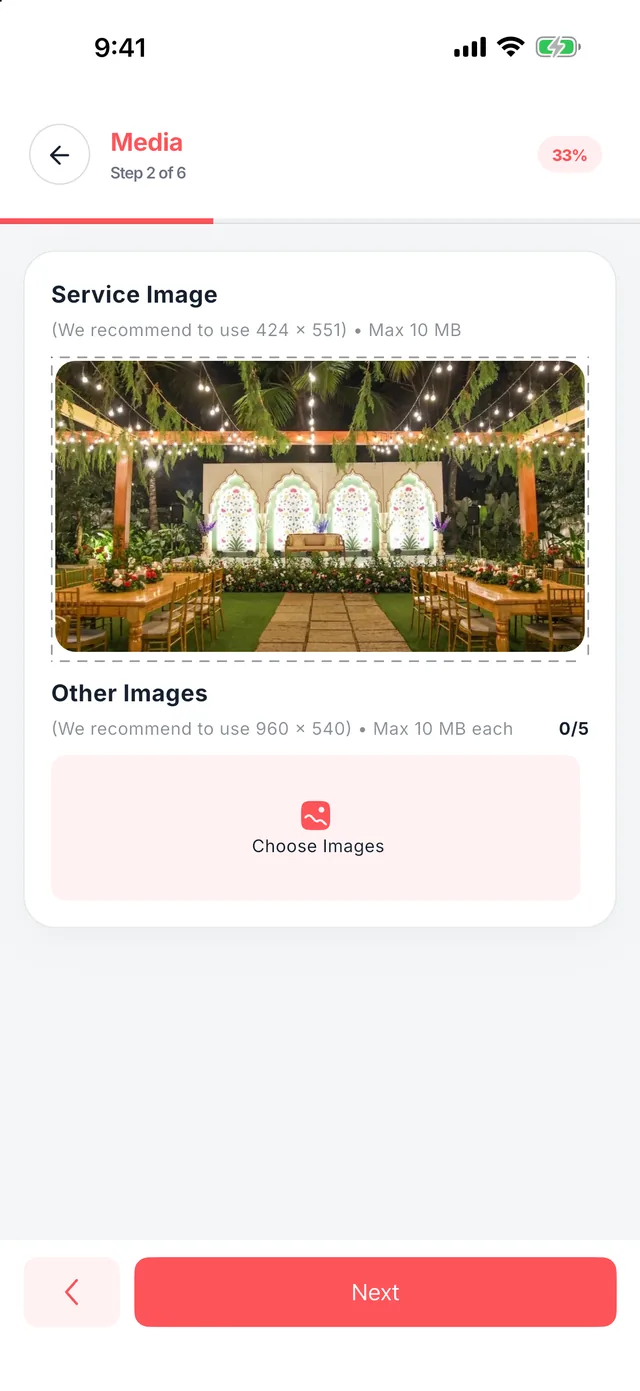
Add one main photo and up to five more. Real photos of your work win more bookings. You can add Instagram or YouTube reels in the next step.
-
Set your price and GST
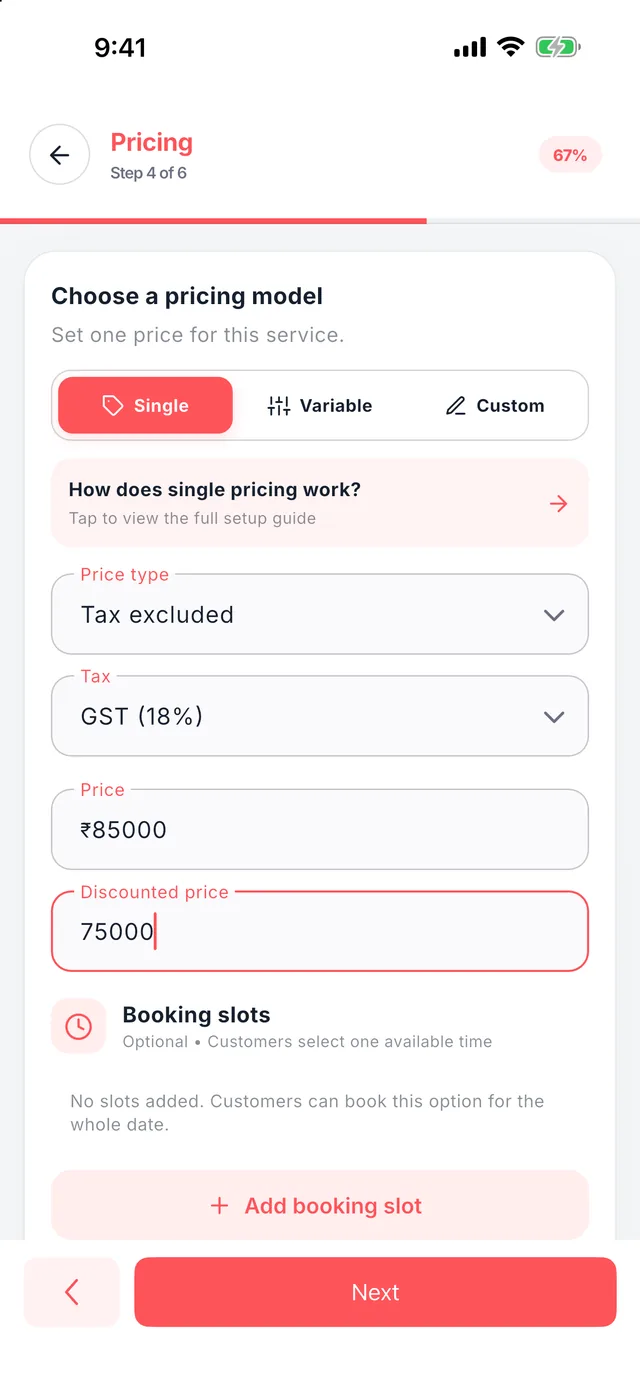
Choose Single, Variable or Custom pricing, pick your GST rate and add a discounted price if you like. Set how many bookings you take per day.
-
Answer common questions
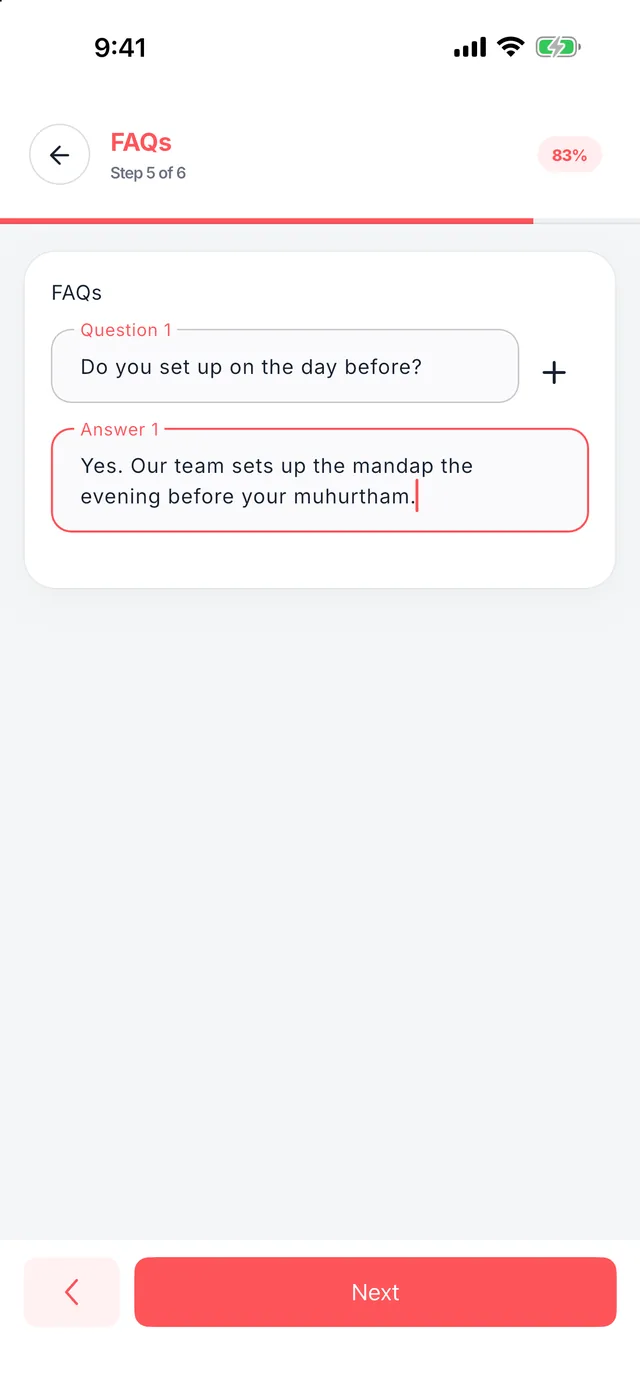
Add FAQs such as setup time or travel, so customers get answers before they call.
-
List what is included
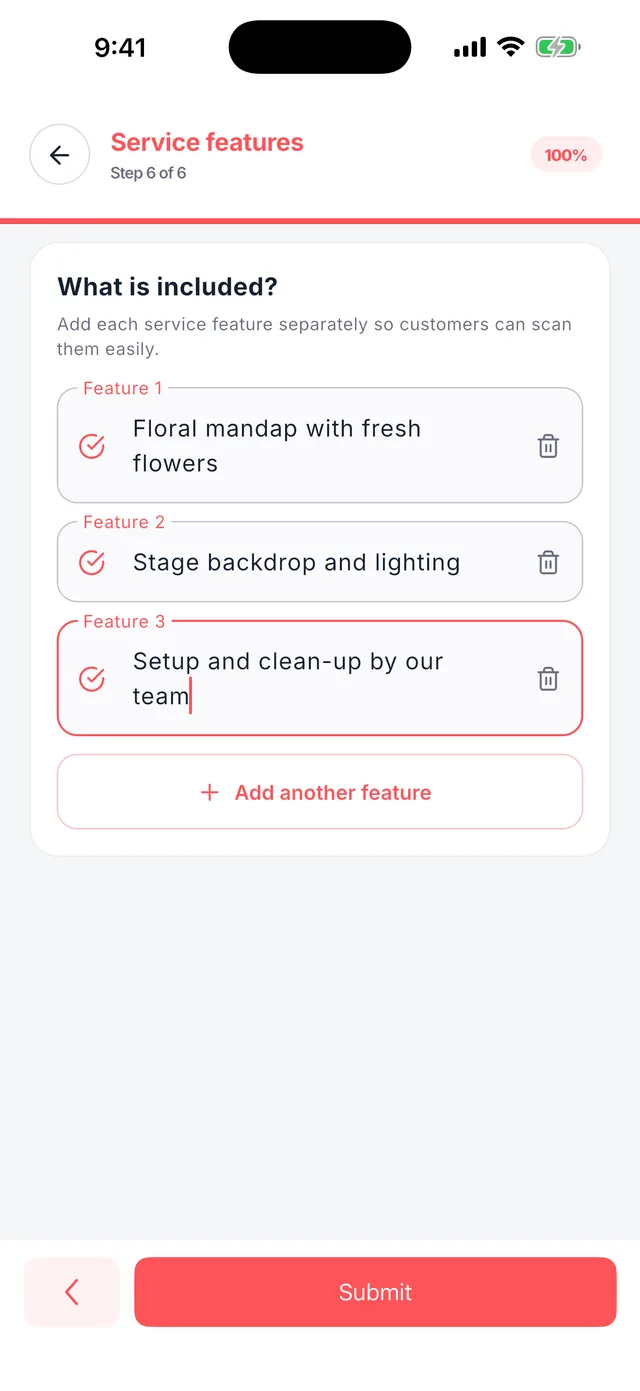
Add each feature on its own line, like Floral mandap with fresh flowers, then tap Submit.
-
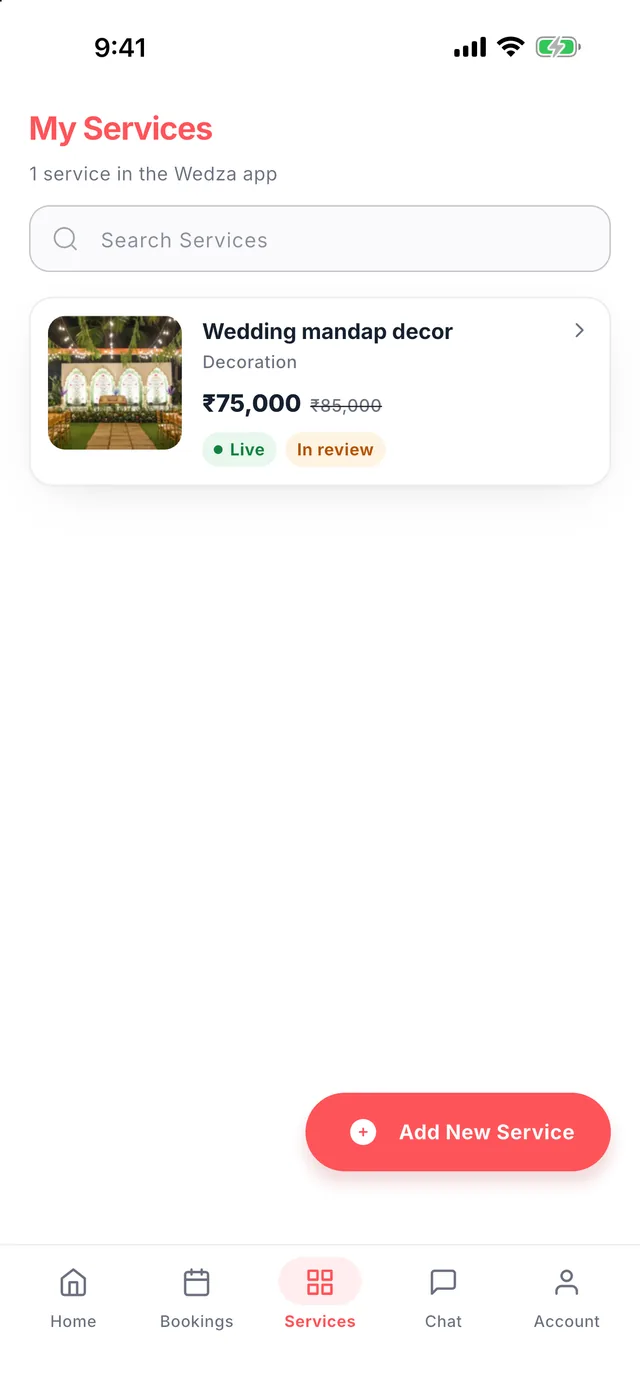
Your service catalogue
Every service shows its price, discount and status. The Wedza team reviews new services, then customers can find and book them.
Chapter 5
CRM: leads and quotes
Wedza Partner includes a full wedding and event CRM. Turn every call, WhatsApp or Instagram enquiry into a GST quote in under a minute.
-
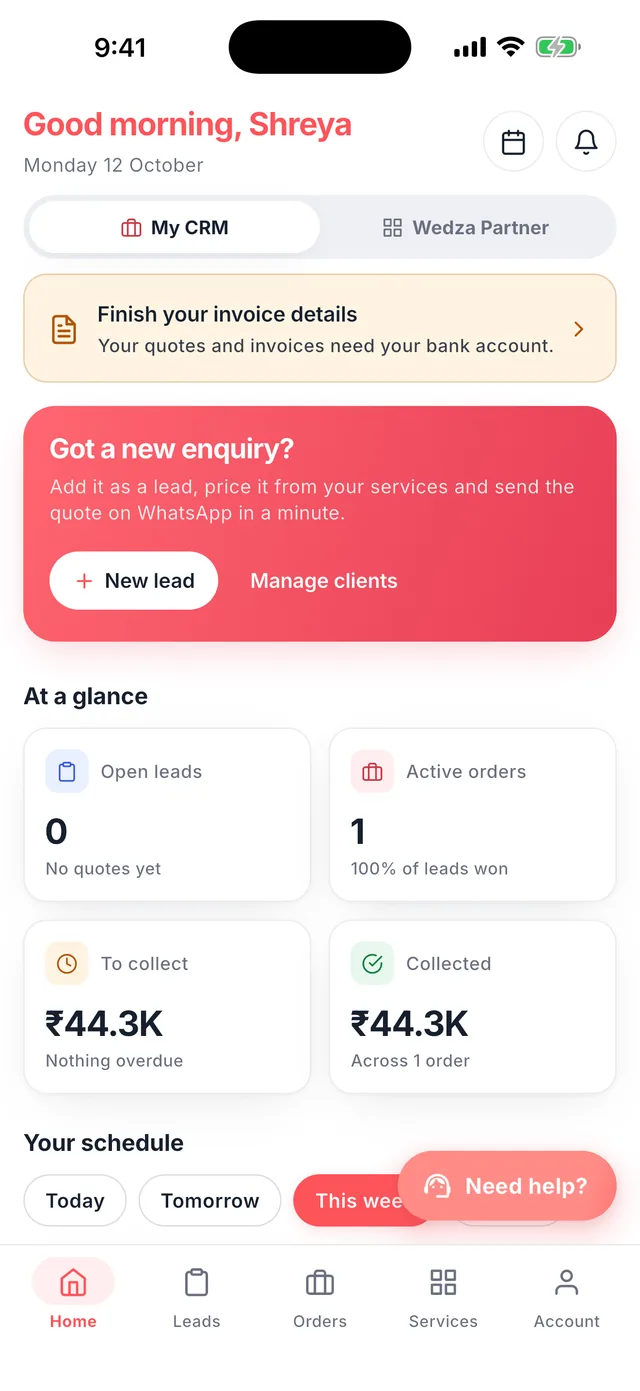
Your CRM home
Tap My CRM to see open leads, active orders, money to collect and collected, plus your schedule for today, tomorrow and this week.
-
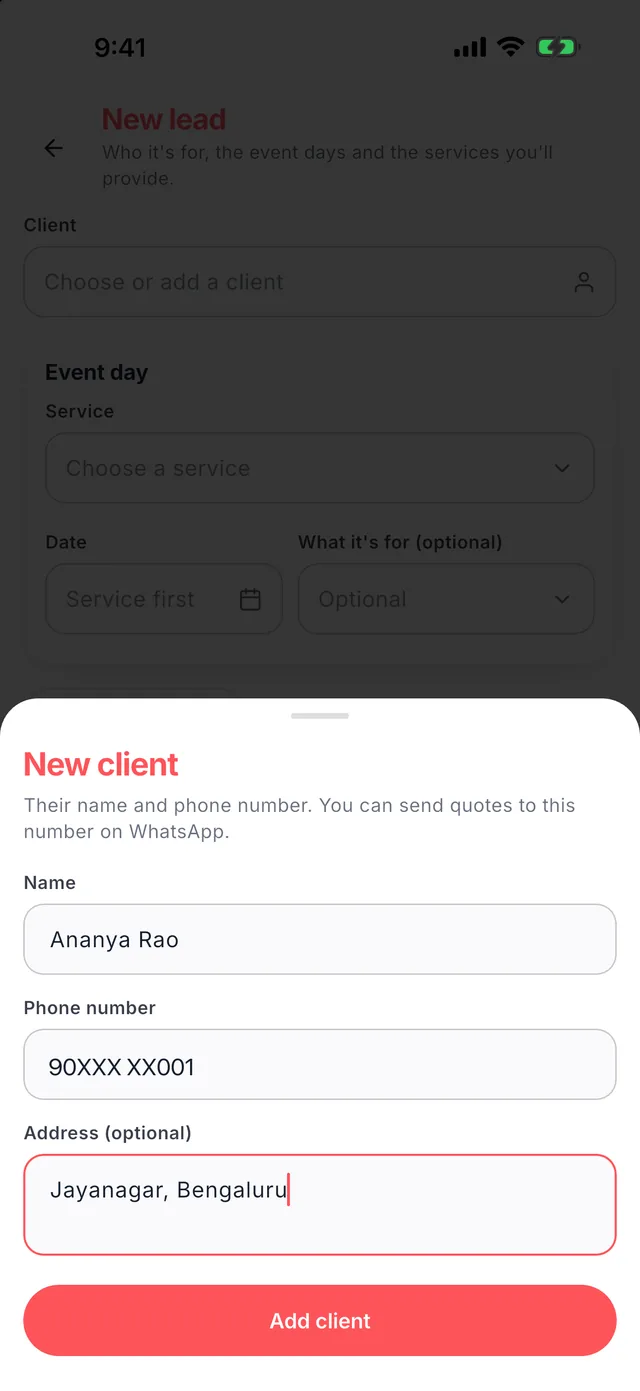
Add a client
Tap New lead, then Add a new client with their name and number. Quotes and reminders go to this number on WhatsApp.
-
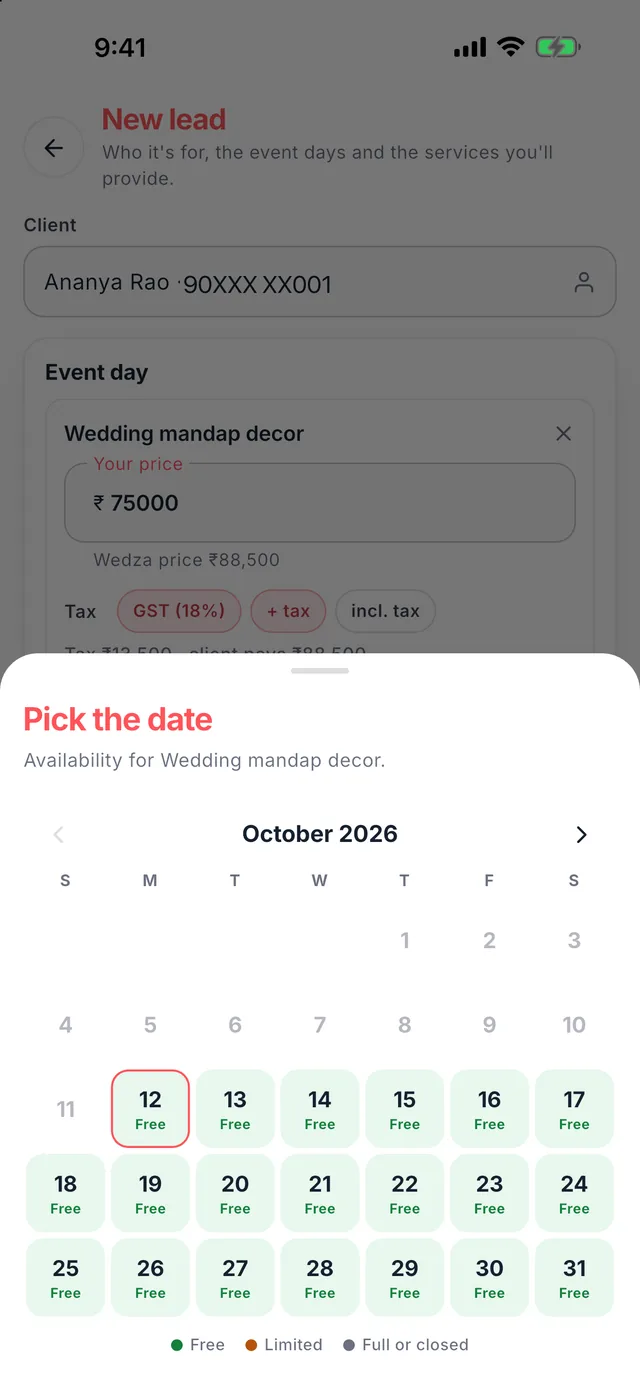
Pick a free date
Choose the service, then the date. The calendar shows which days are free, limited or full, so you never promise a date twice.
-
Tag the occasion
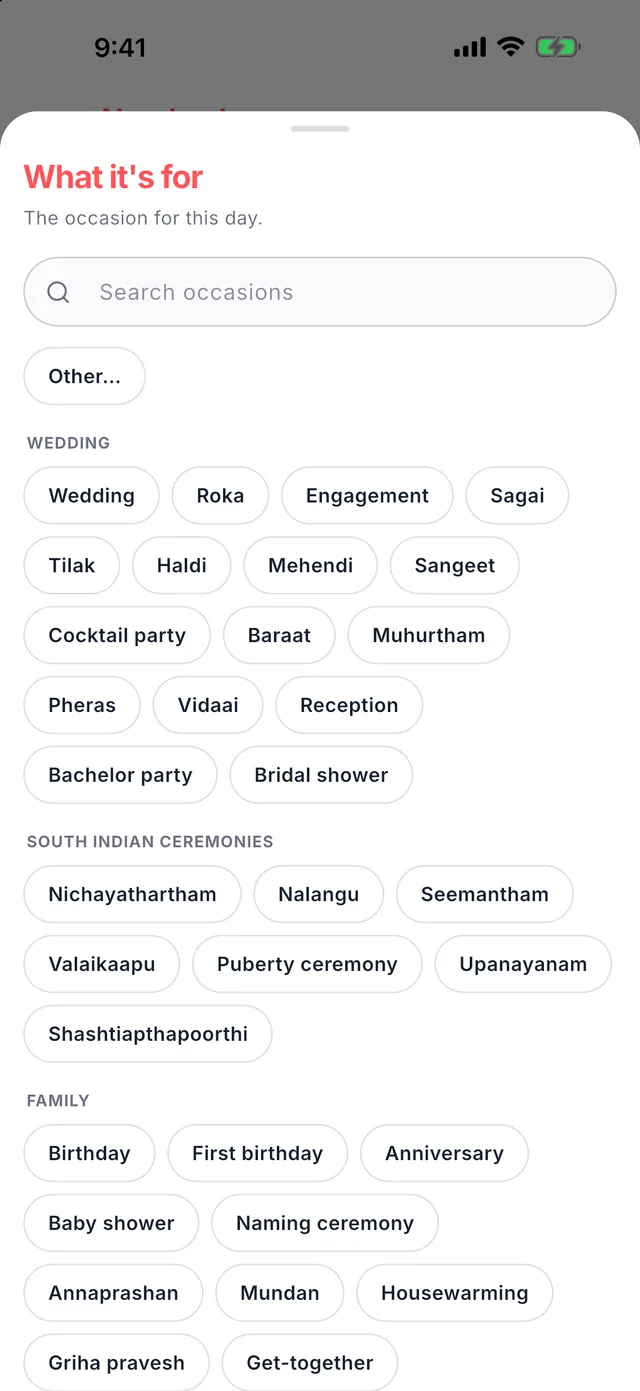
Wedding, Haldi, Sangeet, Muhurtham, Reception, Seemantham, Griha pravesh, birthdays and more. Add more days for multi-day events.
-
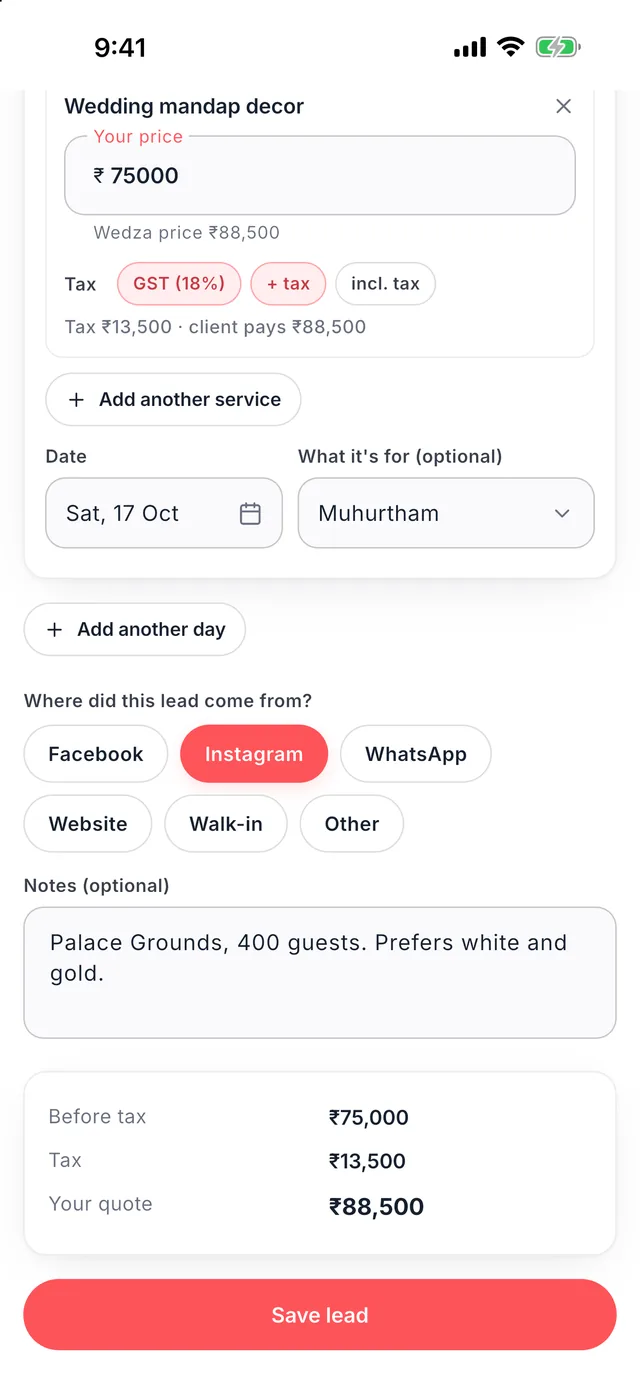
Price it with GST
Your service price fills in; change it for this client if you need to. Choose GST on top or included, note where the lead came from, and tap Save lead.
-
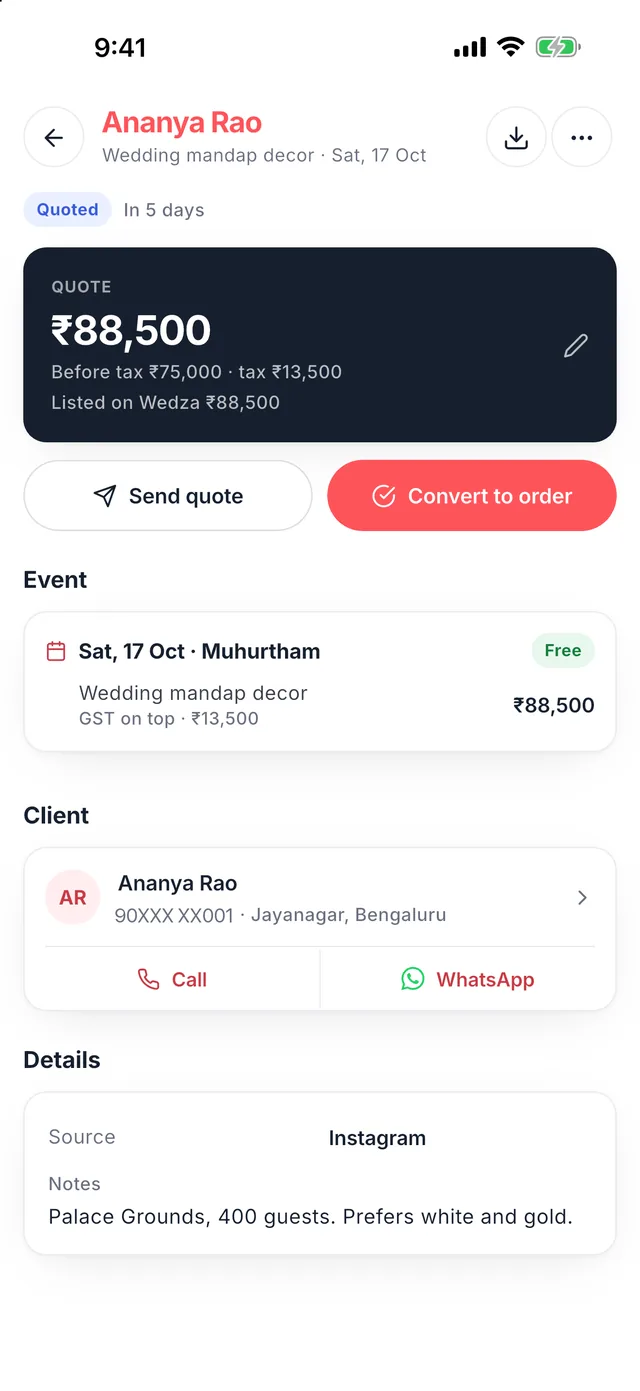
Send the quote on WhatsApp
Tap Send quote to share a quote link and PDF on WhatsApp. Your client opens it on their phone, no app needed. Call or chat in one tap.
Chapter 6
CRM: orders and payments
When the client says yes, convert the lead to an order, set the advance and balance, and track every rupee until the event.
-
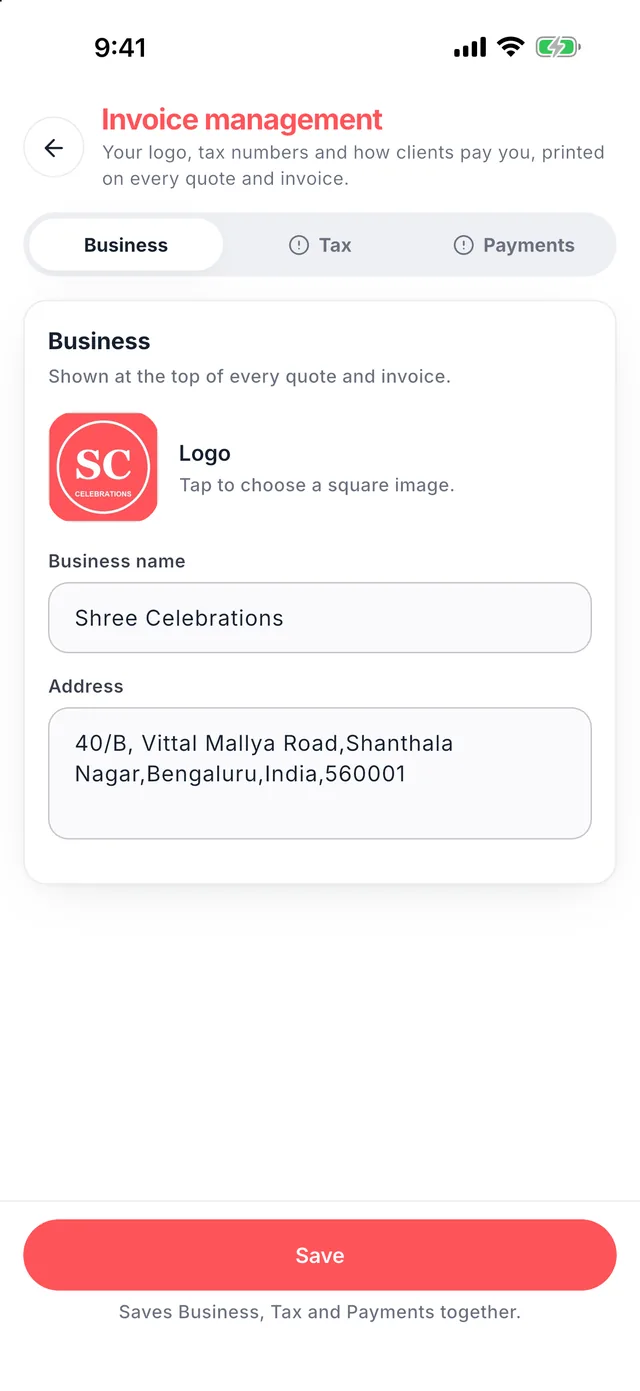
Set up invoices once
In Invoice management add your logo, PAN or GST, and your bank account or UPI ID. Every quote and invoice carries them.
-
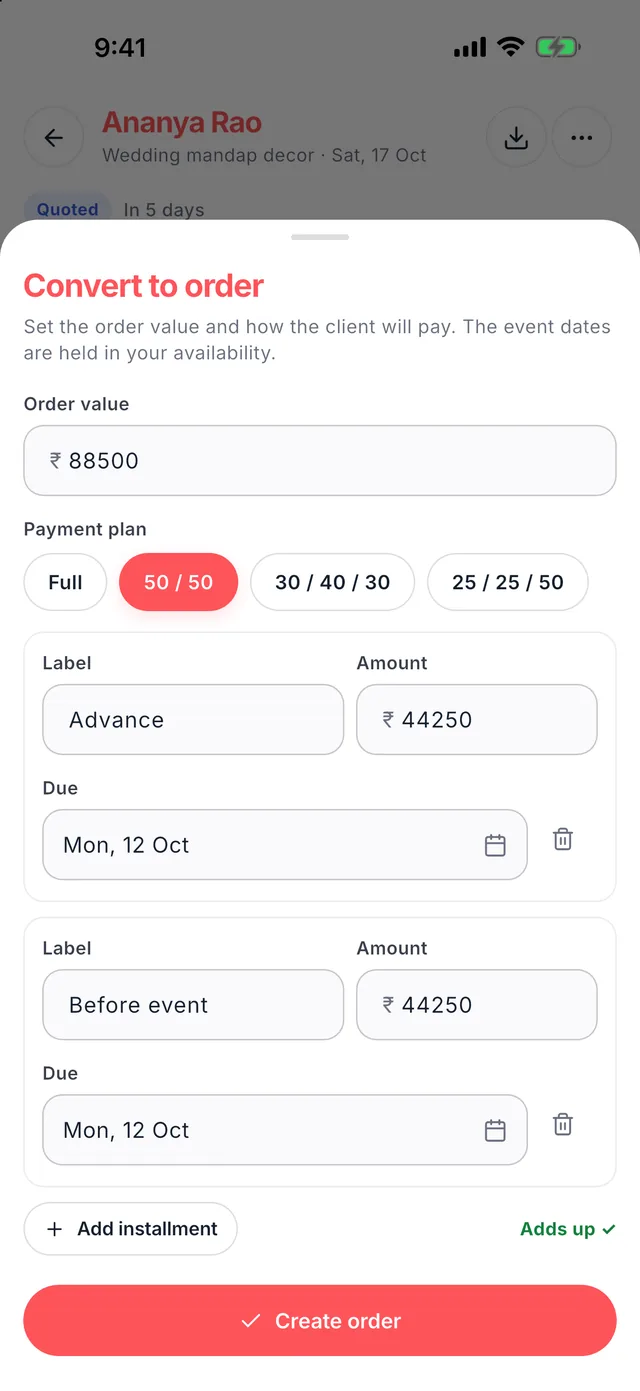
Convert to an order
Tap Convert to order and pick a payment plan: Full, 50/50, 30/40/30 or 25/25/50, or set your own instalments and due dates.
-
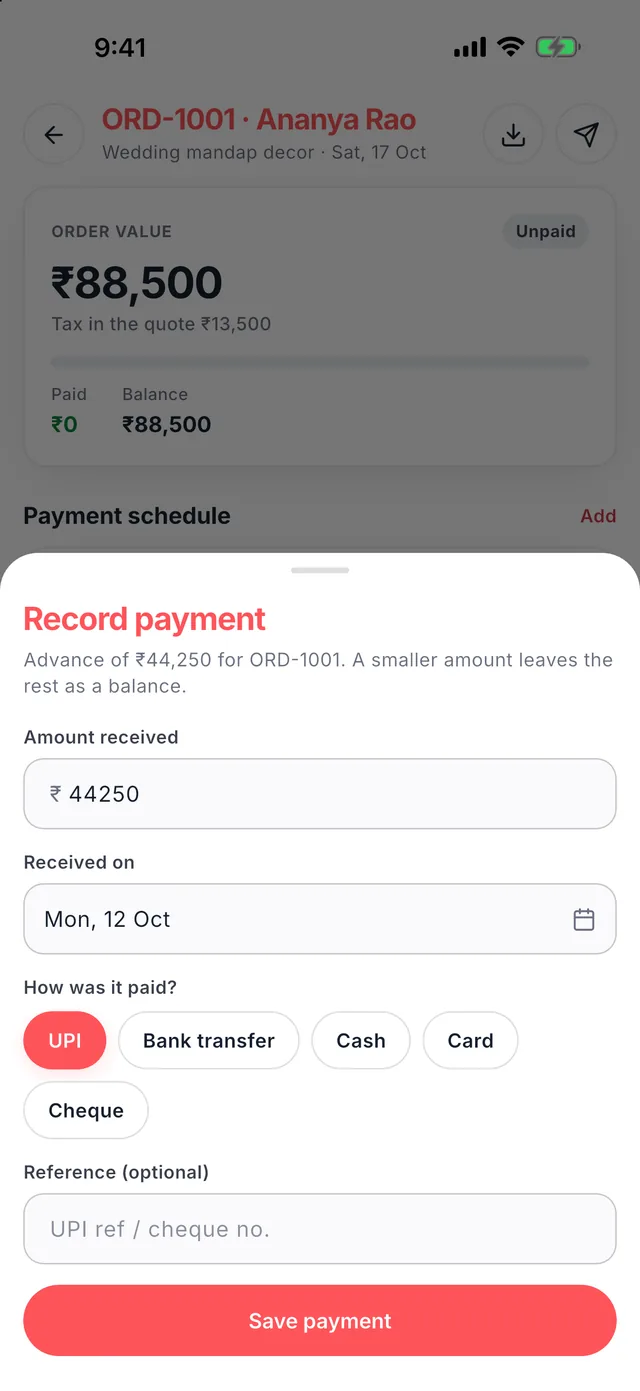
Record each payment
When money comes in, tap Record and choose UPI, bank transfer, cash, card or cheque. A smaller amount leaves the rest as balance.
-
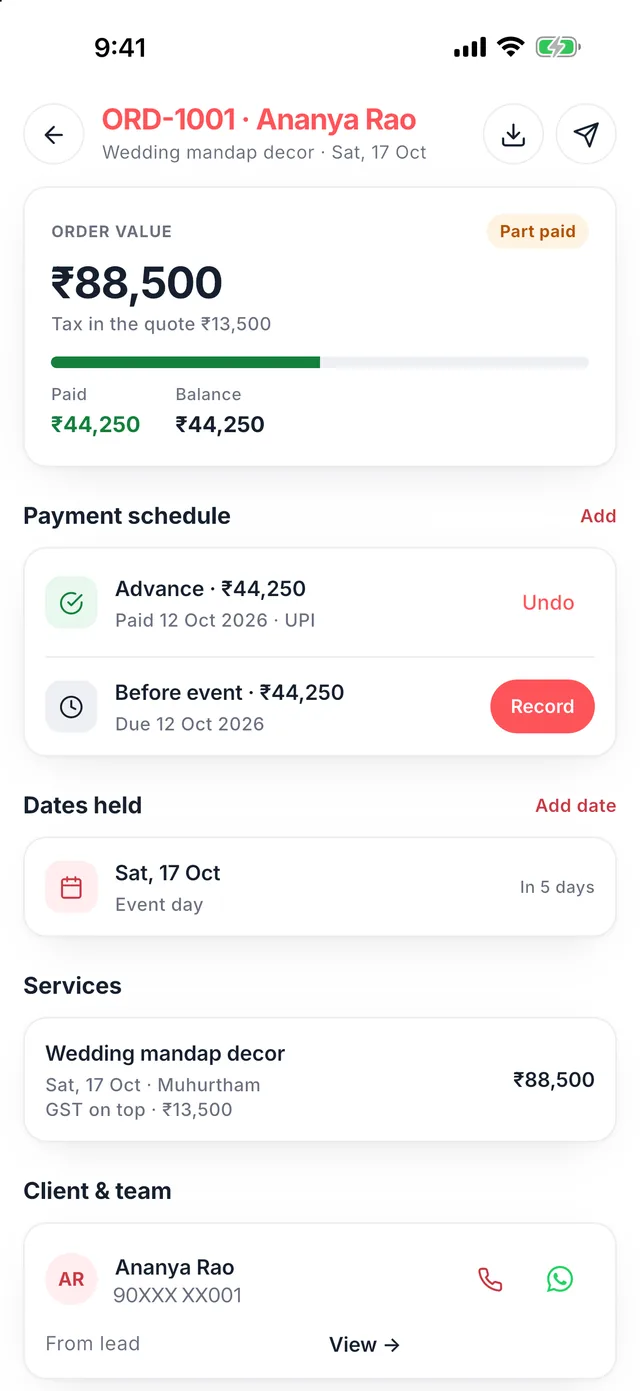
See what is paid and due
Each order shows paid, balance and the next due date, the dates held on your calendar, and quick call and WhatsApp buttons.
-
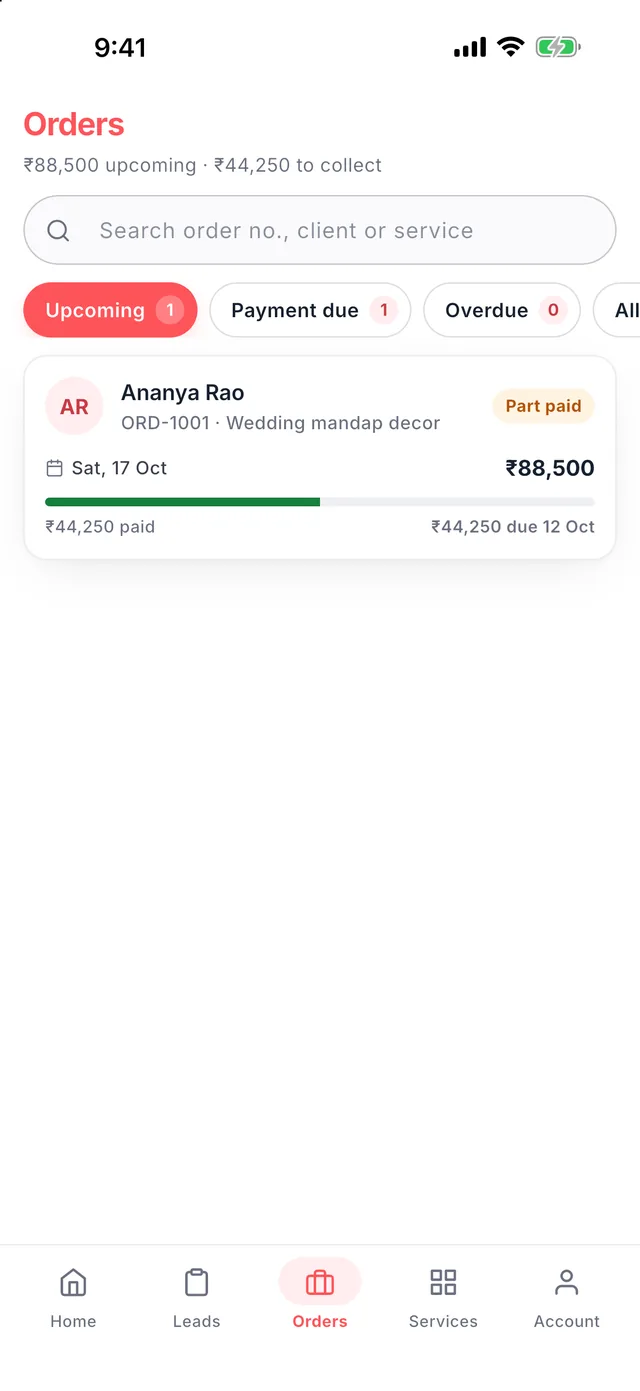
All your orders
Filter by Upcoming, Payment due or Overdue, and search by order number, client or service.
Chapter 7
Calendar and availability
One calendar for Wedza bookings and CRM orders, with simple rules for when customers can book you.
-
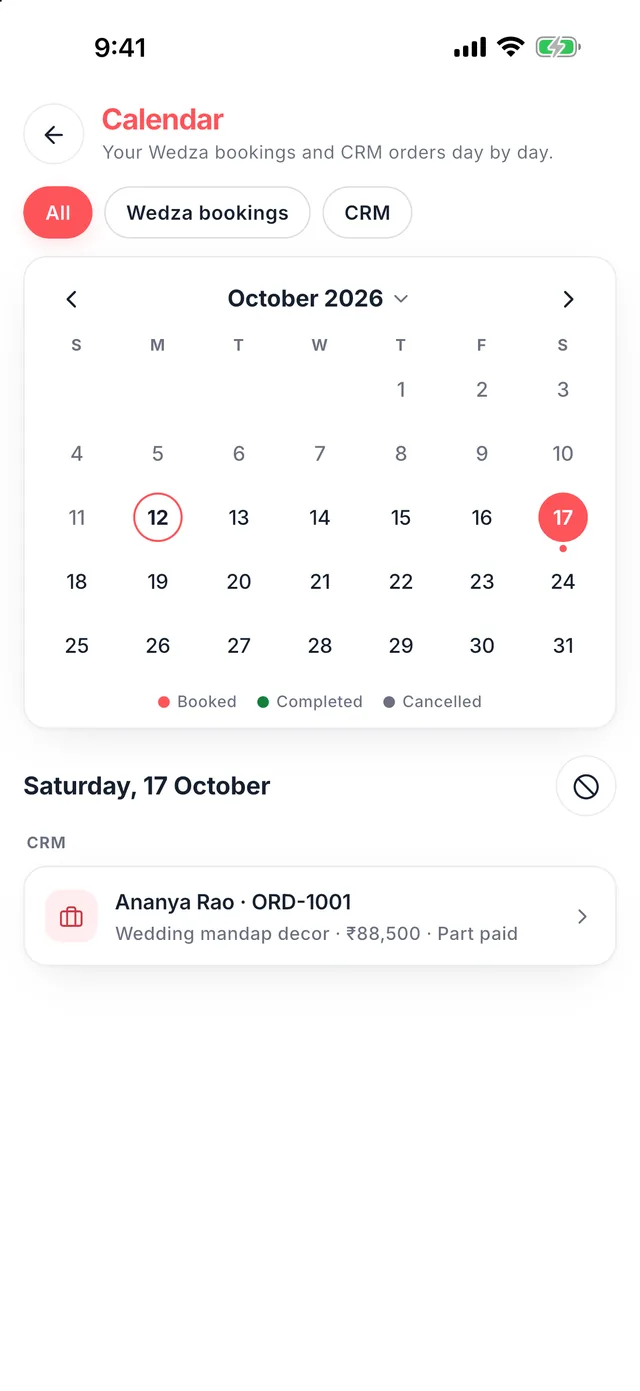
Every booking by date
Open the calendar from your home screen. Tap a day to see its Wedza bookings and CRM orders; filter by Wedza bookings or CRM.
-
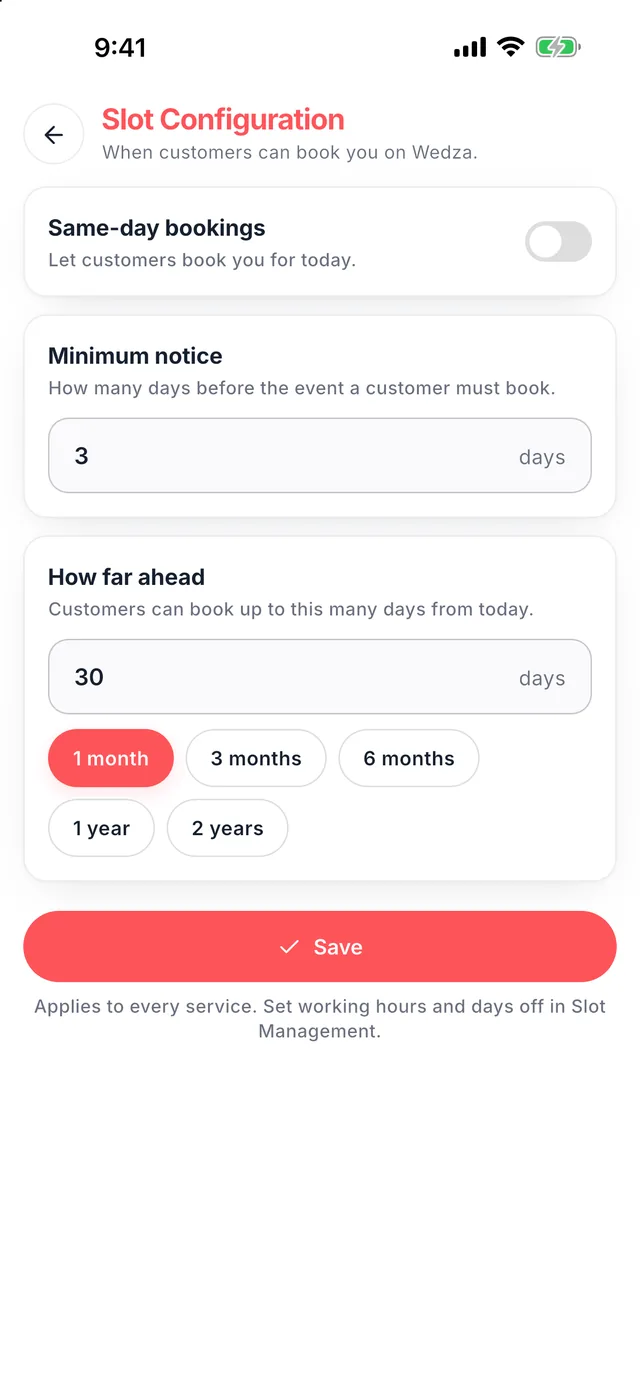
Set your booking window
In Slot Configuration choose the minimum notice, how far ahead customers can book, and whether you take same-day bookings.
-
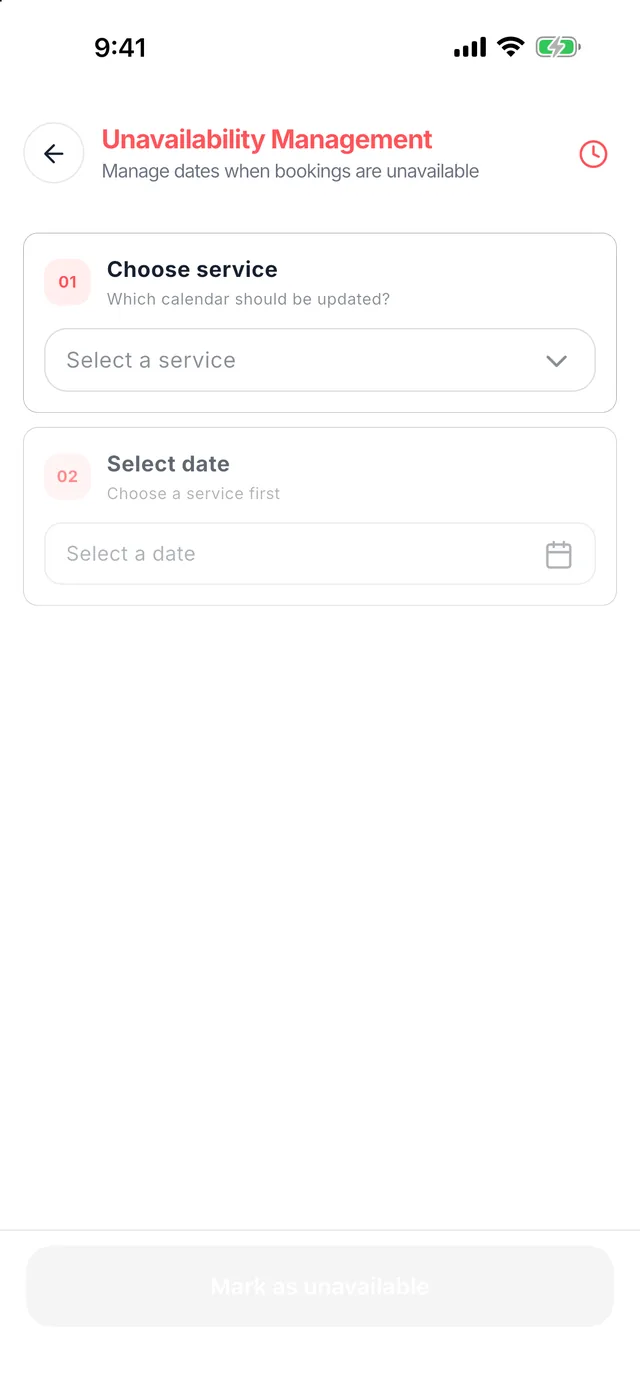
Block days off
In Unavailability Management pick a service and a date and tap Mark as unavailable. That date disappears for customers and in your lead form.
-
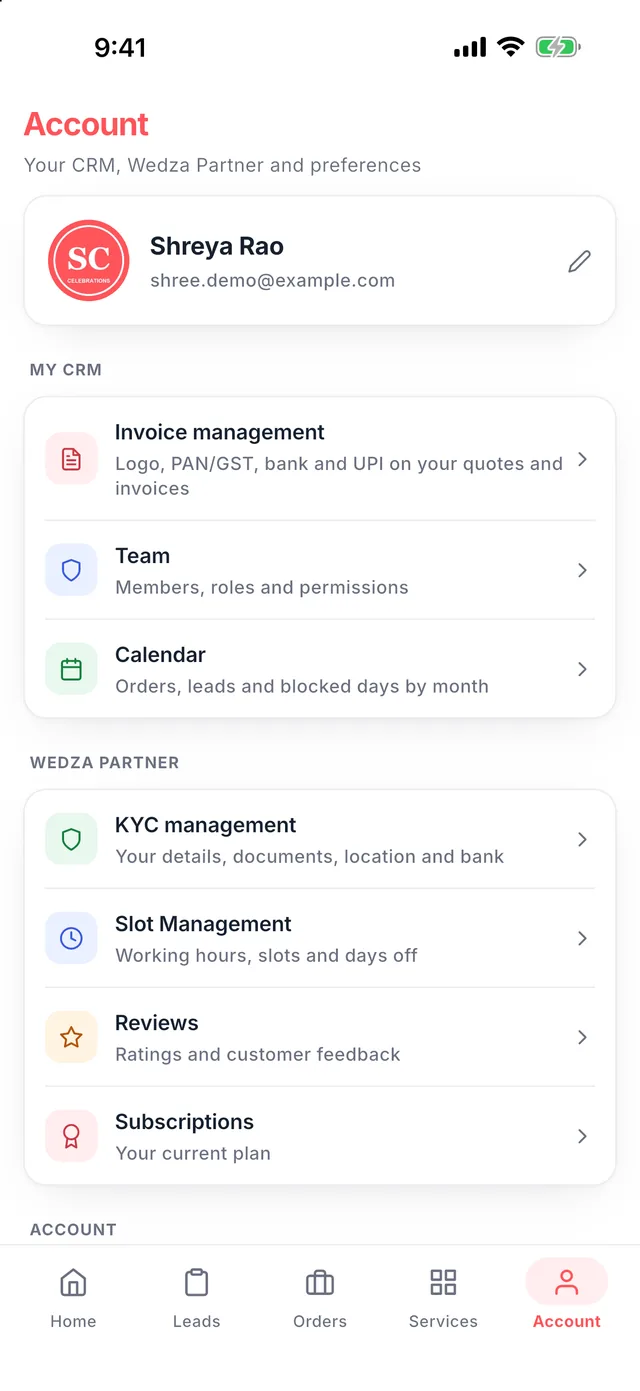
Everything in Account
Invoice management, team members and roles, KYC, slot management, reviews and your plan, all in one place.
FAQ
Partner questions, answered.
Still stuck? Tap the help button in the app or write to support@wedza.in.
Is the Wedza Partner app free?
Yes. Wedza Partner is free to download on Android and iPhone, listing is free, Wedza takes 0% commission on bookings, and your first 90 days are free.
Do I need to complete KYC before using the app?
No. You can explore the app and use the CRM right after sign-up. Complete your KYC at any stage, whenever you want customers to find you in the Wedza app.
Which document do I need for KYC?
Any one of these: GST certificate, driving licence, voter ID or business incorporation document.
Does Wedza Partner have a CRM?
Yes. My CRM lets you add clients and leads, send GST quotes on WhatsApp, convert leads to orders, set advance and balance payments, and record UPI, bank, cash, card or cheque payments.
Can I send quotes on WhatsApp?
Yes. Save a lead and tap Send quote. Your client gets a quote link and PDF on WhatsApp and opens it without installing anything.
How do I stop double bookings?
Wedza shows free, limited and full dates when you add a lead, and holds the date once you convert it to an order. You can also mark days off in Unavailability Management.
Can my team use it?
Yes. Add team members with roles in Account, Team. Each member logs in with their own phone number and MPIN using Team Login.
Can I use Wedza on my computer?
Yes. Log in to the Partner Portal at wedza.in/partner-portal with the same number. Your services, bookings and CRM stay in sync with the app.
I forgot my MPIN. What do I do?
On the login screen, tap Forgot MPIN to set a new one.
Is the guide available in my language?
The video guide is made in English, Kannada, Hindi, Telugu, Tamil and Malayalam. Pick your language in the video section of this page, or tap How to use Wedza Partner on the welcome screen.