
Wedza Gallery
Your event photos, synced by themselves.
Cloud Gallery keeps every order’s photos online for your client. The Wedza Gallery app for Mac and Windows sends them there from your laptop, SSD or hard disk, while you keep working.
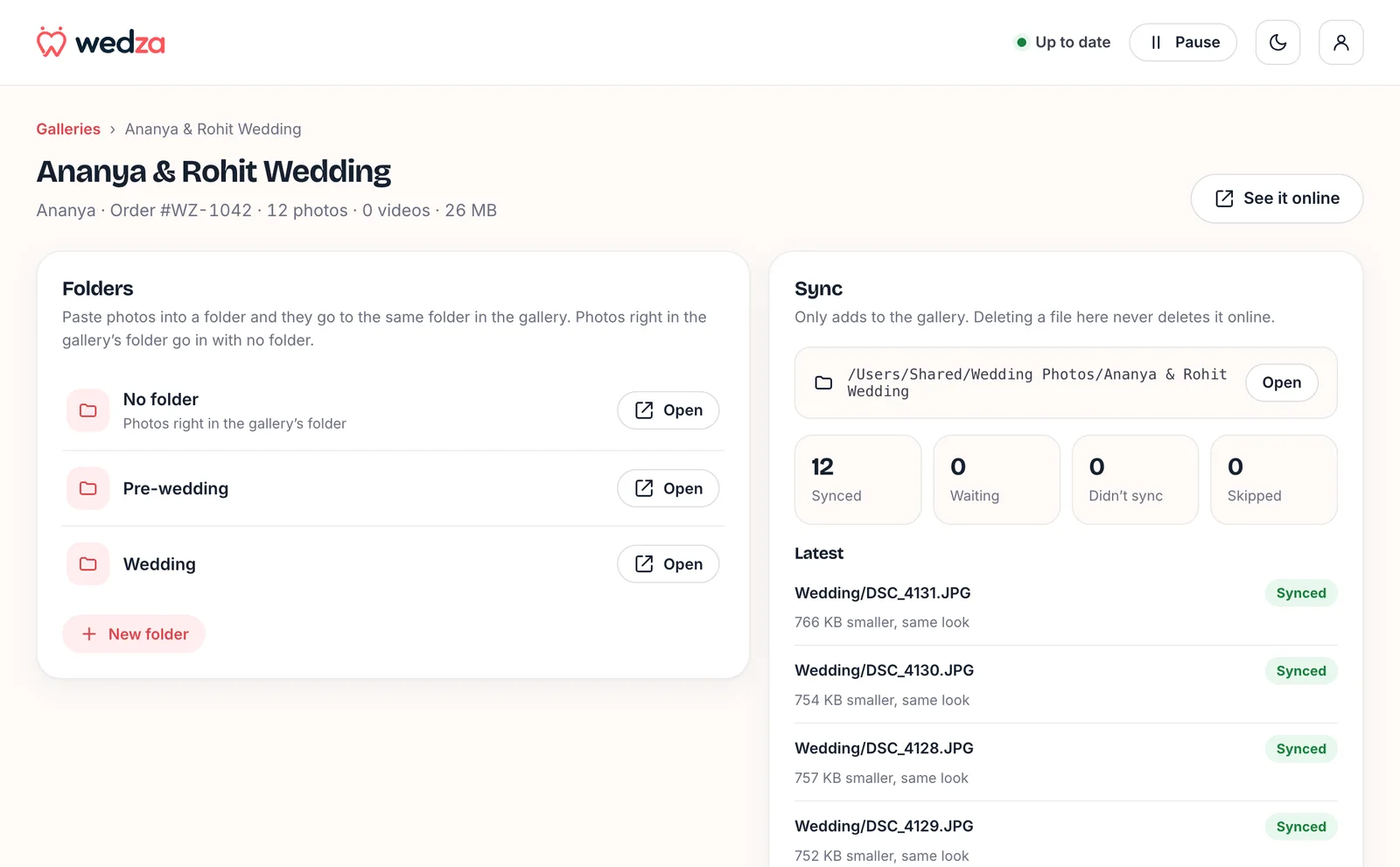
How it works
Copy photos in. That’s it.
Set it up once per gallery. After that, every photo you copy into the folder reaches your client’s gallery on its own.
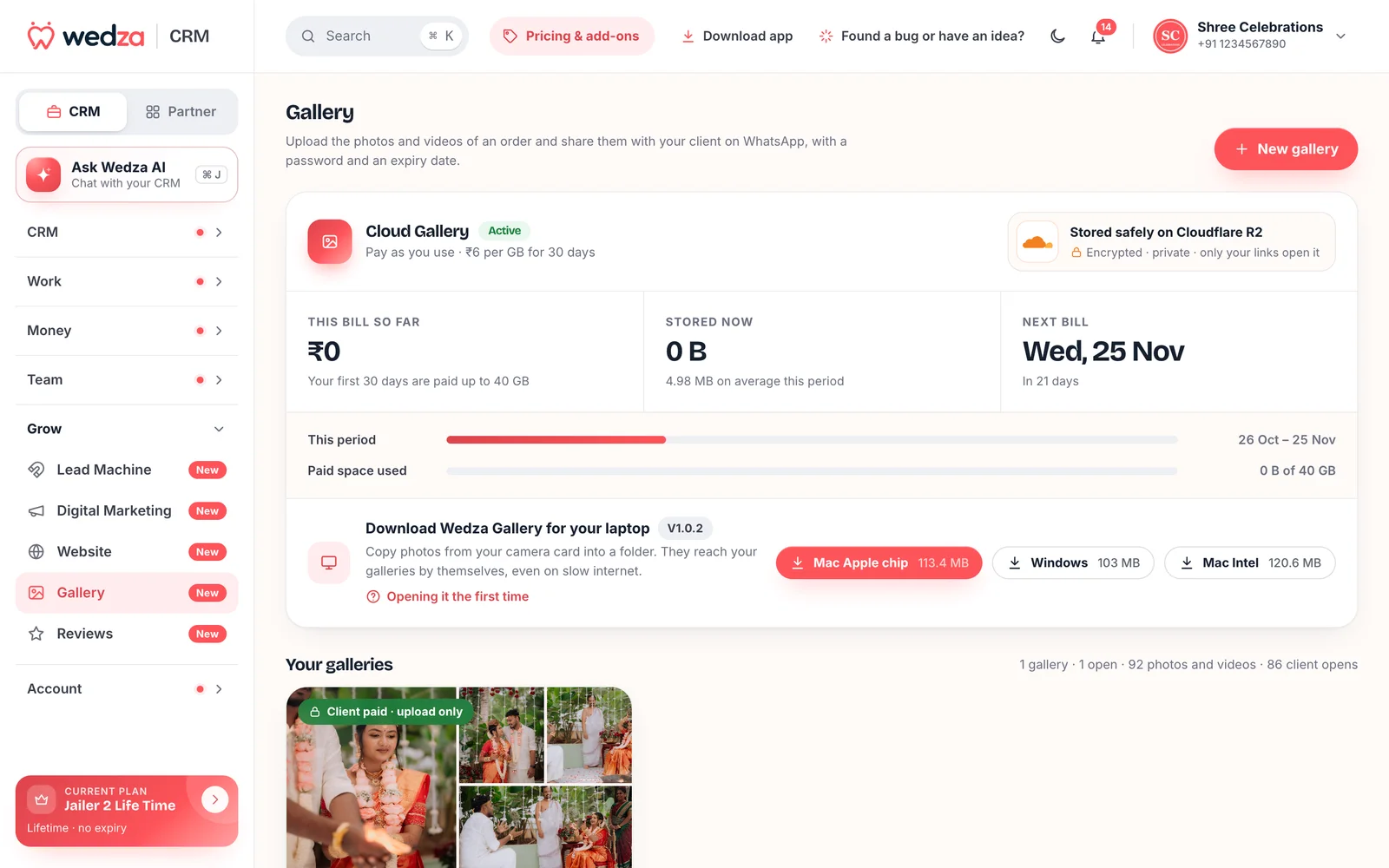
Start Cloud Gallery and get the app
In the Partner Portal, open CRM › Gallery. Cloud Gallery starts at ₹399 for the first 30 days (up to 40 GB). On the same page, download Wedza Gallery for Mac (Apple chip or Intel) or Windows.
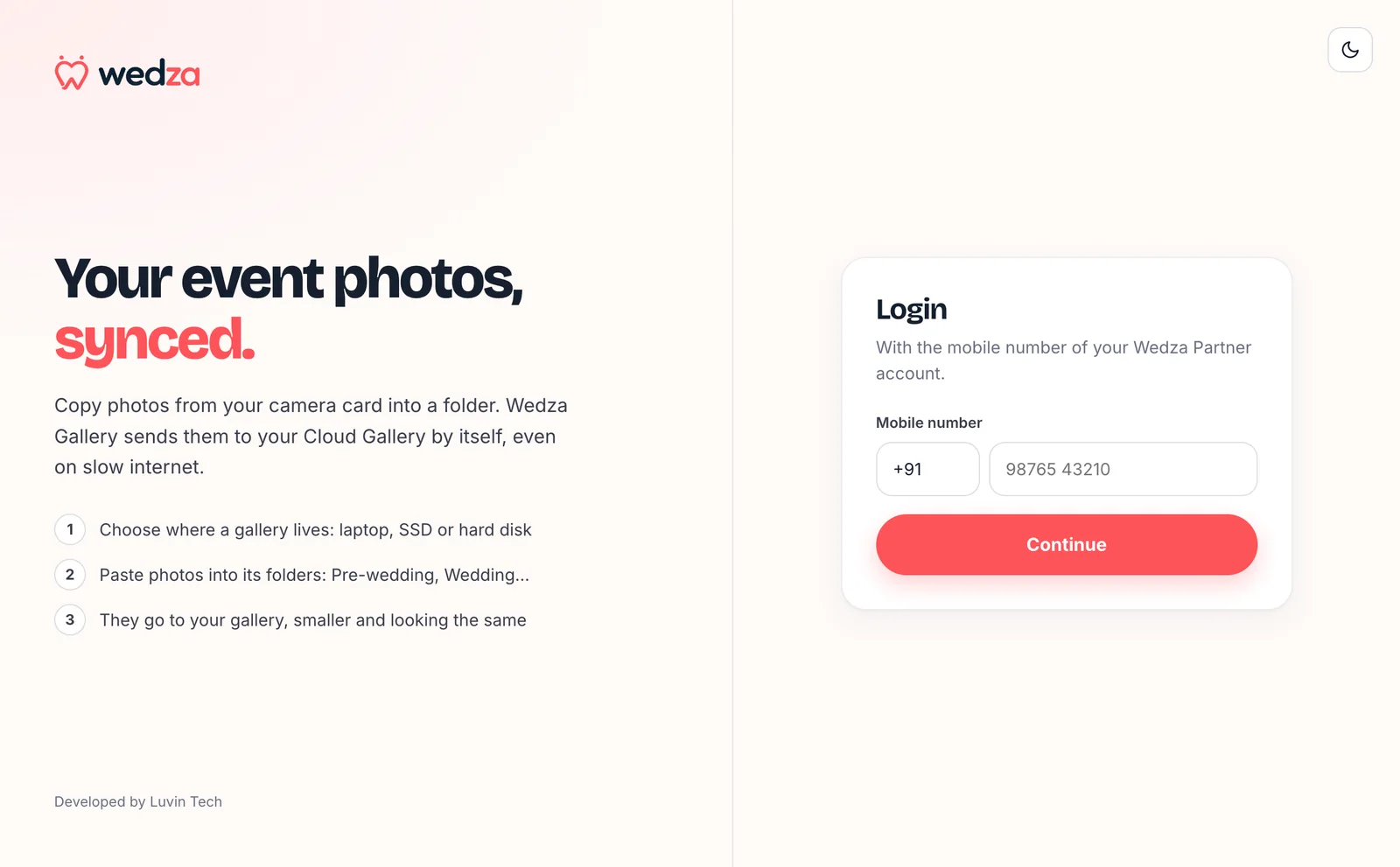
Log in with your Wedza Partner number
Open Wedza Gallery and log in with the mobile number and 6-digit MPIN of your Wedza Partner account. Every gallery you have made shows up.
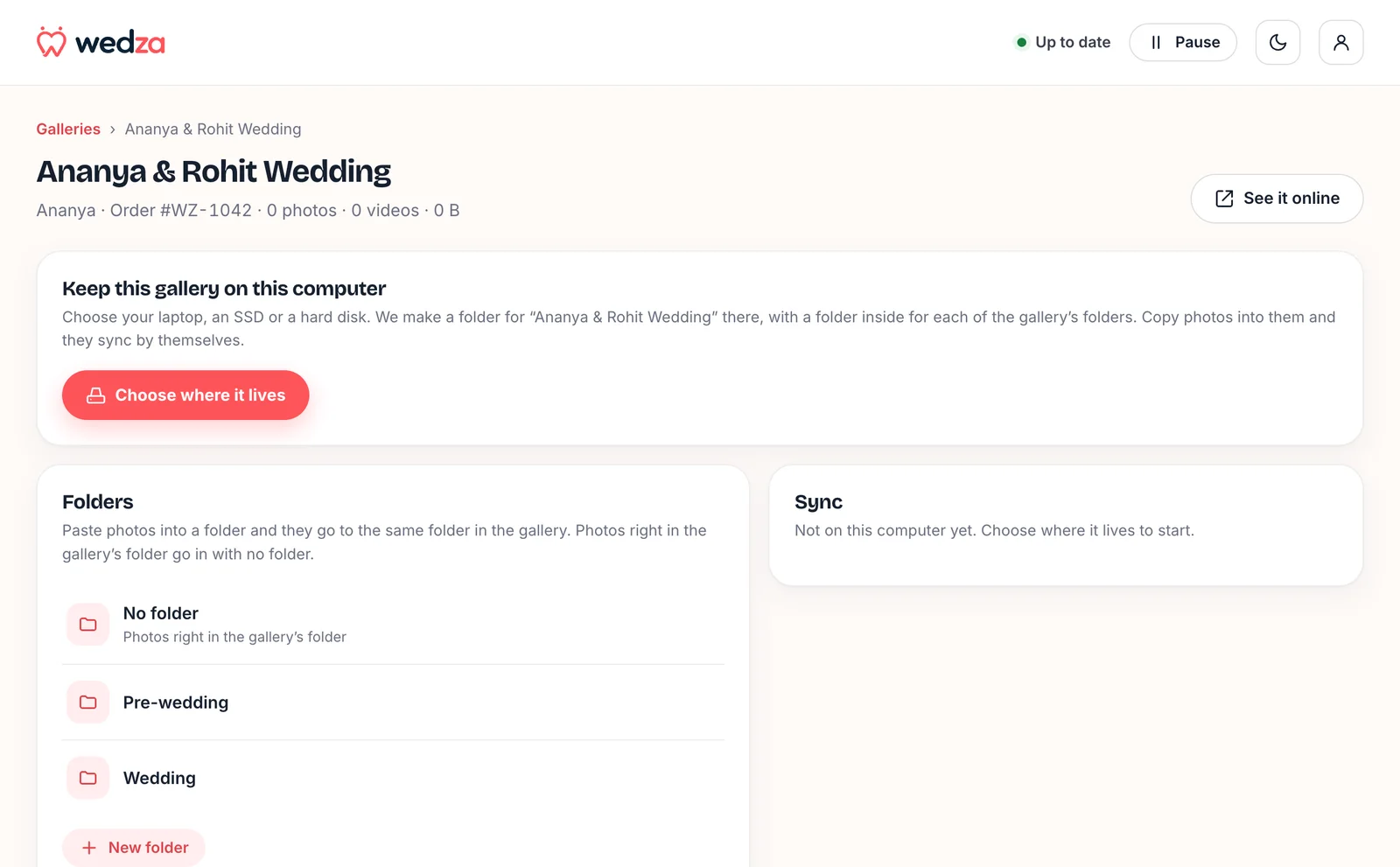
Choose where each gallery lives
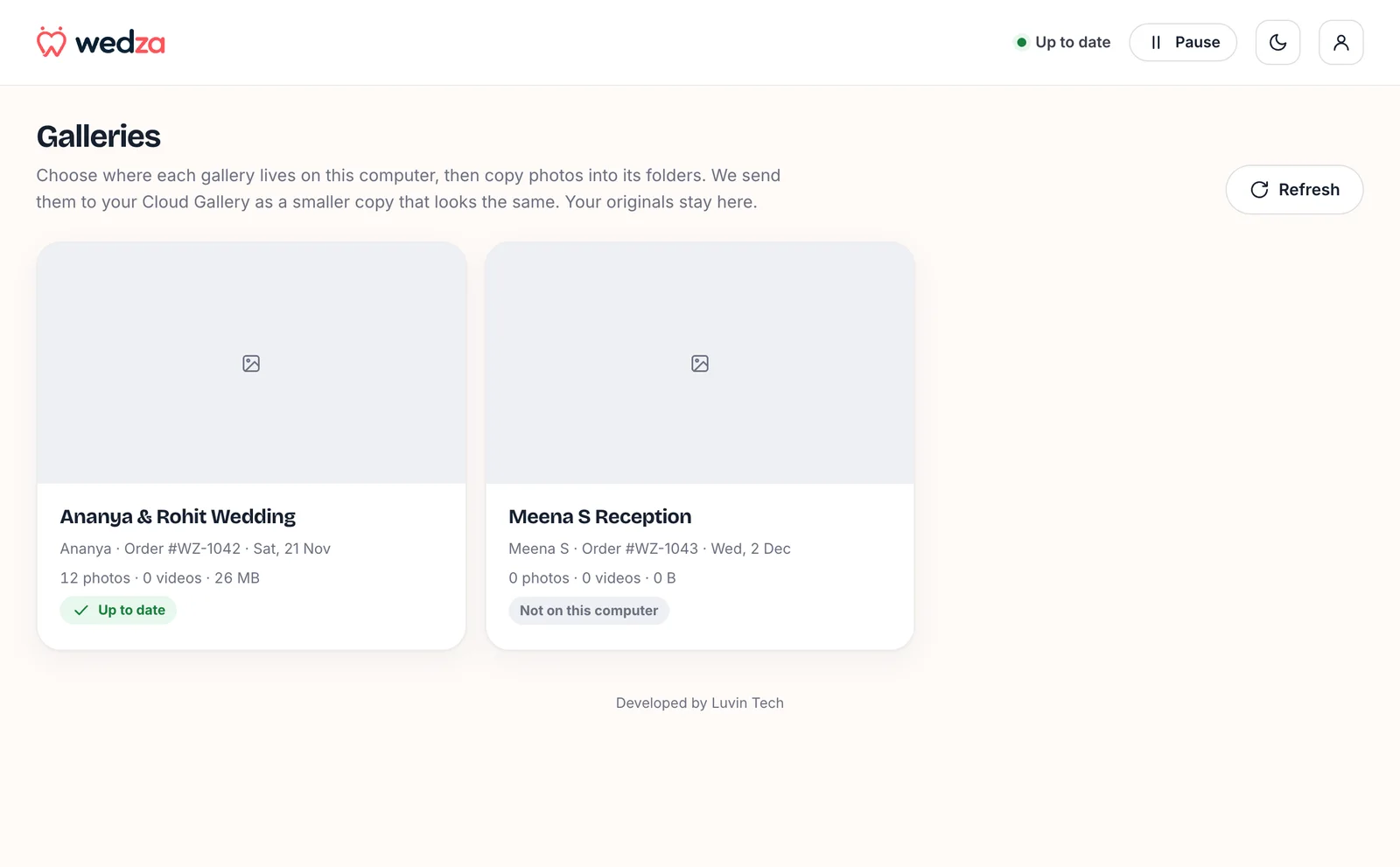
Pick your laptop, an SSD or a hard disk. We make a folder for the gallery there, with a folder inside for each of its folders: Pre-wedding, Wedding, Reception.
Copy photos in. They send by themselves
Copy from your camera card or export from Lightroom into the folder. Wedza Gallery waits until copying is finished, then sends each photo. It keeps going on slow internet and after a restart.
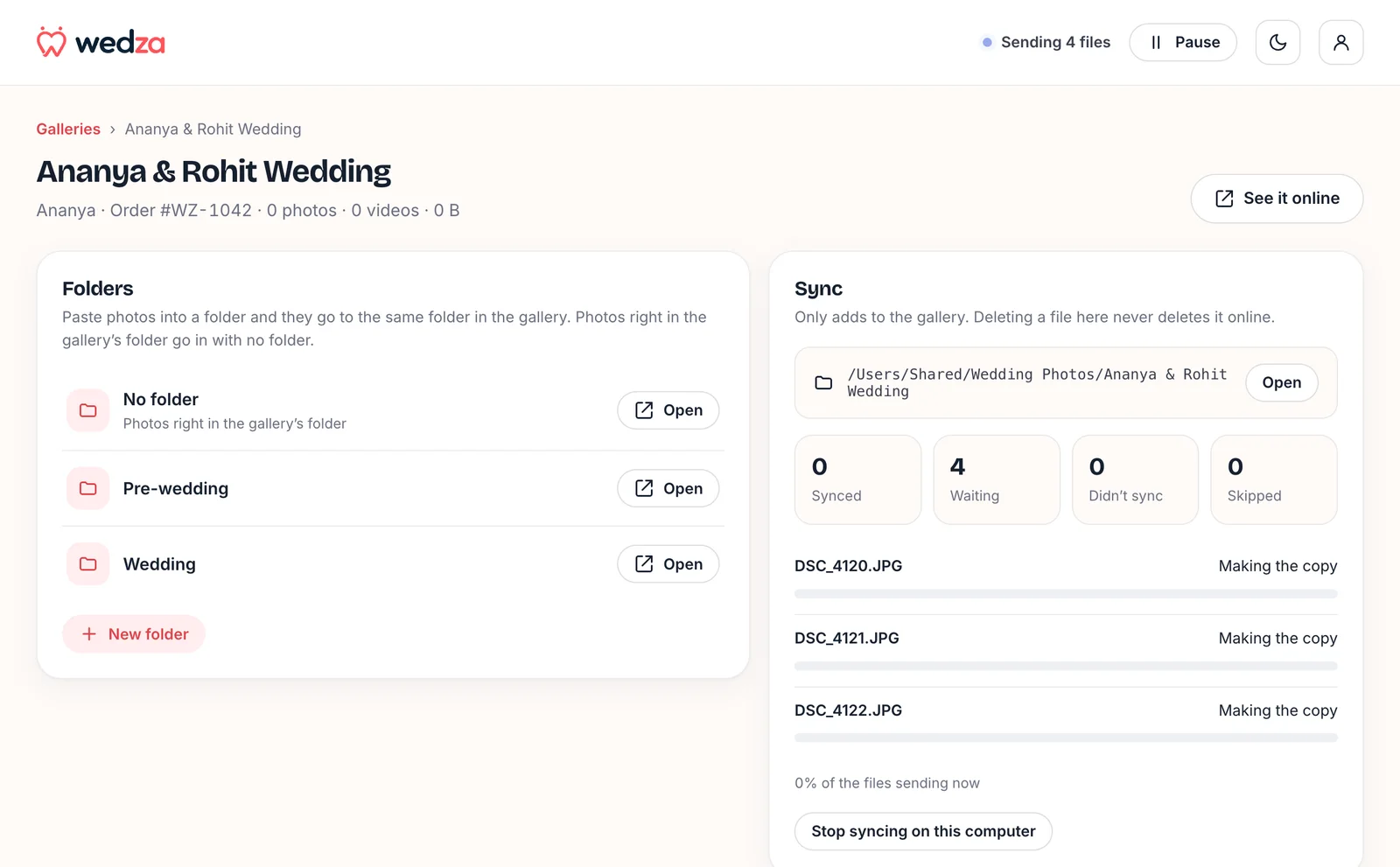
See every file, one by one
Synced, waiting, didn’t sync or skipped, with how much smaller each photo went up. Nothing to guess, nothing to upload twice.
Share with your client
Your client gets one link with a password and an expiry date, a tab for each folder, downloads and album picks. Share it on WhatsApp from the gallery.

Smart uploads
Full size, smaller files. Your originals stay with you.
Photos go up as full-size WebP that looks the same and is usually half the size or less, so your clients open them fast and you store less. Your JPEGs and RAW files never leave your computer.
Made for wedding season.
Thousands of photos, slow venue Wi-Fi, two drives and a deadline. Wedza Gallery handles it.
- Full-size WebP that looks the same
- Usually half the size or less
- A sharp preview for every photo
- CR2, CR3, NEF, ARW, RAF, DNG and more
- Uses the full-size JPEG inside the RAW
- A JPEG with the same name is used instead
- Sent as they are
- Sent in parts; a dropped part is sent again
- Videos up to 2 GB, photos up to 100 MB
- Sub-folders become gallery folders
- A new sub-folder on your computer becomes a new tab
- Photos right in the main folder go in with no folder
- Waits for the internet and carries on
- Picks up again after a restart
- Never sends the same file twice
- Keep each gallery on any drive
- Pauses while the drive is unplugged
- Carries on when you plug it back in
Safe by design
It only adds. It never deletes.
- Deleting here never deletes onlineClear space on your laptop without touching your client’s gallery.
- Stop syncing any timeStop a gallery on this computer and nothing is deleted, here or online.
- Private storageGalleries are stored encrypted on Cloudflare R2, and only your gallery links open them.
- Your client’s link, your rulesEvery gallery has a password and an expiry date you set.
Wedza Gallery comes with Cloud Gallery: ₹399 for the first 30 days (up to 40 GB), then ₹6 per GB every 30 days for what you store. Wedza One includes 50 GB with every renewal.
Questions
What is Wedza Gallery?
Wedza Gallery is the desktop app for Wedza CRM’s Cloud Gallery, for Mac and Windows. You link each gallery to a folder on your laptop, SSD or hard disk, copy photos into it, and the app sends them to your client’s gallery by itself.
Which computers does it work on?
Mac with an Apple chip (M1 and later), Mac with an Intel chip, and Windows. Download the one you need in the Partner Portal, in CRM › Gallery.
Does it delete photos from the gallery?
No. Wedza Gallery only adds. Deleting a file on your computer never deletes it online, and stopping a gallery on your computer deletes nothing.
Can I upload RAW files?
Your RAW files stay on your computer. For a RAW file, Wedza Gallery sends the full-size JPEG the camera keeps inside it; if a JPEG with the same name sits next to the RAW, it sends that JPEG.
Will my photos lose quality?
Photos go up at full size as WebP, which looks the same and is usually half the size or less. Your original files stay on your computer as they are.
Why does my computer warn me the first time?
The app is not yet signed with a paid Apple or Microsoft certificate. On a Mac, open System Settings › Privacy & Security and click Open Anyway. On Windows, click More info, then Run anyway. You only do this once.
What does it cost?
The app costs nothing extra. You pay for Cloud Gallery storage: ₹399 for the first 30 days (up to 40 GB), then ₹6 per GB every 30 days.