
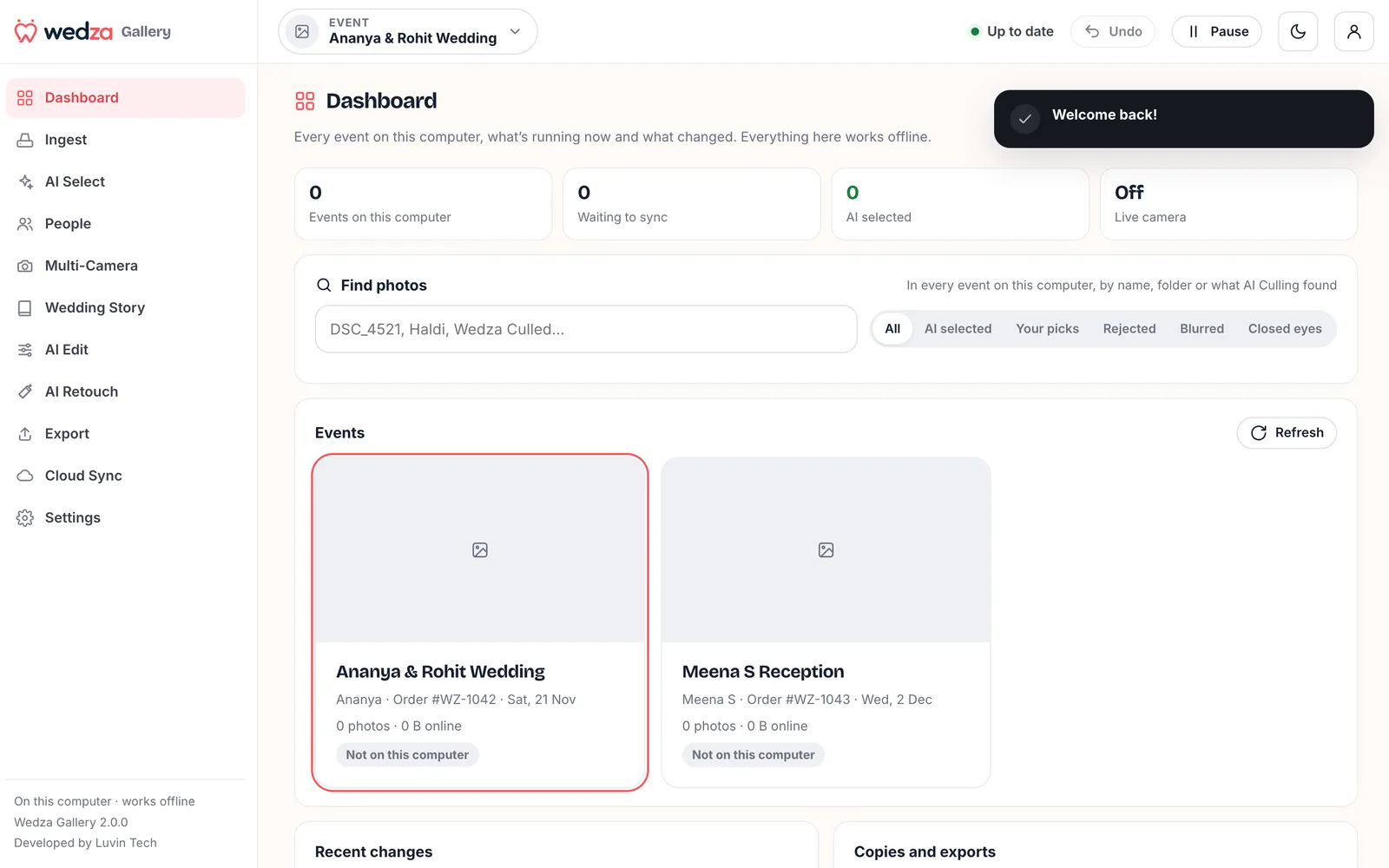
After a wedding you come home with 4,000 to 8,000 frames from two or three cameras. Before a single photo reaches the couple, someone has to throw out the blurred and blinking ones, choose one from every burst, line up the cameras, edit, retouch and upload. That is usually two or three days. Wedza Gallery, the desktop app from Wedza, does the heavy part with AI on your own computer, then sends the keepers to your client’s gallery.
One app from the card to the client
Most photographers use one tool to copy cards, another to cull, Lightroom to edit, something else to retouch and a browser to upload. Wedza Gallery puts every step in one app, with one Undo for all of it: Import, Backup, Cull, Edit, Retouch, Organise, Export, Deliver.
Copy the cards, with a backup
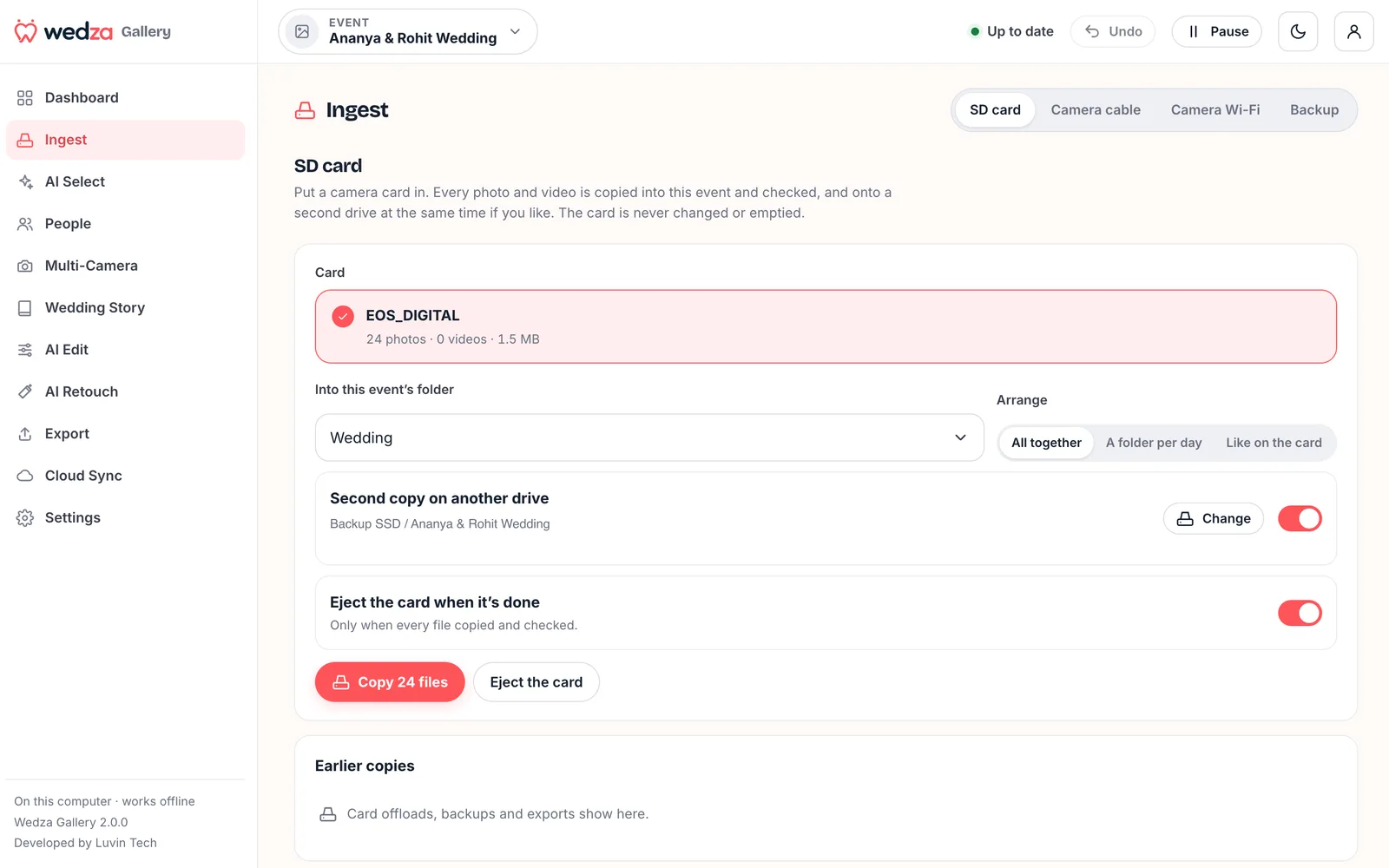
Ingest copies a camera card into the event and checks every file, writes a second copy to another drive at the same time if you want, and ejects the card when it is done. The card is never changed or emptied. You can also shoot live with the camera cable or Camera Wi-Fi. Read how to back up wedding photos from SD cards.
How does AI culling pick the best shots?
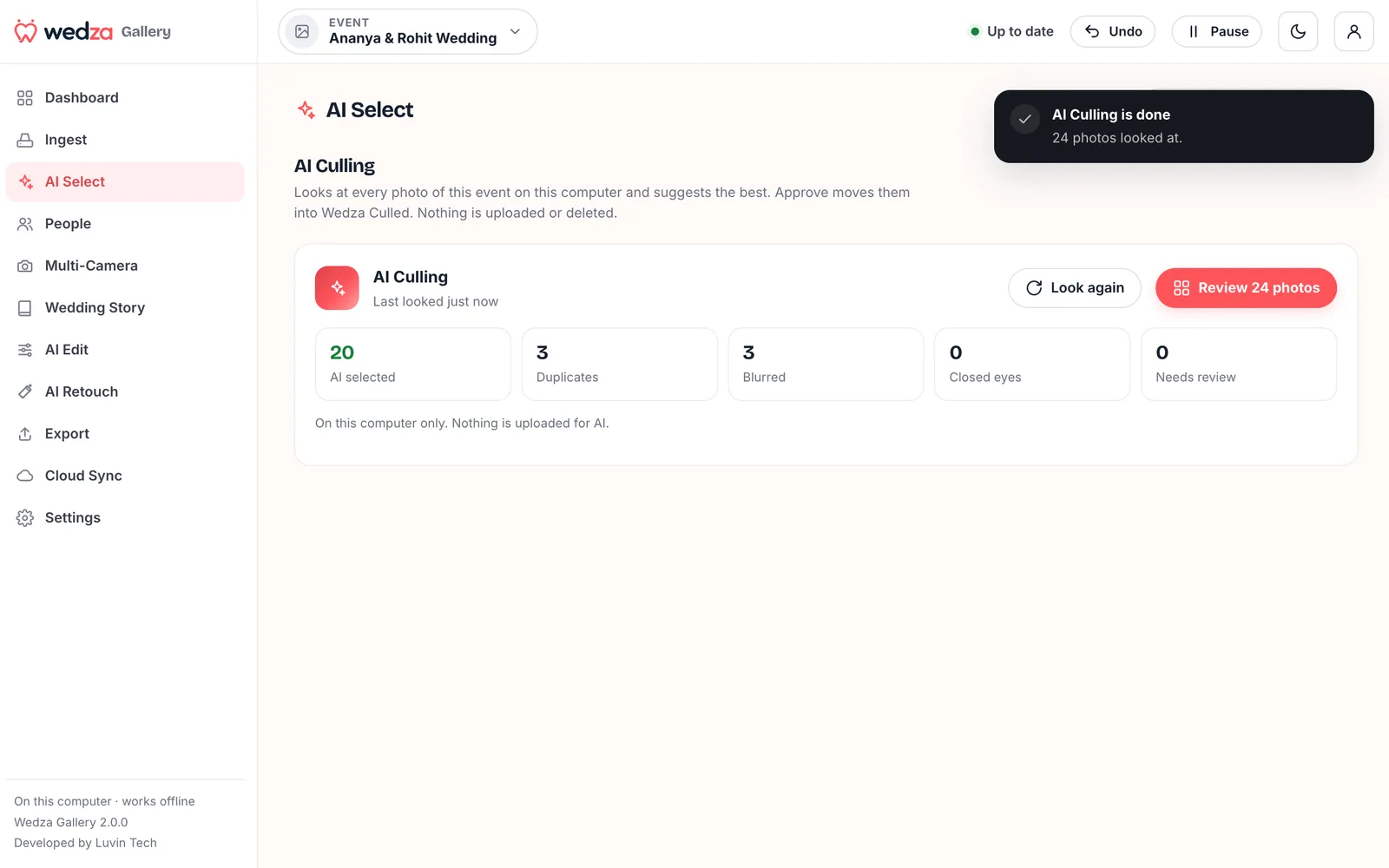
AI Select looks at every photo and sorts them into AI selected, Duplicates, Blurred, Closed eyes and Needs review:
- Focus, eyes first: soft or out-of-focus shots, and shots where someone’s eyes are not sharp.
- Closed eyes and mid-speech: blinks and people caught talking count down; smiles count up.
- Duplicates and bursts: near-identical frames are grouped and the best one in each burst is picked.
- Exposure: badly over or under-exposed frames are flagged.
- Your VIPs: photos with the bride, groom and family you marked count for more.
Pick a strictness (Conservative, Balanced or Aggressive, or set blur, eyes and similarity by hand), then review with the keyboard: P to pick, X to reject, C to compare similar shots side by side. It learns from the picks you change. Press Approve and the keepers move into a Wedza Culled folder; rejects stay on your computer and nothing is ever deleted. On an Apple M2 Mac with 8 GB of memory, 5,000 photos take about 7 to 8 minutes.
People, cameras and the story of the day
- People groups the faces of an event into people (how it works). Mark the bride, groom and their families as VIPs, and their photos rise in AI Select and in highlights.
- Multi-Camera finds every camera body, works out how far each clock is off by matching the same moments, and puts the whole day in the order it happened, even when a second shooter never set the time (how it works).
- Wedding Story cuts the day into chapters you name (Haldi, Mehendi, Sangeet, Muhurtham, Reception) and picks 30 to 150 highlights across them, never two alike.
AI editing and retouching
- AI Edit sets exposure, white balance, tone and crop for every photo, keeps warm wedding light and every skin tone, and learns your style from the photos you change. Copy and paste edits to chosen photos.
- AI Retouch evens skin while keeping its texture, finds and heals spots (leaving bindi, tikka, jewellery and nose rings alone), removes small things, and can blur the background, change it to a studio colour or save a cut-out.
Edits are recipes: your original photos are never changed. Hold the backslash key to see the before. Read more on AI editing and retouching.
Export, Lightroom or straight to the client
- Export full-size JPEG, WebP, TIFF or the originals, in true camera order, from Wedza Culled, AI selected, your picks or the whole event.
- Lightroom and others: originals with XMP (stars, colour labels and AI Edit’s settings) for Lightroom Classic, Capture One and Photo Mechanic.
- Cloud Sync sends the folders you choose to your client’s Cloud Gallery, compressed or as original files (RAW included), and keeps going on slow venue internet. Read how syncing works.
Why does the AI run on your own computer?
Every AI step in Wedza Gallery runs on your own Mac or PC. That means it works at the venue with no internet, your clients’ photos and faces are never sent anywhere to be judged, and the photos you reject never use your storage. It is built to run on an 8 GB laptop, and it slows itself down on battery, when the computer gets hot or while a camera is sending photos, so your shoot is never held up.
How much does AI photo culling cost?
Wedza Gallery costs nothing extra. It comes with Cloud Gallery in Wedza CRM: ₹199 for the first 30 days (up to 30 GB), then ₹6 per GB every 30 days for what you store. Wedza CRM itself is ₹199 for 30 days, and Wedza takes 0% commission. See Wedza Gallery, step by step and the photography CRM built for Indian weddings.
More about Wedza CRM: this guide covers one part. For everything Wedza CRM does, with real screens, prices and add-ons, see Wedza CRM features: everything it does.
Questions
What is AI photo culling?
Software that looks at every photo from a shoot and suggests which to keep: it flags blurred shots, closed eyes and duplicates and picks the best of each burst, so you review a short list instead of thousands of frames.
How fast does Wedza Gallery cull a wedding?
About 7 to 8 minutes for 5,000 photos on an Apple M2 Mac with 8 GB of memory, in Balanced mode. Faster computers take less.
Does it upload my photos to the cloud for the AI?
No. AI Select, People, AI Edit and AI Retouch all run on your computer and work without internet. Faces and VIPs are never uploaded. Only the photos you choose to sync go to your client’s gallery.
Will it reject my creative shots?
It never deletes anything. Photos it is unsure about go to Needs review, you can pick or reject anything with P and X, and the strictness can be Conservative, Balanced, Aggressive or set by hand. Rejected photos stay on your computer.
Can I use it with Lightroom?
Yes. Write XMP or Export › Lightroom puts stars and colour labels (and AI Edit’s exposure, tone and crop) next to your originals for Lightroom Classic, Capture One and Photo Mechanic. Or do it all inside Wedza Gallery.
Does it work for Indian weddings?
It was checked on a real wedding: spot healing leaves bindi, tikka, jewellery and nose rings alone, AI Edit keeps warm wedding light and every skin tone, and Wedding Story lets you name chapters like Haldi, Mehendi, Muhurtham and Reception.
What does it cost?
Wedza Gallery costs nothing extra. It comes with Cloud Gallery in Wedza CRM: ₹199 for the first 30 days (up to 30 GB), then ₹6 per GB every 30 days for what you store.