
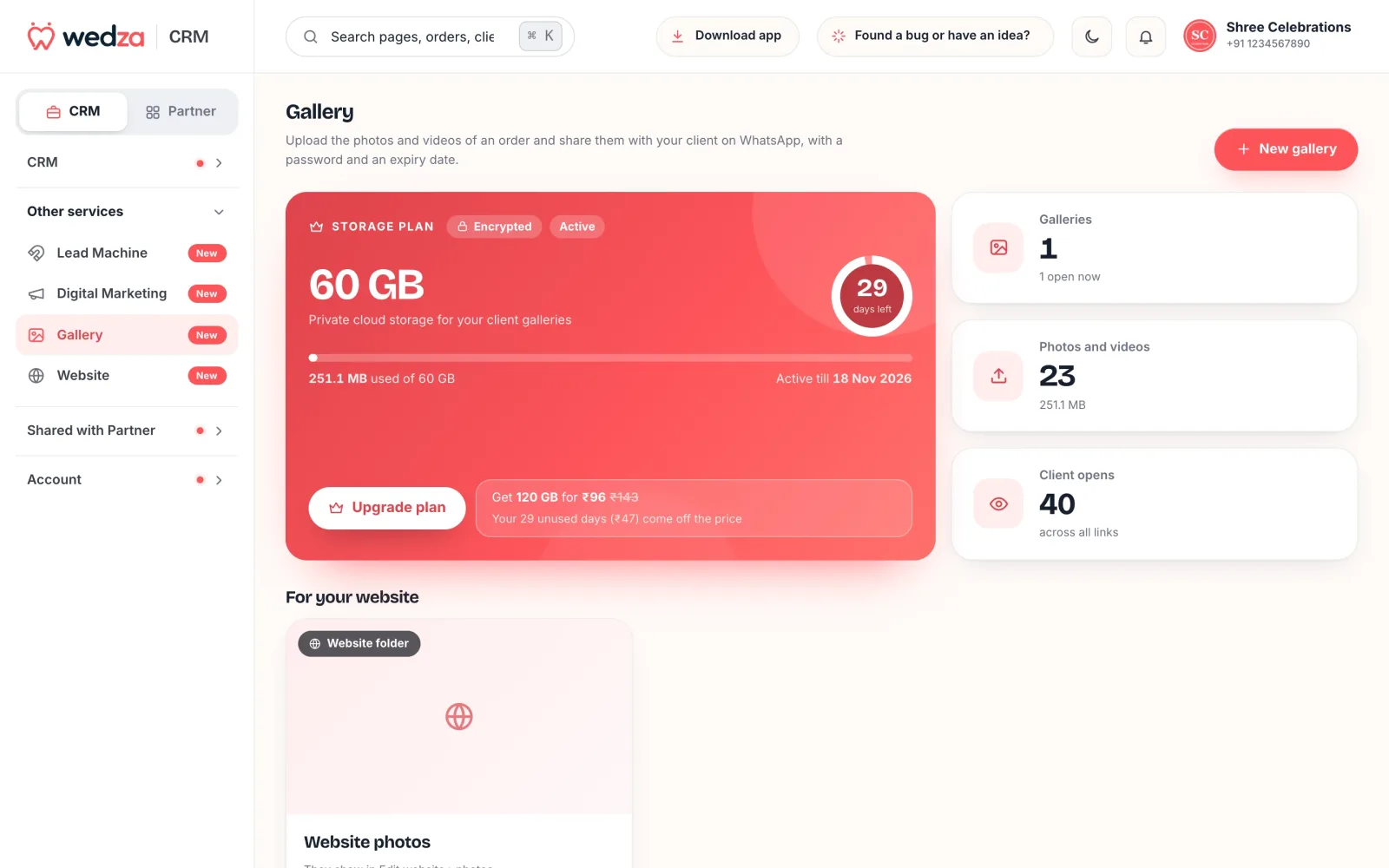
You shot 3,000 photos across three functions. Now the family wants them tonight, the couple wants to pick album photos, and every relative wants their own copy. Sending them one chat at a time takes hours, and photos forwarded in chats often reach people as smaller copies. What you need is an online photo gallery: one private link where your client sees every photo in full quality, downloads what they want and picks their album. In Wedza this is Cloud Gallery, made for wedding and event photographers and videographers in India.
What a photo delivery link for clients should do
- Full quality. Your client should get the photo you delivered, not a shrunk copy.
- Private. A password, and an expiry date you decide.
- Easy on a phone. No app to install, a tab for each function, and one button to download.
- Album selection built in. The couple picks album photos in the gallery, not in a long WhatsApp list of file names.
- Folders only your team sees. Raw selects and edits in progress stay off the client’s link.
- Storage you pay for as you use it. A small season and a busy season should not cost the same.
How does Cloud Gallery work?
- One gallery for each order. The gallery belongs to the booking in Wedza, next to its quote, payments, crew and deliverables, so you never hunt for which folder belongs to which wedding.
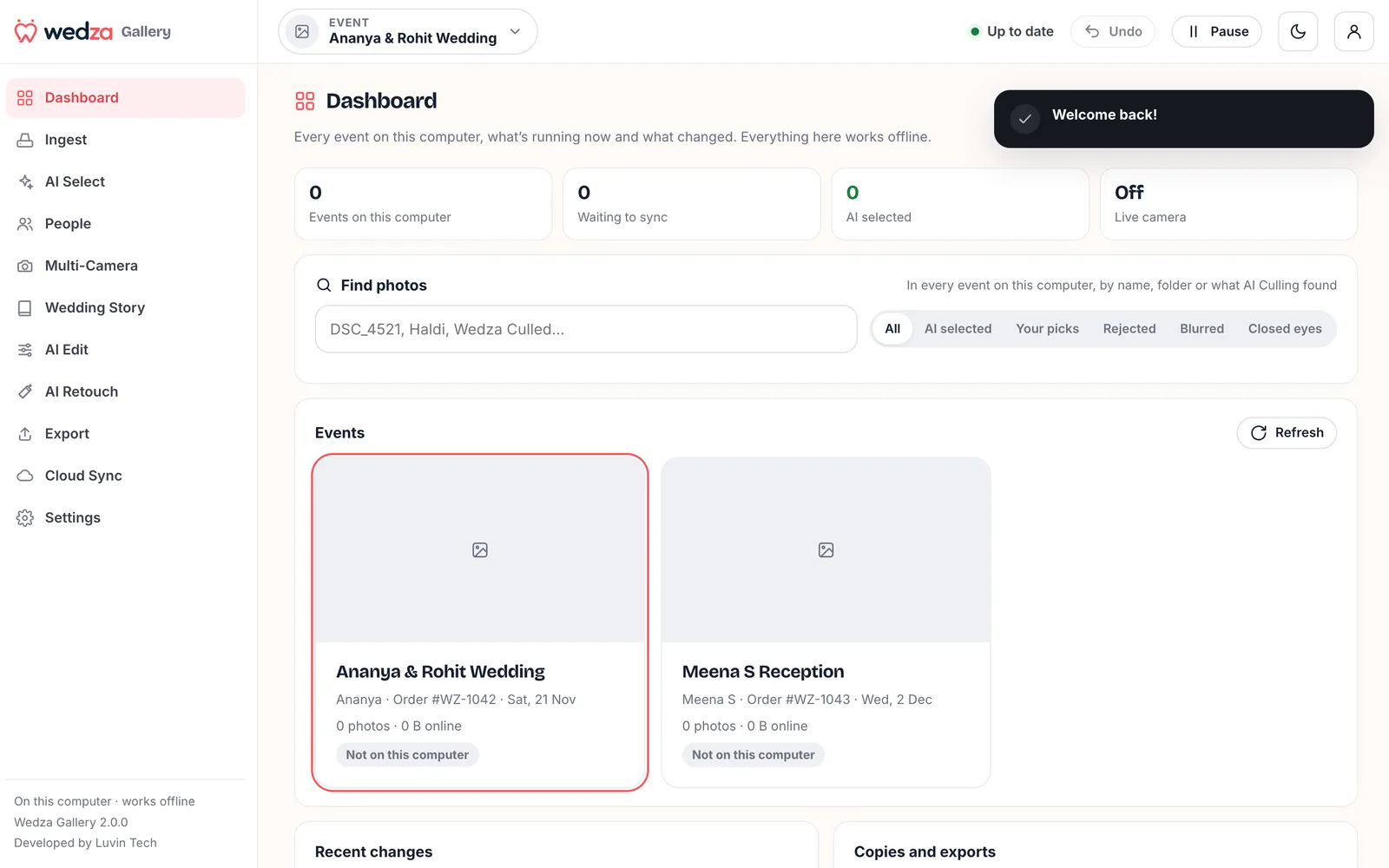
- Upload your way. Upload in the Partner Portal, or let Wedza Gallery, the desktop app for Mac and Windows, send photos from your camera, memory card or SSD. It waits when venue internet drops and carries on when it is back. More on that in syncing photos from camera to gallery.
- Share on WhatsApp. Send the link with its password. It stays open until the expiry date you set.
- Your client opens it anywhere. On a phone or laptop they see a tab for each folder, with Download all, or they select a few photos and download only those.
How do I send wedding photos in full quality?
Downloads from the gallery are full quality. Download all saves every photo and video as one zip named after the gallery, and a very big gallery comes in parts so the browser can handle it. On Chrome and Edge, selected photos save straight into a folder your client chooses.
When you upload with Wedza Gallery, you pick how each gallery uploads:
- Compressed: every photo at full size with no loss in quality, as a much smaller file. Clients open photos fast and your storage bill stays low.
- Original files: every file exactly as shot, RAW included. It uses about 6 times the space.
A password protected photo gallery
Every gallery has a password and an expiry date that you set, and galleries are stored encrypted in the cloud. Set any folder to Team only and it never shows on the client’s link, in album picks or in FaceFind AI. If your client wants the gallery to stay online longer, they can pay to keep it, and a kept gallery no longer counts on your storage.
Client photo selection for the album
Your client picks the photos for the printed album, in order, up to 10 albums in one gallery, and sends them to you. You see the picks, copy the file names and lock the album when design starts. With Wedza Gallery on your computer, every pick is matched to its JPEG and RAW and copied into one folder, ready to edit. Read wedding album selection to RAW files.
Every guest finds their own photos
Relatives always ask for “only my photos”. Turn on FaceFind AI for the event and share its QR code. Each guest scans their face on their phone, with no app, and gets a page with only the photos they are in. It is ₹99 per event for 30 days.
How much does cloud storage for photographers cost in India?
| What you pay for | Price |
|---|---|
| Starting Cloud Gallery | ₹199 for the first 30 days (up to 30 GB) |
| After that | ₹6 per GB every 30 days, for what you store |
| Wedza Gallery desktop app | Nothing extra |
| FaceFind AI | ₹99 per event, for 30 days |
Cloud Gallery is an add-on on any plan, not part of Wedza One. Comparing with a gallery you use today? See Wedza vs Pixieset.
What “CRM” means here
Cloud Gallery is part of Wedza CRM. CRM is short for customer relationship management: one app that keeps your enquiries, quotes, bookings, payments and team together. For a photographer, it means the gallery sits with the same order as the advance, the balance, the crew and the album, and your client sees their galleries and payments in one place when they log in on wedza.in or the Wedza app. See Wedza’s photography CRM.
Get started
Log in to the Partner Portal, open CRM › Gallery and make your first gallery from an order. Cloud Gallery works on top of a Wedza CRM plan, ₹199 for 30 days with every feature, and new partners get a 3-day free trial. Full prices are on Wedza pricing.
More about Wedza CRM: this guide covers one part. For everything Wedza CRM does, with real screens, prices and add-ons, see Wedza CRM features: everything it does.
Questions
How do I share wedding photos with my clients?
Put the photos in the order’s Cloud Gallery and send the link on WhatsApp. Your client opens it with the password you set, before the expiry date you set, and sees a tab for each folder, like Haldi, Wedding and Reception.
Will my clients get the photos in full quality?
Yes. Downloads from the gallery are full quality, whether your client presses Download all or selects a few photos. When you upload with Wedza Gallery, you choose Compressed (full size, no loss in quality, a much smaller file) or Original files, RAW included.
Is the gallery password protected?
Yes. Every gallery has a password and an expiry date that you set. Galleries are stored encrypted in the cloud.
Can my client pick photos for the album online?
Yes. Your client picks album photos in order, up to 10 albums in one gallery, and sends them to you. You copy the file names and lock the album when design starts, so the picks can’t change.
Can I keep some folders away from the client?
Yes. Set a gallery or any folder to Team only. It never shows on the client’s link, in album picks or in FaceFind AI, so raw selects and work in progress stay with your team.
How do I upload thousands of photos on slow internet?
Use Wedza Gallery, the desktop app for Mac and Windows. It sends photos from your camera, card or SSD to the gallery, waits when the internet drops, carries on when it comes back and never sends the same file twice.
How much does Cloud Gallery cost?
Cloud Gallery is pay as you use: ₹199 for the first 30 days (up to 30 GB), then ₹6 per GB every 30 days for what you store. It works on top of Wedza CRM, which is ₹199 for 30 days with every feature. New partners get a 3-day free trial.