
If you searched for a billing app for photographers, an invoice format for event management or a GST bill for catering, you want three things: a clean bill your client trusts, the right tax on it, and a way to know who still owes you money. In the event business, the bill is never the whole story. It comes after a quote, it is paid in parts, and it is tied to a date.
This guide shows what an event bill should carry, how GST and non-GST invoices differ, and how Wedza CRM handles billing. CRM simply means one app that keeps your enquiries, quotes, bookings, bills and payments together, so nothing lives only in a notebook or a chat.
Why is a plain billing app not enough for events?
General billing apps such as Vyapar or Khatabook are built for bills and accounts. That suits a shop, where a sale and its bill happen on the same day. An event booking works differently:
- The quote goes out weeks or months before the event.
- The client pays an advance to hold the date, then one or more instalments, then the balance.
- One booking can cover haldi, wedding and reception on different days.
- You need to know which dates are already sold before you quote the next family.
So the bill has to know the date, the payment plan and what has been paid so far. Otherwise you are matching UPI messages with a diary every evening.
What should an event bill include?
- Your business: logo, name, address, phone, and your GSTIN or PAN.
- The client: name, phone number and, for a business client, their details.
- Event days: each function with its date, like engagement, wedding and reception.
- Each service on its own line: quantity, price and, if you charge GST, the tax for that line.
- Extra charges and discounts: travel, extra hours or an added service, each with its own line.
- Total, paid so far and balance: the three numbers your client checks first.
- Payment schedule: each instalment with its amount and due date.
- How to pay: UPI ID and bank account, if you want to show them.
- Your terms: advance, cancellation and delivery, in a few short lines.
GST invoice or non-GST invoice?
If your business is registered for GST, your invoice shows your GSTIN and the GST on each service. You decide for each service whether its price is before GST (tax added on top) or already includes GST. If you are not registered, you send a normal invoice with no tax line. Many small studios and home caterers start this way.
The GST rate and the code for your service depend on what you do, so confirm them once with your CA or auditor and use them every time. Do not copy a rate from another business’s bill.
Sample event invoice layout
| Line | Amount (example) |
|---|---|
| Candid photography, wedding day, 15 Feb | ₹60,000 |
| Traditional video, reception, 15 Feb | ₹35,000 |
| Travel outside the city | ₹5,000 |
| GST, if registered (at your rate) | ₹… |
| Total | ₹… |
| Paid so far (advance on 2 Jan) | ₹50,000 |
| Balance due by 12 Feb | ₹… |
The numbers above are only an example. For the quote that comes before this bill, see our quotation formats for catering, decoration, halls and event management.
How does billing work in Wedza CRM?
You set up your bill once in Invoice management: logo, business name, address, GST or PAN, UPI ID and bank account. Every quote and invoice carries them.
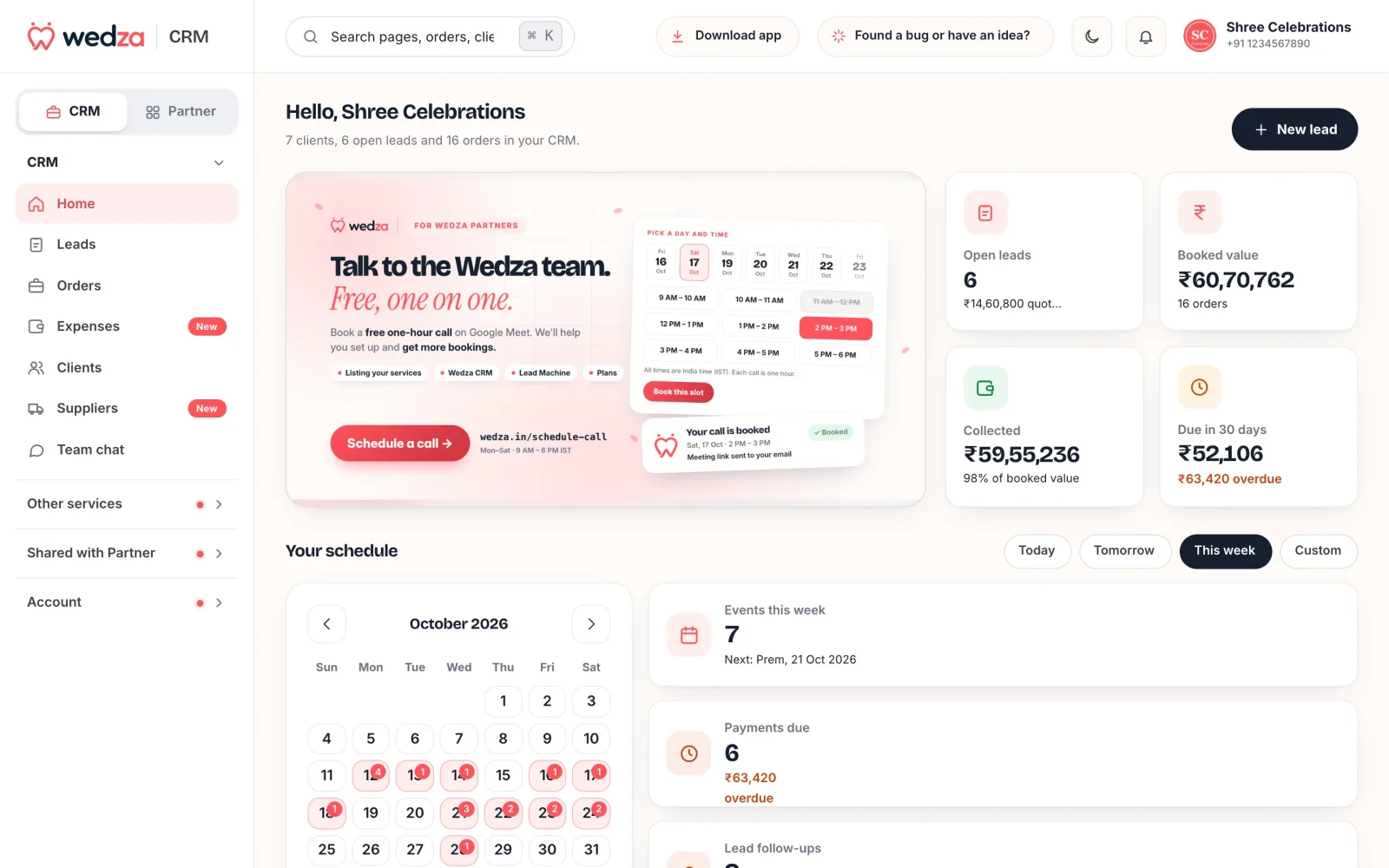
- Quote first: build the quote from your own services with quantity and GST, and send it on WhatsApp as a link and a PDF. Your client opens it without an app and can tap Confirm quote.
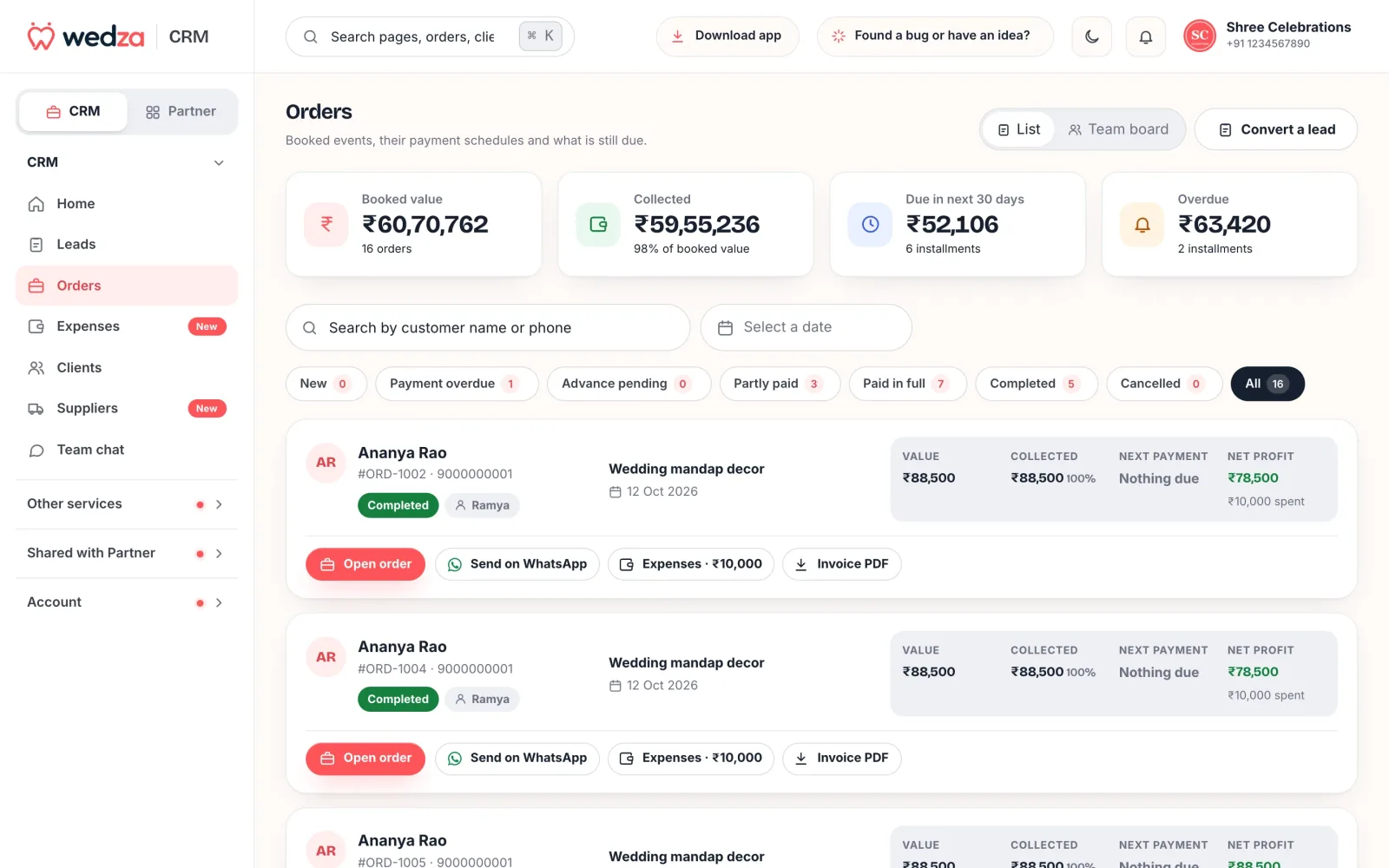
- Order with a payment plan: convert the lead to an order and pick full payment, 50/50, 30/40/30, 25/25/50 or your own instalments, each with a due date.
- Invoice PDF: open the order and download the invoice. It shows the order value, paid so far and the balance.
- Record every payment: UPI, bank transfer, cash, card or cheque, with the UTR or cheque number.
- Reminders: one tap opens WhatsApp with the amount, the due date and the order link. Wedza also reminds you by push and email when an instalment is due today or overdue.
- Client side: your client logs in on wedza.in or the Wedza app with their mobile number, sees every instalment and taps I’ve paid with a UTR or screenshot. It shows as paid only after you confirm it.
- GST report: Money › GST report gives your auditor a month’s sales and output GST, as Excel or PDF.
Wedza never takes a commission on your payments. The client pays you directly.
Billing for each kind of event business
- Photographers: one line per function, with deliverables and dates. See Wedza CRM for photographers.
- Caterers: plates, counters and staff per function. See Wedza CRM for caterers.
- Decorators: mandap, stage and lighting, with extras added after booking. See Wedza CRM for decorators.
- Event managers: several services and days on one order. See event management CRM.
Get started
Billing, quotes, payment plans and reminders are part of Wedza CRM: ₹199 for 30 days with every feature, and new partners get a 3-day free trial. To plan your advance and balance, read payment schedules for advance and balance, and see pricing for add-ons.
More about Wedza CRM: this guide covers one part. For everything Wedza CRM does, with real screens, prices and add-ons, see Wedza CRM features: everything it does.
Questions
Which billing app is good for a photographer or event business?
Pick one that knows event dates, advances and balances, not only bills. Wedza CRM makes the quote, turns it into an order with a payment plan, and gives you an invoice PDF that shows what is paid so far and the balance.
Can I make a GST bill for catering or decoration in Wedza?
Yes. Add your GSTIN and set GST for each service, on top of the price or included in it. The quote and invoice show the GST for each line and the total tax. Check the rate for your service with your CA or auditor.
I am not registered for GST. Can I still make invoices?
Yes. You send a normal invoice with no tax, with your PAN or without it. You can also mix GST and non-GST services in one quote.
Can I put my UPI ID on the invoice?
Yes. Your UPI ID and bank account are optional on the invoice. When your client opens the order on a phone, there is a Pay by UPI button. The money goes straight to you, and Wedza takes no commission.
Can I send the invoice on WhatsApp?
Yes. Open the order, download the Invoice PDF or send the order on WhatsApp. Your client can also log in on wedza.in or the Wedza app with their mobile number to see the invoice, every instalment and the balance.
Does it help me with my monthly GST work?
Money › GST report shows a month’s taxable sales and output GST split into CGST, SGST and IGST, with input tax credit from expense bills. Download it as Excel or PDF, or email it to your auditor from Wedza.
Can I change how my invoice looks?
Yes. The Classic design comes with the plan. The invoice builder adds premium templates, your own design and your own words for every label, at ₹49 for 30 days.
How much does the billing app cost?
Billing is part of Wedza CRM, ₹199 for 30 days with every feature. New partners get a 3-day free trial.