
Post production
Every edit, album and film, delivered on time.
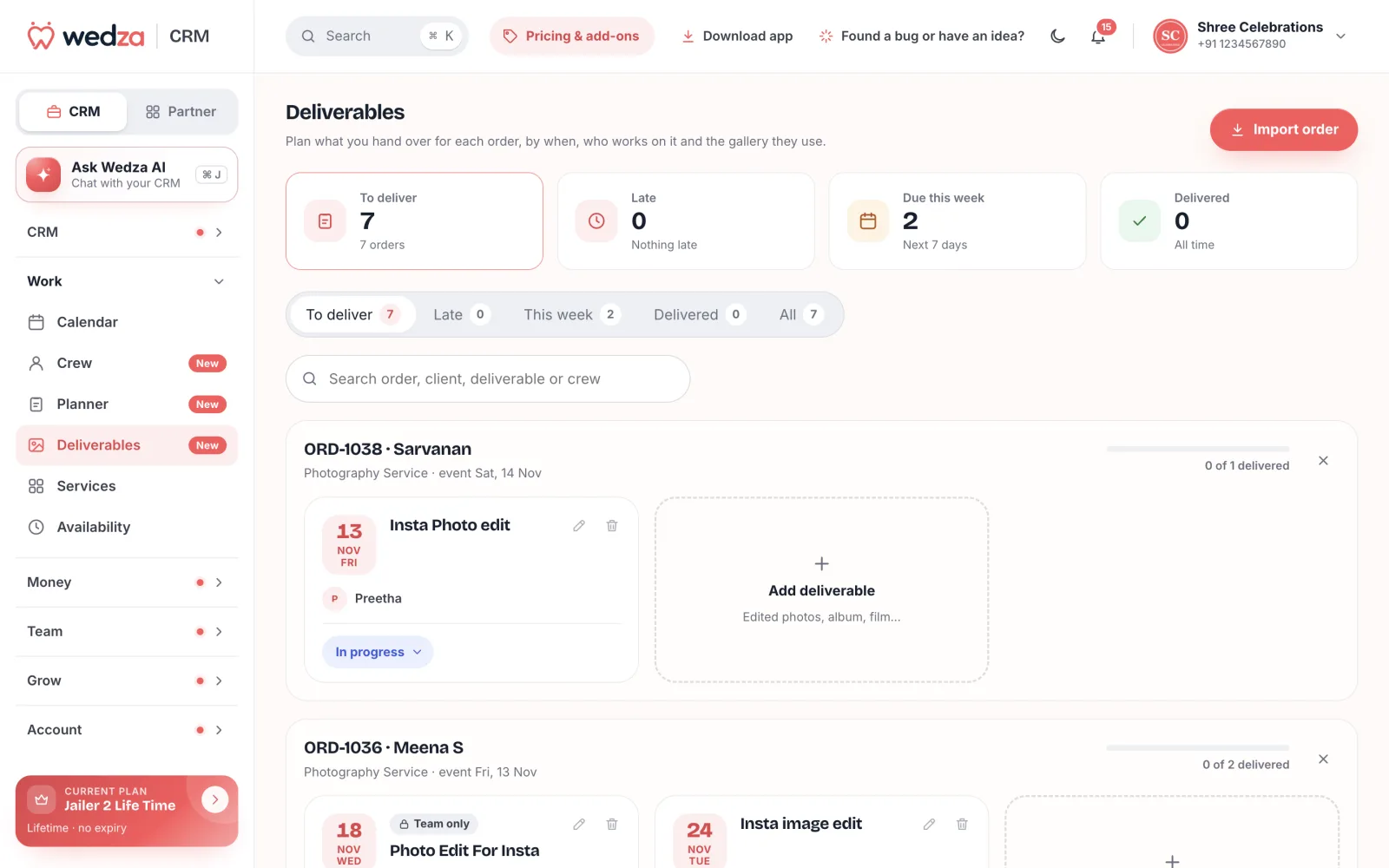
Deliverables in Wedza CRM is your post-production board. For each order, list what you hand over, by when, which editor works on it and the gallery they use. Your client sees every step on their order page.
How it works
From the shoot to the album. One board.
Each order’s deliverables sit with its payments, crew, contract and gallery, so nothing is tracked in a separate sheet.
Bring the order in
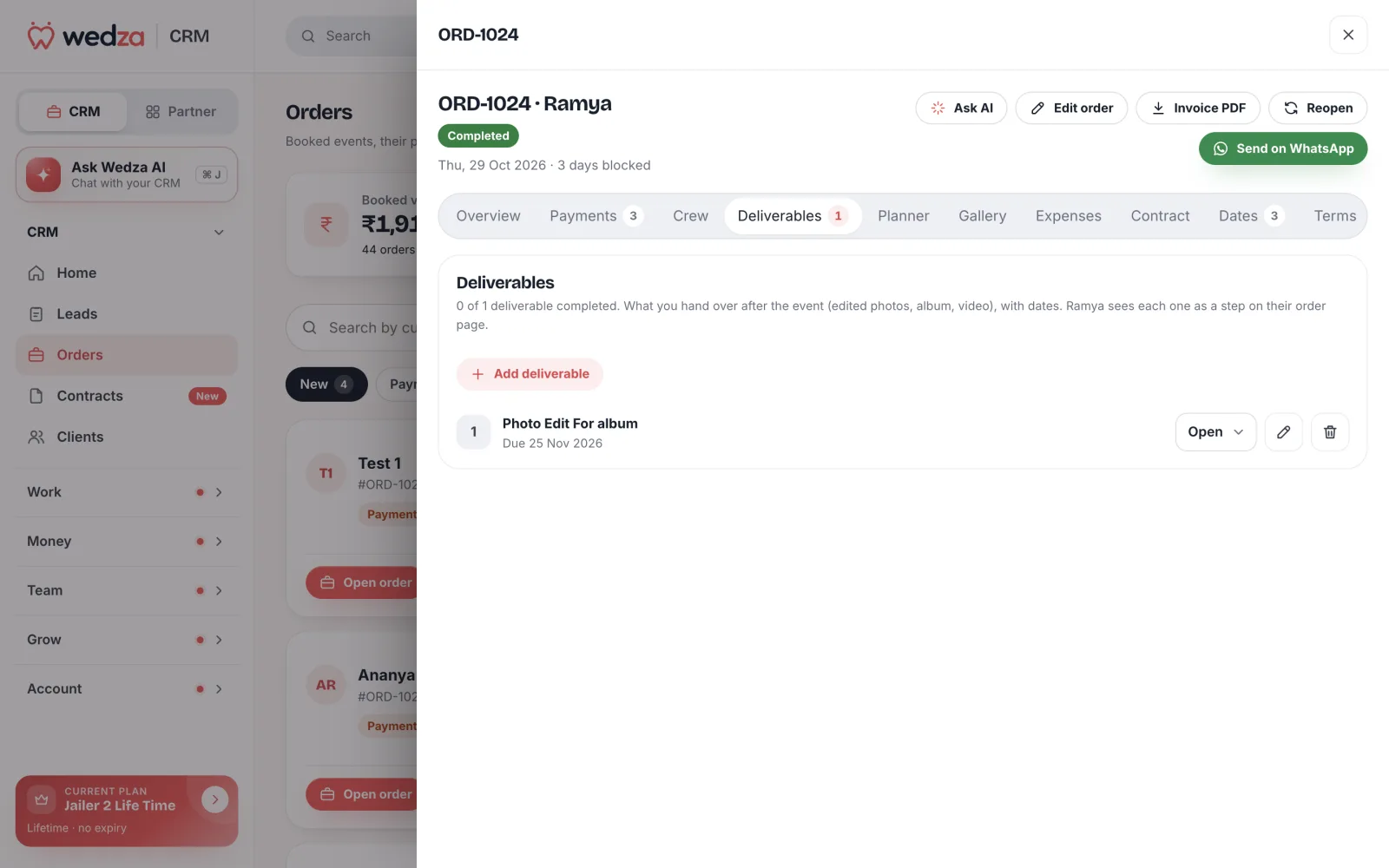
Open CRM › Work › Deliverables and press Import order, or open an order and add a deliverable from its Deliverables tab. Every order you add shows with how many of its deliverables are done.
Add what you hand over
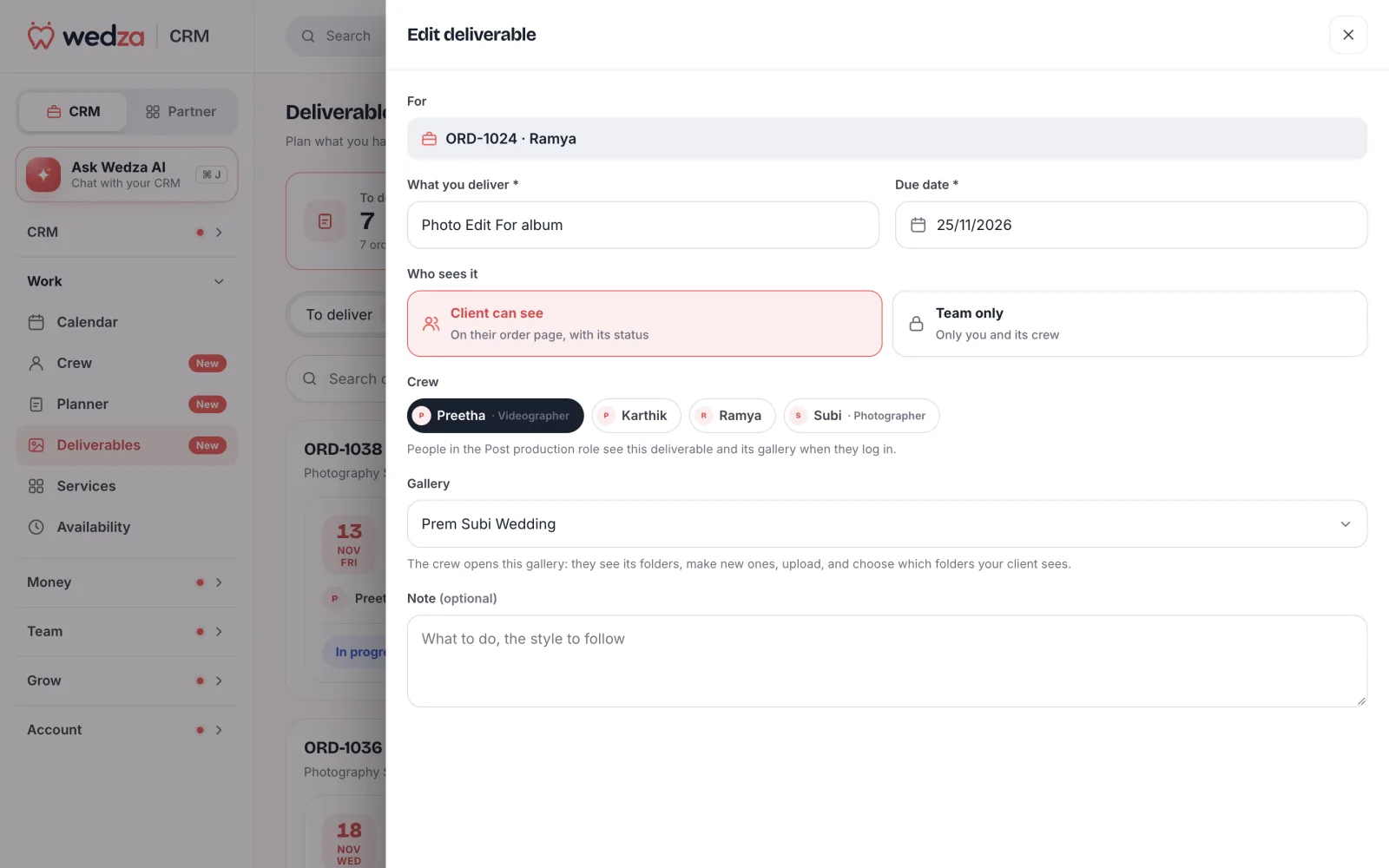
Edited photos, highlight film, full film, album, Insta reels: each one gets a due date and a note with what to do and the style to follow.
Put your editors on it
Pick the people from your team. Choose Client can see to show it on the client’s order page with its status, or Team only to keep it between you and the crew.
Give them the gallery
Link the order’s Cloud Gallery. The crew opens it when they log in: they see its folders, make new ones and upload. Give them the whole gallery or only the folders you pick.
Track every deadline
Tiles for To deliver, Late, Due this week and Delivered, tabs for each, and a search for an order, client, deliverable or crew member. Change a status in one tap: Not started, In progress, Delivered.
Your client sees the progress
Each deliverable your client can see shows as a step on their order page, in their Wedza account and the Wedza app, from the day it is scheduled, before the event too.
Post production role
Your editors see their work. Nothing else.
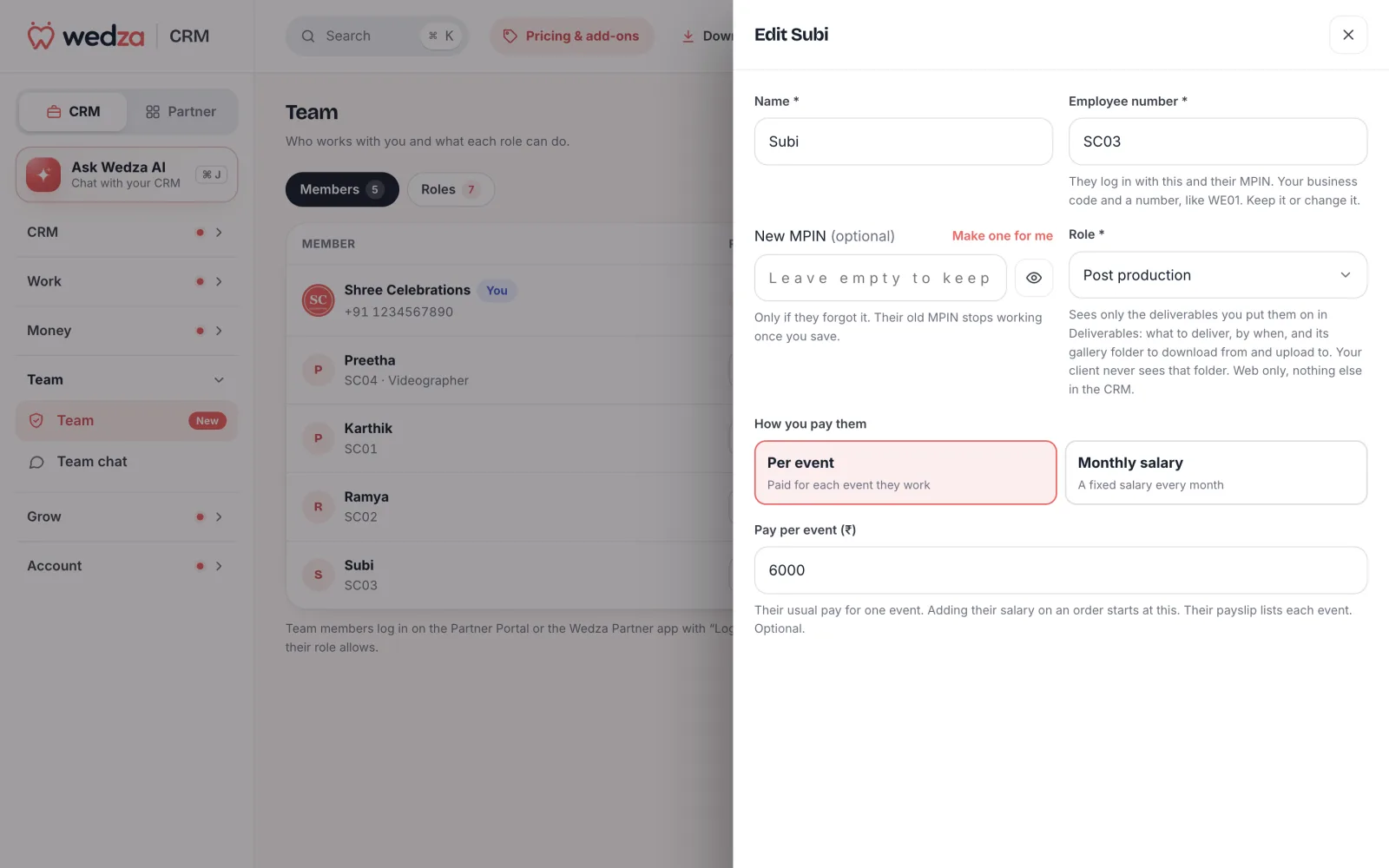
Give a team member the Post production role. They log in on the web with their employee number and MPIN and see only Deliverables, Gallery and Salary: the deliverables they are on, the galleries they need, and what they have been paid. Nothing else in the CRM.
Built for big studios and large teams.
Second shooters on the day, editors after it, sales and accounts in the office, one owner who sees everything. Add as many people as you need.
- No limit on team members or crew
- Roles: Owner, Sales, Accounts, Viewer, Digital marketing, Crew, Post production
- Each person sees only what their role allows
- To deliver, Late, This week, Delivered, All
- Grouped order by order with a progress line
- Search by order, client, deliverable or crew
- Team and client, Client only or Team only, per gallery and per folder
- Raw selects and work in progress stay off the client’s link
- Showing a folder to the client asks first
- Each deliverable is a step on their order page
- Team only deliverables stay hidden
- Switch off client alerts for a lead if you want
- Your client picks album photos in their order
- Lock the album when you start designing
- Download the picks or copy the file names
- Second shooters and freelancers on each event day
- Per event or monthly salary
- Payslips for every payment and month
You stay in control
You see everything. They see their part.
- Only what you give themPost production members see only the deliverables they are on and the galleries or folders linked to them.
- Your client never sees team foldersA Team only folder never shows on the client’s gallery link, album picks or FaceFind AI.
- One gallery per orderThe order’s photos live in one place, for your client and your crew.
- The owner sees every folderFolders a crew member makes are yours too, and you can change who sees them any time.
Every feature, with no limit on team members, crew, leads, clients or orders. Galleries use Cloud Gallery: ₹199 for the first 30 days (up to 30 GB), then ₹6 per GB every 30 days.
Questions
Does Wedza CRM have post-production management?
Yes. It is called Deliverables (CRM › Work › Deliverables). For each order you list what you hand over, with a due date, a note, the editors working on it, who sees it and the gallery they use, and track it as Not started, In progress or Delivered.
Can my editors log in without seeing my business?
Yes. Give them the Post production role in Team. They log in on the web with their employee number and MPIN and see only Deliverables, Gallery and Salary, and only the deliverables they are on.
Can editors upload to the client’s gallery?
Yes. They open the gallery linked to their deliverable, make folders and upload. You can give them the whole gallery or only some folders. New folders start as Team only unless they choose otherwise, and showing a folder to the client asks first.
Our studio works differently. Can Wedza change?
Yes. That is the Wedza promise: ask for any feature your studio needs from Share feedback › Suggest an idea in the Partner Portal, and we build it within 3 working days.
Is Wedza CRM good for a big studio with a large team?
Yes. There is no limit on team members or crew. Each person gets a role (Owner, Sales, Accounts, Viewer, Digital marketing, Crew or Post production) and sees only what it allows. Crew are planned per event day, editors get their deliverables and galleries, and everyone’s pay and payslips are in Salary.
Does my client see the deliverables?
Deliverables set to Client can see show as steps with their status on the client’s order page, in their Wedza account and in the Wedza app, from the day you schedule them. Team only deliverables never show.
Can I keep raw photos away from the client?
Yes. Set a gallery or any folder to Team only. It never shows on the client’s link, in album picks or in FaceFind AI.
How do album selections work?
Your client picks the photos for the printed album from their gallery, in order. You see the picks, download them or copy the file names, and lock the album when you start, so it can’t change.
What does it cost?
Deliverables is part of Wedza CRM at ₹199 for 30 days, with no limit on team members. Cloud Gallery storage is paid as you use it: ₹199 to start, then ₹6 per GB every 30 days.