
An Indian wedding is many events and many event partners: the roka or nichayathartham, haldi, mehendi, sangeet, the muhurtham and the reception. A good wedding planning app helps you find, compare and book all of them without losing track. This guide covers the plan itself, then what to look for in an app, and how Wedza fits in.
How do I start planning a wedding in India?
Start by fixing three things: the muhurtham date, the rough guest count and the total budget. Every partner you speak to will ask for these, and they decide almost everything else. Then list each function (engagement, haldi, mehendi, wedding, reception) with its own date, guest count and the services it needs.
What is the right order to book wedding services?
Book the venue first, because it fixes your date and decides what else you need. After that, a typical order is:
- Venue for each function, with its timing and capacity.
- Pandit, to confirm the muhurtham and the rituals for your community.
- Catering, once the guest count per function is clear.
- Photography and video, because popular teams fill up early for muhurtham dates.
- Decoration for the mandap, stage and entrance.
- Makeup for the bride and family, with a trial.
- Melam or other music for the ceremony.
- Invitations, once dates and venues are confirmed.
- Return gifts, ordered with enough time for delivery.
How do I split my wedding budget?
Every family's split is different, so work it out from your own list rather than a fixed rule:
- Write down the total budget for all functions together.
- List every service for every function.
- Give each line a share of the total, largest for what matters most to you.
- Keep a part aside for extras: extra guests, extra hours, travel and last-minute changes.
- As real quotes come in, compare them with each share and move money between lines.
Ask every partner whether GST is included or added on top, and write down the advance and when the balance is due. That gives you a payment calendar as well as a budget.
What is a simple timeline for planning an Indian wedding?
- As early as you can: fix the muhurtham, guest count and budget; book the venue.
- Soon after the venue: book the pandit, caterer and photographer.
- In the following weeks: decoration, makeup (with a trial), melam and invitations.
- Before the invitations go out: confirm every function's time and venue.
- The final week: confirm arrival times, setup times and a contact person with every partner.
What should a wedding planning app do?
It should let you see real options near you, with prices and free dates, before you make a single call. Look for:
- Every category in one place: venue, catering, decoration, photography, makeup, pandit, melam, invitations and return gifts.
- Real photos and prices before you call.
- Available dates for your muhurtham.
- Partners near you, not across the country.
- Chat with the partner, so answers stay in writing.
- Booking status you can track until it is confirmed.
How do I compare wedding partners?
Ask each one for a quote for the same date, guest count and scope, with GST shown, then compare what is included, not just the total. Check recent photos of real events, ratings from past customers, and the terms for the advance if you cancel or postpone. Our list of questions to ask before you book covers the venue, caterer, decorator, photographer and makeup artist.
How do I plan my wedding with Wedza?
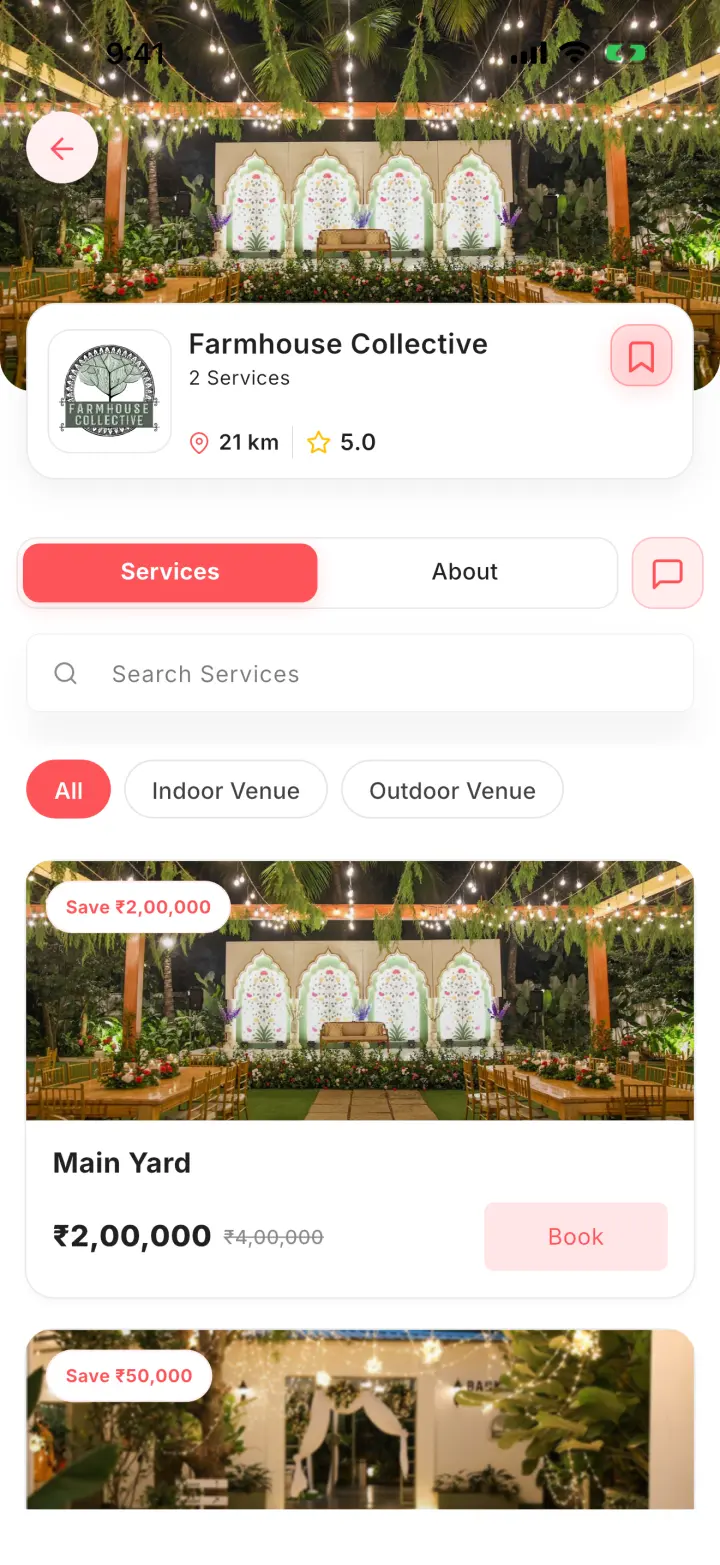
The Wedza app is free on Android and iPhone, and the same Wedza works on wedza.in in any browser.
- Find partners near you in all nine categories: share your location and pick one, or explore without logging in.
- Compare photos, services, prices and ratings, and open a service to see what is included and its guest capacity.
- Check your date: see which days are available, limited or taken.
- Book by time slot where a partner offers slots, each with its own price.
- See GST clearly: checkout on wedza.in shows each service's price before GST, then the GST, then the total.
- Send booking requests that the partner confirms, chat with them, and track everything in Bookings.
- After you book: if a partner sends you a quote, contract or gallery, open it on wedza.in with your mobile number, see every payment due, and pay the partner directly.
Log in with your mobile number and an OTP, or with Google. Get the Wedza app and start with your venue.
More about Wedza CRM: this guide covers one part. For everything Wedza CRM does, with real screens, prices and add-ons, see Wedza CRM features: everything it does.
Questions
Can I plan my whole wedding on Wedza?
Yes. Find venues, mandap and stage decoration, catering, photography, makeup, melam, pandits, invitations and return gifts in one app, compare them and send booking requests.
What should I book first for my wedding?
Book the venue first, because it fixes your date. Then book the pandit, caterer and photographer, followed by decoration, makeup, melam, invitations and return gifts.
Does the price on Wedza include GST?
At checkout on wedza.in you see each service's price before GST, then the GST with its rate, then the total, so you know exactly what you will pay.
How do I pay a wedding partner I booked?
If the partner sends you a quote or order, open it on wedza.in or in the Wedza app with your mobile number to see every instalment and its due date. You pay the partner directly by UPI or bank transfer, and Wedza takes no commission.