
Your client list is the most valuable thing your business owns. Years of enquiries, every couple you shot or decorated for, every advance and balance. Some software makes it hard to take that out. Wedza CRM does the opposite: in a few clicks, everything you keep in it comes out as one CSV file you can open in Excel or Google Sheets.
Why you would want an export
- For your accountant: every order, payment line, expense and supplier in a sheet.
- A backup you keep on your own computer or drive.
- Your own reports: pivot tables, charts or anything else in Excel or Google Sheets.
- Peace of mind: you know your data is never locked in.
What is in a Wedza CRM data export?
One CSV, in parts, each with its own title, so it stays easy to read:
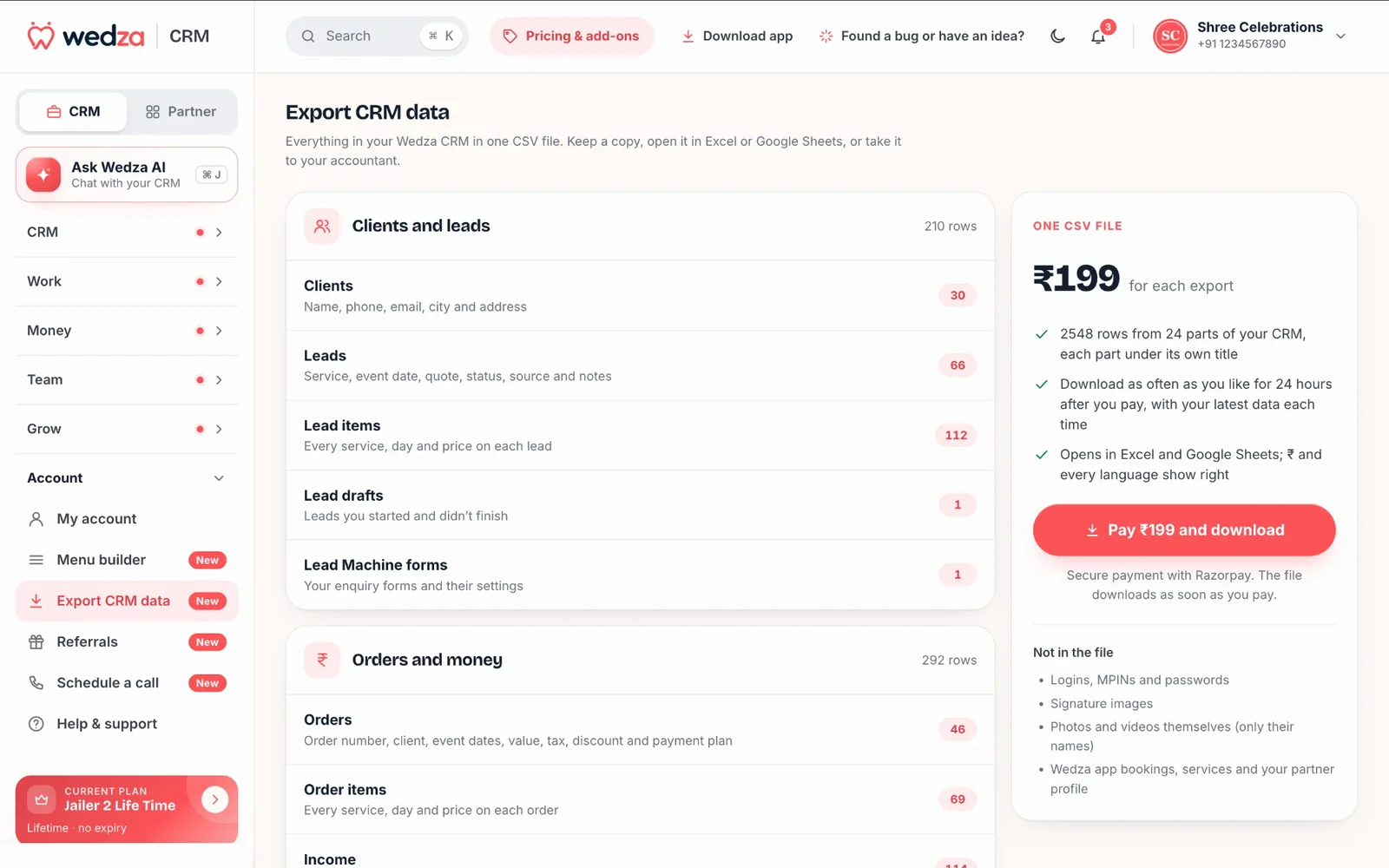
- Clients and leads: clients (name, phone, email, city and address), leads (service, event date, quote, status, source and notes), every service, day and price on each lead, lead drafts and your Lead Machine forms.
- Orders and money: orders (order number, client, event dates, value, tax, discount and payment plan), every service on each order, and income: every payment-plan line, paid or due.
- Agreements: your contracts, your contract templates and their signing records (without the signature images).
- Work and team: expenses and expense groups, suppliers and their categories, team members and roles, blocked dates, planner, post production, team chat and Cloud Gallery lists.
Before you download, the page shows how many rows of each you have right now, so you know exactly what you will get. ₹ signs and every Indian language show right in Excel and Google Sheets.
What is never in it
- Logins, MPINs and passwords.
- Signature images.
- Photos and videos themselves: only their names. Your photos stay in Cloud Gallery.
- Your Wedza app bookings, marketplace services and partner profile.
And only the owner can export, so a team member cannot walk away with your client list.
How do I export my CRM data to CSV?
- Log in to the Wedza Partner Portal.
- Open Export CRM data in the menu, under Account.
- Check what is in the file, then press Download free. The CSV downloads straight away.
- Used your free export in the last 6 months? Press Pay ₹599 and download now and pay with Razorpay instead.
- Each export is one download, so keep the file safe. It has your latest data.
How much does a CRM data export cost?
Free once every 6 months, ₹599 for an extra export sooner. Wedza CRM itself is ₹199 for 30 days with every feature, and Wedza takes 0% commission on bookings. See every Wedza CRM feature and pricing.
More about Wedza CRM: this guide covers one part. For everything Wedza CRM does, with real screens, prices and add-ons, see Wedza CRM features: everything it does.
Questions
Can I export my data from Wedza CRM?
Yes. Open Export CRM data in the CRM menu, under Account. Everything in your CRM goes into one CSV file that opens in Excel and Google Sheets.
What is in the export?
Clients, leads and their services, lead drafts, orders and their services, income (every payment-plan line, paid or due), agreements, expenses and expense groups, suppliers, team and roles, blocked dates, planner, post production, Lead Machine forms, team chat and Cloud Gallery lists. Each part has its own title in the file.
How much does it cost?
One export every 6 months is free. Need another one sooner? It is ₹599, paid with Razorpay. Each export, free or paid, is one download with your latest data.
Are passwords or MPINs in the file?
No. Logins, MPINs, passwords and signature images are never in the file. Photos and videos are listed by name only.
Who can export?
Only the business owner. Team members cannot export your client list.
Does it include my Wedza app bookings?
No. The export is your CRM. Your Wedza marketplace bookings, services and partner profile are not part of it.