
Most wedding bookings in India are won or lost on WhatsApp. These templates cover the whole journey from first enquiry to review. Change the words in [brackets], keep the tone your own, and save the ones you use most as quick replies.
First reply to an enquiry
1. Date is free: “Hi [Name], thank you for reaching out to [Business]! [Date] is available for us right now. Could you share the venue, rough guest count and which events you need us for (haldi, mehendi, wedding, reception)? I’ll send you a clear quote within the hour.”
2. Date is limited: “Hi [Name], thank you! We have one slot left on [Date]. Share the venue and timing and I’ll check it works and send you a quote today.”
3. Date is full: “Hi [Name], thank you for thinking of us. We’re fully booked on [Date], I’m sorry. If your dates are flexible, [Date 2] and [Date 3] are free. We’d love to be part of your celebration.”
4. Asking for details politely: “To give you an exact price, could you tell me: event date(s), venue or area, number of guests, and anything you have in mind? A screenshot of a design you like helps too.”
Sending the quote
5. Quote sent: “Hi [Name], here is your quote for [Service] on [Date]: [link]. It includes [inclusions]. The total is ₹[Amount] including GST. We hold the date once the advance is in.”
6. Two options: “I’ve put together two options for you: [Option A] at ₹[Amount] and [Option B] at ₹[Amount]. Happy to explain the difference on a quick call.”
7. Price question: “Thank you for being honest about the budget. I can do [adjusted scope] for ₹[Amount] and keep the quality the same. Shall I send the updated quote?”
Following up
8. Day 2 or 3: “Hi [Name], just checking if you had a chance to look at the quote. Happy to change anything in the design or the budget.”
9. Day 7: “Hi [Name], we have another enquiry for [Date]. Shall I hold it for you?” (Only send this if it is true.)
10. Closing the loop: “Hi [Name], I’ll take it that you’ve gone another way, and that’s completely fine. If anything changes, we’re here. Wishing you a beautiful wedding!”
Confirming the booking
11. Asking for the advance: “Wonderful, thank you for choosing us! To confirm [Date], the advance is ₹[Amount]. You can pay by UPI to [UPI ID] or bank transfer to [Account]. Please send the screenshot or UTR number once done.”
12. Advance received: “Received ₹[Amount], thank you! [Date] is now confirmed for you. The next instalment of ₹[Amount] is due on [Due date]. I’ll send a reminder a couple of days before.”
13. Booking summary: “Here is your booking summary: [Service], [Date], [Venue], total ₹[Amount], paid ₹[Paid], balance ₹[Balance]. Please check and tell me if anything needs to change.”
Payment reminders
14. Before the due date: “Hi [Name], a gentle reminder that the next payment of ₹[Amount] is due on [Due date]. UPI: [UPI ID]. Thank you!”
15. On the due date: “Hi [Name], today is the due date for ₹[Amount]. Please share the UTR once paid so I can update your booking.”
16. Overdue, kindly: “Hi [Name], I see the payment of ₹[Amount] from [Due date] is still pending. Is everything okay? If you need a few more days, just let me know the date.”
Around the event
17. Two days before: “Hi [Name], we’re all set for [Date]! Our team will reach [Venue] at [Time]. The contact on the day is [Name, Number]. The balance of ₹[Amount] is due before the event.”
18. Thank you: “Thank you for having us at your celebration, [Name]. It was a joy to be part of it!”
19. Review request: “If you were happy with our work, a short review would mean a lot to a small business like ours: [Review link]. Thank you!”
20. Referral: “If a friend or cousin is getting married soon, we’d love to help them too. Just share this number.”
Tips that make templates work
- Always use the client’s name and the event date. A template should never read like one.
- Send numbers as text, not inside images, so they can be searched later.
- Do not invent urgency. “Another enquiry for your date” works only when it is true.
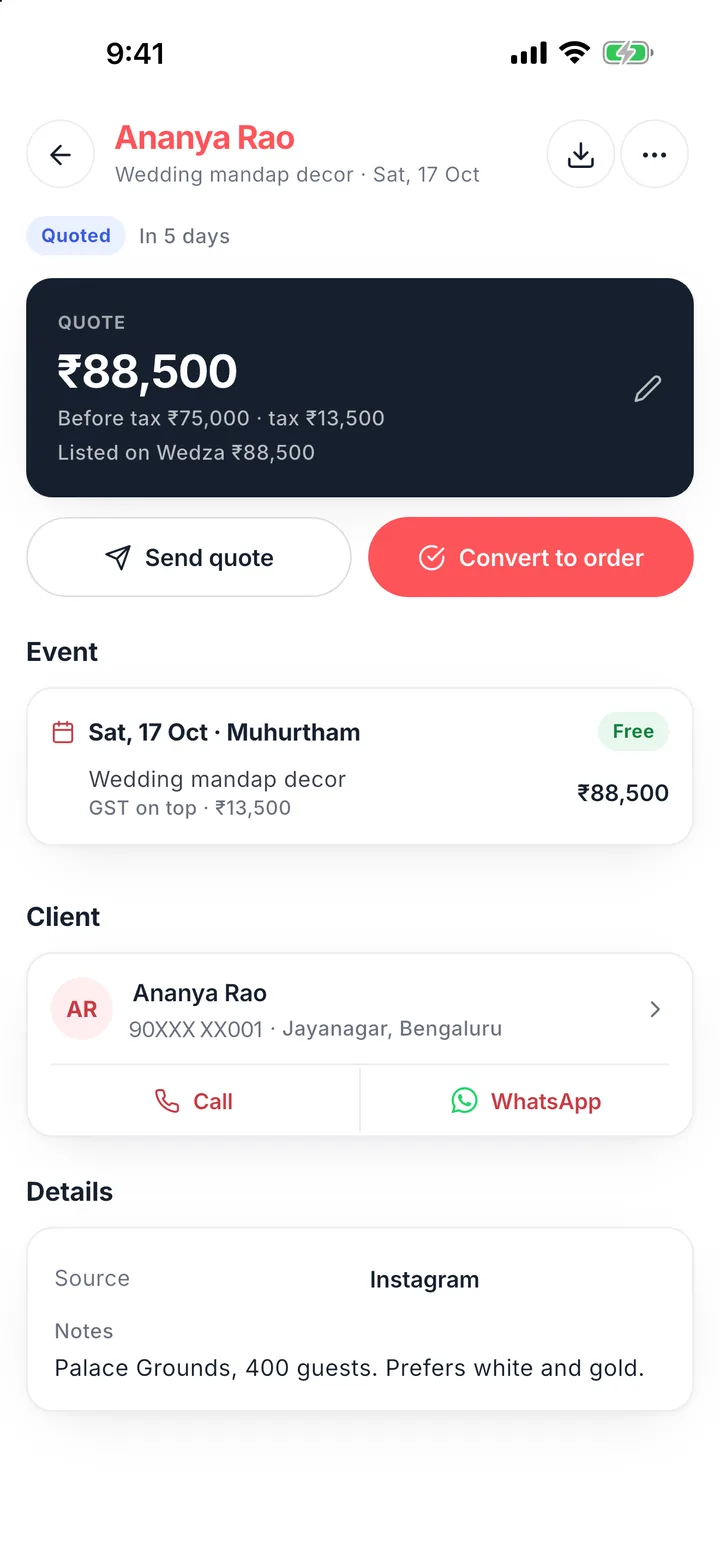
- Keep a record of what you sent. In Wedza CRM, quotes and payment reminders open WhatsApp with the client’s number, and every quote and payment stays on the lead or order.
Questions
Can I use these templates on WhatsApp Business?
Yes. Save the ones you use most as quick replies in WhatsApp Business, then edit the name, date and amount before sending.
Should I send voice notes or text?
Send prices, dates and payment details as text so the client can find them later. Use voice notes for warmth, not for numbers.
How often can I follow up without being pushy?
Two or three follow-ups over about a week is normal. Stop when the client says no, and leave the door open politely.